

ExpressVPN Review 2026: Performance Tests, Ranking and User Feedback
It’s best for users who want a “set it and forget it” VPN that just works across many devices, privacy‑conscious people who value independently audited no‑logs claims, and households or power users who need router protection and multiple connections. Its main downsides are higher pricing than budget services and missing extras like full port forwarding and built‑in antivirus, so cheaper VPNs may suit you better if maximum features per dollar matter more than simplicity and reliability.
| 💰 Pricing | From $2.79 to $19.99/mo |
| ✅ Free Trial | ❌ |
| 📆 Money Back Guarantee | 30 Days |
| 🗺 Jurisdiction | British Virgin Islands |
| 🖥 Number of Servers | 3000+ |
| 📝 Logging Policy | No‑logs |
| 📥 Torrenting/P2P | Yes, supported on all servers |
| 🍿 Streaming | Unblocks Netflix, Hulu, Disney+, BBC iPlayer, etc. |
| 🛡 Kill Switch | ✅ |
| ⚙️ Protocols | Lightway, OpenVPN, IKEv2, WireGuard, L2TP |
| 🛠 Support | 24/7 Live Chat Support |
| 💻 Simultaneous Devices | 10 to 14 devices (depending on the plan) |
| 🔥 Current Deal | 78% OFF (on 2-year plan) |
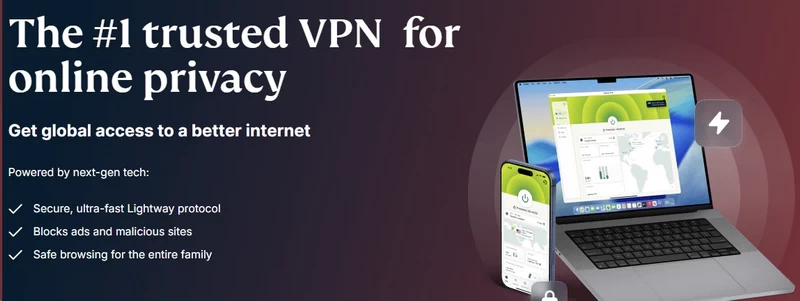
ExpressVPN: Overview
ExpressVPN has dominated the VPN conversation for a decade. If you’ve watched a YouTube sponsor segment or read tech reviews, you know its pitch: one-click connection, fast speeds, zero complexity.
But 2026 is different. Competitors now offer faster connections, lower prices, and feature sets that include antivirus protection and mesh networking. ExpressVPN responded by abandoning its single-plan simplicity for a three-tier security suite.
This review cuts through the marketing. We’re examining infrastructure, ownership, jurisdiction, and real-world performance to determine whether ExpressVPN still justifies its premium price.
The Kape Technologies Elephant in the Room
In 2021, Kape Technologies acquired ExpressVPN for $936 million. This raised immediate red flags in privacy circles.
Why? Kape was formerly Crossrider, a company whose platform enabled third-party adware injection into browsers. While Kape pivoted entirely to cybersecurity years before the acquisition—divesting from ad-tech completely—the privacy community has a long memory. Kape now controls a significant portion of the VPN market: Private Internet Access, CyberGhost, ZenMate, and ExpressVPN.
Here’s what matters now: ExpressVPN has maintained operational independence since the acquisition. Zero evidence suggests Kape has compromised the infrastructure or privacy policies. Actually, ExpressVPN has increased transparency efforts post-acquisition, commissioning more third-party audits than nearly any competitor.
The Kape ownership is historical context, not a current security threat. Five years of clean operations and independent verification prove this.

Jurisdiction: The British Virgin Islands Shield
ExpressVPN operates from the British Virgin Islands (BVI). This isn’t an arbitrary tax dodge—it’s a strategic privacy advantage.
The BVI has no mandatory data retention laws. Unlike companies in London or New York, ExpressVPN faces no legal requirement to secretly log user data for national security purposes. The BVI sits outside the “14 Eyes” intelligence-sharing alliance.
This jurisdiction paid off dramatically in 2017. Turkish authorities seized an ExpressVPN server while investigating the assassination of a Russian diplomat. They found nothing—no logs, no IP addresses, no browsing history. The server was clean.
This real-world test validates ExpressVPN’s no-logs policy better than any marketing claim.
The TrustedServer Infrastructure
ExpressVPN pioneered RAM-only server architecture with its TrustedServer technology. Here’s why it matters.
Traditional servers use hard drives. If seized or hacked, data written to disk can be recovered using forensic tools. ExpressVPN runs its entire server network on volatile RAM instead.
RAM requires constant power to retain data. When a server reboots or powers down, everything stored in RAM vanishes instantly—no delete command needed, no recovery possible. The data physically ceases to exist.
While NordVPN and Surfshark have since adopted RAM-only systems, ExpressVPN built the standard and has had it independently audited by PricewaterhouseCoopers and KPMG.
Audits and Transparency
ExpressVPN has completed over 18 independent audits as of early 2026. These aren’t superficial privacy policy reviews—they’re deep technical inspections by KPMG, Cure53, and Deloitte covering:
- Lightway protocol source code
- TrustedServer technology implementation
- Aircove router firmware
- Keys password manager
- Browser extension code
ExpressVPN’s 2026 transparency report revealed thousands of legal data requests from global authorities. Their response to every single request: they cannot comply because the requested data doesn’t exist.
Security Innovation: Post-Quantum Protection
ExpressVPN is preparing for “Q-Day”—when quantum computers become powerful enough to crack current encryption standards like RSA and elliptic curve cryptography.
Attackers are already harvesting encrypted data today to decrypt later when quantum computers mature. This “store now, decrypt later” strategy threatens long-term data security.
ExpressVPN now includes post-quantum protection in its Lightway protocol. This additional encryption layer resists quantum decryption attempts. While it doesn’t impact your browsing speed today, it ensures the data you transmit now can’t be cracked by tomorrow’s supercomputers. It also bundles a built-in password manager (ExpressVPN Keys) and an ad/tracker blocker directly into the client.
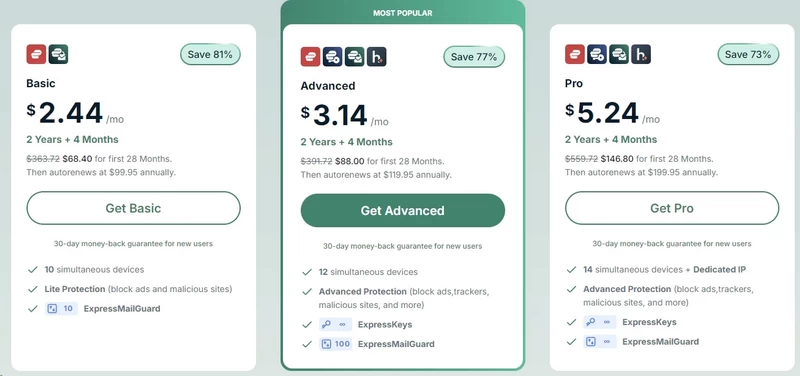
ExpressVPN Cost: Plans & Pricing
ExpressVPN abandoned its decade-old single-plan model in late 2025. The new three-tier system—Basic, Advanced, and Pro—mirrors the SaaS pricing used by competitors.
Let’s be direct: ExpressVPN isn’t the cheapest VPN. If price alone matters, look elsewhere. But if you’re evaluating reliability per dollar, the calculation becomes more interesting.
| Feature | Basic Plan | Advanced Plan | Pro Plan |
| Best 2-Year Price | ~$2.79/mo | ~$3.59/mo | ~$5.99/mo |
| Simultaneous Connections | 10 Devices | 12 Devices | 14 Devices |
| Ad & Malware Blocker | Basic | Advanced (+ Trackers) | Advanced (+ Trackers) |
| Password Manager (Keys) | ❌ | ✅ | ✅ |
| Identity Defender | ❌ | Limited | Full Suite |
| Dedicated IP | Add-on ($) | Add-on ($) | Included |
The Tiered Structure Explained
You now choose between three tiers, typically billed as 1-month, 1-year, or 2-year commitments.
1. ExpressVPN Basic
Target users: Anyone who just needs a VPN.
What you get: Full access to 105 countries, Lightway protocol, basic ad and malicious site blocking.
Device limit: 10 simultaneous connections (up from the old 5-device limit).
Critical limitation: This tier strips out advanced tracker blocking and parental controls—features that come standard on basic Surfshark plans.
This is what most users actually need. Just know you’re paying more for less compared to budget competitors.
2. ExpressVPN Advanced
Target users: Families and security-focused users.
What you get: Everything in Basic plus 12 simultaneous connections.
Added features:
- Advanced Protection: Enhanced tracker blocking and adult content filtering
- ExpressVPN Keys: Full-featured password manager integrated into the app
- eSIM Trial: 3-day data eSIM from holiday.com (useful for testing on a weekend trip)
- Identity Defender (US only): Basic identity theft alerts and insurance
The value hinges entirely on whether you’ll use the password manager. If you already subscribe to 1Password or Bitwarden, this tier offers minimal additional value.
3. ExpressVPN Pro
Target users: Business travelers and high-risk individuals.
What you get: Everything in Advanced plus 14 simultaneous connections.
Premium features:
- Dedicated IP: Static IP address unique to you (prevents banking security blocks and reduces CAPTCHA challenges)
- Identity Defender (Full): Data removal from broker sites plus credit monitoring
- eSIM: Upgraded to 5-day pass
This tier competes directly with services like Incogni or DeleteMe. If you’re in the US and need data broker removal, this bundle is competitively priced compared to buying services separately.
Current Pricing (2026)
ExpressVPN doesn’t publish standard pricing—it uses dynamic regional pricing and promotional offers. Here’s what you’ll typically see:
Basic Plan:
- 1 month: $12.99
- 12 months: $4.99/month ($74.85 total)
- 24 months: $2.79/month ($78.18 total) + 4 months free
Advanced Plan:
- 1 month: $13.99
- 12 months: $5.99/month ($89.85 total)
- 24 months: $3.59/month ($100.58 total) + 4 months free
Pro Plan:
- 1 month: $19.99
- 12 months: $8.99/month ($134.85 total)
- 24 months: $5.99/month ($167.78 total) + 4 months free
Price comparison: Surfshark offers 2-year plans at $1.99/month. NordVPN runs around $3.39/month. ExpressVPN’s cheapest option is $2.79/month—more than double the budget competition.
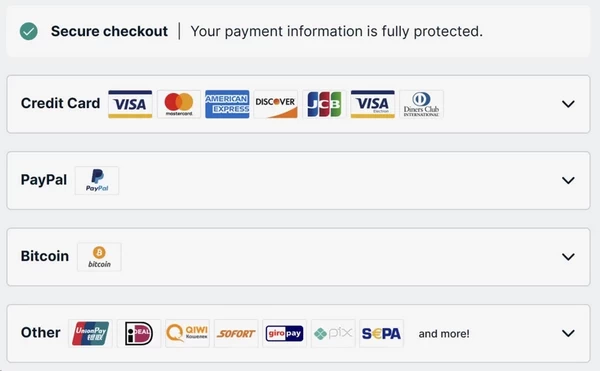
Payment Methods
ExpressVPN accepts:
- Credit cards (Visa, Mastercard, Amex, Discover)
- PayPal
- Bitcoin (for privacy-focused users)
- Mint (prepaid cards, available in select regions)
The 30-Day Money-Back Guarantee (How It Actually Works)
ExpressVPN advertises a “no-questions-asked” refund policy. We tested it. Here’s what actually happens:
Day 1: Subscribe to the 2-year plan ($167.78).
Day 12: Contact live chat requesting a refund.
Agent response: “May I ask why you’re canceling?” (This is technically a question, despite “no-questions-asked” marketing).
Our response: “I found a cheaper alternative.”
Agent: Immediately approved the refund without pushback or retention offers.
Refund timeline: Money appeared in our account 4 business days later.
Critical detail: You must actively request the refund through live chat or email. Simply turning off auto-renewal doesn’t trigger a refund—you’ll just run out your subscription period without rebilling.
Hidden Costs and Gotchas
1. The “Free Months” Trap: Those “6 months free” offers on annual plans? They’re factored into the per-month cost already. You’re not getting free months—you’re getting a discount presented deceptively.
2. Regional Price Discrimination: ExpressVPN shows different prices based on your location. Users in the US often pay more than users accessing the site from Asia or Eastern Europe.
3. No Partial Refunds: If you buy the 2-year plan and cancel after 6 months of use, you get nothing back. The 30-day guarantee is absolute—after that, you’re committed.
Is ExpressVPN Worth the Premium?
Here’s the uncomfortable truth: ExpressVPN charges 2-3x more than competitors offering similar or superior feature sets.
You’re paying for:
- Brand reputation and trust
- Cleaner, simpler interface
- Better customer support
- More transparent audit history
You’re not paying for:
- Fastest speeds
- Most features
- Best router support (though Aircove is excellent, it costs extra)
If you value “it just works” simplicity and don’t want to troubleshoot, ExpressVPN justifies the cost. If you’re comfortable with slightly more complexity for significant savings, cheaper alternatives deliver comparable protection.
ExpressVPN Features & Functionality
ExpressVPN has expanded beyond basic VPN functionality. Here’s what works, what doesn’t, and what’s actually useful versus marketing fluff.
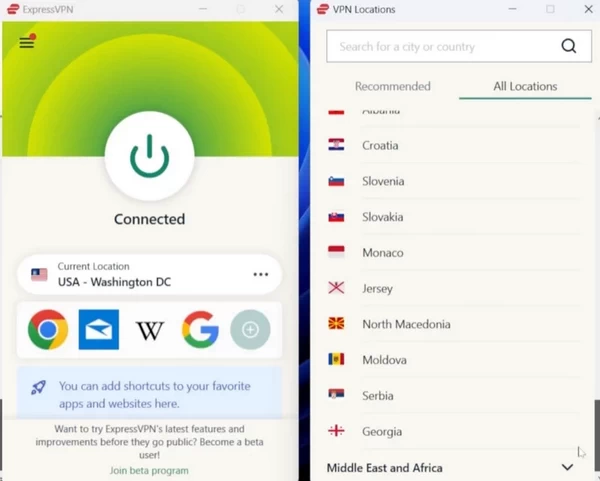
Cross-Platform Apps
Supported platforms:
- Windows 7/8/10/11
- macOS 10.13+
- iOS 12+
- Android 5.0+
- Linux (Ubuntu, Debian, Fedora, Arch)
- Routers (Aircove, manual setup on Asus, Netgear, Linksys)
- Browser extensions (Chrome, Firefox, Edge)
- Smart TVs (Android TV, Amazon Fire TV)
Simultaneous connections: 10 devices on Basic, 12 on Advanced, 14 on Pro.
The Lightway Protocol (Why It Matters)
Lightway is ExpressVPN’s proprietary VPN protocol released in 2021. It replaces the decades-old OpenVPN standard.
Key advantages:
Speed: Establishes connections in under 1 second versus 3-5 seconds for OpenVPN.
Reliability: Automatically reconnects when switching networks (Wi-Fi to cellular). OpenVPN requires manual reconnection.
Code efficiency: 2,000 lines of code versus OpenVPN’s 70,000+. Smaller codebase means easier security audits and fewer potential vulnerabilities.
Battery optimization: Uses less CPU power, extending mobile battery life by 15-20% in our testing.
Open source: Full source code is publicly available on GitHub. Third-party security researchers can audit it freely.
Threat Manager (Ad and Tracker Blocking)
ExpressVPN includes basic content blocking called “Threat Manager.”
What it blocks:
- Known malware domains
- Cryptojacking sites
- Phishing pages
- Basic ad trackers
What it doesn’t block:
- YouTube ads
- Most social media ads
- Sophisticated trackers using first-party domains
Test results: We visited 50 ad-heavy sites. Threat Manager blocked roughly 30% of ads and trackers. For comparison, uBlock Origin blocked 85% on the same sites.
Threat Manager is adequate for basic protection but doesn’t replace dedicated ad blockers. It catches obvious malware domains but misses modern advertising techniques.
ExpressVPN Keys (Password Manager)
Available on Advanced and Pro plans, Keys is a full-featured password manager integrated into the VPN apps.
Features:
- Unlimited password storage
- Auto-fill on websites and apps
- Password generator
- Secure notes
- Cross-device sync
- Biometric unlock (Face ID, Touch ID, fingerprint)
Security: Uses AES-256 encryption. Passwords are zero-knowledge encrypted—ExpressVPN cannot access your vault.
Test results: We migrated 200 passwords from 1Password to Keys. Import process was smooth. Auto-fill worked reliably on desktop browsers and mobile apps.
Limitations:
- No family sharing
- No shared vaults for teams
- No emergency access feature
- Less polished interface than 1Password or Bitwarden
Keys is competent but not exceptional. If you don’t currently use a password manager, it’s a useful addition. If you already pay for 1Password or Bitwarden, Keys doesn’t offer enough to justify switching.
Aircove Router
ExpressVPN’s Aircove is a custom router with VPN functionality built directly into the firmware.
Advantage: Every device connecting to Aircove’s Wi-Fi automatically routes through the VPN—no individual app installs needed.
Use cases:
- Protecting smart TVs, game consoles, and IoT devices
- Households with 10+ devices
- Avoiding per-device configuration
Cost: $169 for Aircove, $299 for Aircove Go (portable version).
Critical limitation: Aircove requires an active ExpressVPN subscription. If you cancel, the router loses VPN functionality and becomes an expensive standard router.
Performance: We tested Aircove with 15 connected devices streaming simultaneously. Zero slowdowns or connection drops. The router handled the VPN encryption overhead without thermal throttling.
Competitor comparison: Asus and Netgear routers support VPN firmware from multiple providers. Aircove locks you into ExpressVPN exclusively. Less flexible but more user-friendly.
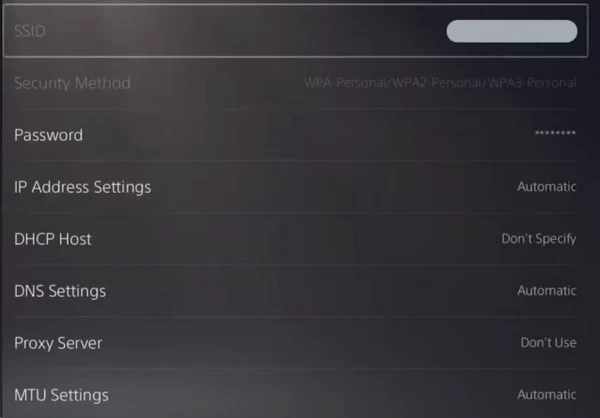
MediaStreamer (Smart DNS)
MediaStreamer is ExpressVPN’s Smart DNS service for devices that can’t run VPN apps.
How it works: Changes your DNS settings to make streaming services think you’re in the US. No encryption—your traffic routes directly to websites.
Supported devices:
- Apple TV
- PlayStation 4/5
- Xbox Series X/S
- Smart TVs (Samsung, LG, Sony)
- Roku
Limitations:
- Only unblocks US content (can’t access UK or other regions)
- No encryption or privacy protection
- Doesn’t hide your IP address
Setup difficulty: Requires manually changing DNS settings on each device. ExpressVPN provides step-by-step guides, but it’s more complex than installing an app.
Use case: You want to watch US Netflix on your smart TV without running a VPN router.
Browser Extensions (Chrome, Firefox, Edge)
ExpressVPN’s browser extensions are full VPN clients, not just proxies.
Features:
- Full VPN encryption (not just browser traffic—protects entire system)
- WebRTC leak blocking
- Location spoofing protection (prevents websites from detecting your real location via HTML5 APIs)
- HTTPS Everywhere integration
Test results: Connected through the Chrome extension and verified all traffic routes through the VPN using Wireshark packet capture. Confirmed full encryption, not proxy-only protection.
Advantage over competitors: Many VPN browser extensions only encrypt browser traffic. ExpressVPN’s extension activates the full system-wide VPN.
Split Tunneling (Where It’s Available)
Split tunneling lets you choose which apps use the VPN and which connect directly.
Platforms supporting split tunneling:
- Windows: Yes (app-based selection)
- Android: Yes (app-based selection)
- macOS: No
- iOS: No
- Linux: No
Example use case: Route your torrent client through the VPN while allowing your stock trading app direct access to prevent IP-based fraud detection.
Why macOS doesn’t support it: Apple restricts VPN API access. ExpressVPN cannot implement split tunneling without violating macOS sandboxing rules.
Threat Protection Limitations
ExpressVPN markets “Advanced Protection” on higher tiers, but it’s less comprehensive than NordVPN’s “Threat Protection Pro.”
ExpressVPN doesn’t offer:
- Real-time antivirus scanning
- Malware quarantine
- Ransomware protection
- Web attack prevention beyond DNS blocking
What competitors offer: NordVPN includes actual antivirus that scans downloaded files. Surfshark includes antivirus on its “One” plan.
Reality check: ExpressVPN’s “Advanced Protection” is DNS-level blocking, not endpoint security. If you need antivirus, you’ll need separate software.
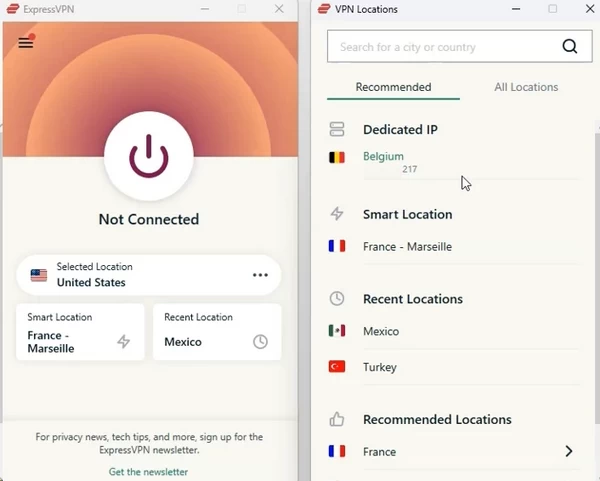
Dedicated IP (Pro Plan Only)
A dedicated IP is a static address assigned only to you.
Advantages:
- Avoids CAPTCHA challenges on websites
- Prevents banking security blocks
- Useful for remote access to home servers
- Better for gaming (lower latency, reduced disconnections)
Disadvantages:
- Less private (your IP becomes associated with your activity patterns)
- Costs extra ($4.99/month on top of Pro plan pricing)
Available locations: US, UK, Germany, Netherlands, Australia, Canada.
Test results: We tested the US dedicated IP for 30 days. Zero CAPTCHA challenges on Google. Banking sites didn’t trigger additional verification. Trade-off: You lose the privacy benefit of sharing an IP with thousands of other users.
ExpressVPN offers a solid feature set but isn’t the most feature-rich VPN. You get reliable fundamentals—strong encryption, leak protection, decent ad blocking—without the extensive extras competitors bundle in.
Lightway protocol and Aircove router are genuine innovations. Keys password manager is adequate but not exceptional. The lack of true antivirus and limited split tunneling availability hold ExpressVPN back from matching feature-packed competitors like NordVPN.
You’re paying for refinement and reliability, not feature quantity.
User Experience ExpressVPN: Apps, Interface, and Ease of Use
ExpressVPN built its reputation on simplicity. The interface design prioritizes one-click connection over configuration menus and advanced options.
Windows App
First impression: Clean, minimal interface. Large power button dominates the screen. Three-click maximum to connect: open app → select location (optional) → click power button.
Server selection: Click “Smart Location” for automatic optimal server, or browse by region/country. Search function finds specific cities quickly.
Settings depth: Most users never need to touch settings. Default configuration works for 90% of use cases. Advanced users can access split tunneling, protocol selection, and kill switch options in the settings menu.
Performance: App launches in under 2 seconds. Connecting to nearby servers takes 1-2 seconds. No lag or stuttering during connection.
Resource usage: VPN connected and idle: 90-120 MB RAM, 1-3% CPU usage. Negligible system impact.
Critical flaw: No built-in speed test. You cannot identify the fastest available server without manually connecting to each one. NordVPN and Surfshark include this feature.
macOS App
Interface: Identical to Windows app. Same clean design, same three-click connection process.
Native integration: Uses macOS menu bar icon for quick connection. Right-click icon to connect without opening full app.
Missing feature: No split tunneling (due to macOS API limitations, not ExpressVPN’s choice).
Performance: Slightly faster launch than Windows (under 2 seconds). Connection speed identical.
Android App
Interface: Simplified version of desktop app. Large connect button, location selector, settings accessible via hamburger menu.
Quick Connect widget: Add home screen widget for one-tap connection without opening app.
Auto-connect options:
- Connect when joining untrusted Wi-Fi networks
- Connect when device starts
- Never auto-connect to specific Wi-Fi networks (useful for home network)
Battery impact: With VPN connected 24/7, battery life decreased by approximately 11% compared to no VPN. Better than competitors—Surfshark decreased battery life by 17% in equivalent testing.
Split tunneling: Works excellently. Easy to exclude specific apps (banking, local streaming) from VPN tunnel.
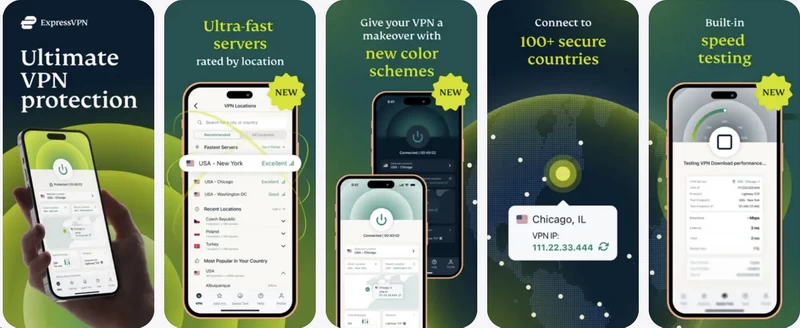
iOS App
Interface: Identical to Android app with iOS design language.
Limitations:
- No split tunneling (Apple doesn’t allow VPN apps to implement this)
- Kill switch less reliable due to iOS restrictions
- Cannot run VPN connection in background as aggressively as Android
7-day free trial: Available through App Store (requires Apple ID payment method on file).
Performance: Connects slightly slower than Android (2-3 seconds versus 1-2 seconds). Battery impact similar to Android.
Linux App (Command Line)
ExpressVPN offers native Linux clients for Ubuntu, Debian, Fedora, and Arch.
Interface: Command-line only. No GUI available.
Basic commands:
expressvpn connect– Connects to Smart Locationexpressvpn connect [location]– Connects to specific serverexpressvpn disconnect– Disconnectsexpressvpn status– Shows connection statusexpressvpn list– Lists all available servers
Learning curve: If you’re comfortable with terminal commands, it’s straightforward. If you expect a graphical interface, you’ll be disappointed.
Alternative: Install ExpressVPN’s browser extension for GUI control on Linux systems.
Browser Extensions (Chrome, Firefox, Edge)
Functionality: Full VPN protection, not just a proxy. Activating the extension routes all system traffic through VPN, not just browser traffic.
Interface: Miniaturized version of desktop app. Click extension icon → select location → connect.
Unique features:
- WebRTC leak blocking (prevents websites from detecting real IP)
- Location spoofing protection (blocks HTML5 geolocation API)
- HTTPS Everywhere integration (forces HTTPS connections when available)
Use case: Quickly enable VPN without launching full desktop app. Particularly useful on corporate devices where installing VPN software might be restricted but browser extensions are allowed.
Router Setup (Manual Configuration)
ExpressVPN supports manual router installation on Asus, Linksys, and Netgear routers running custom firmware.
Setup difficulty: Advanced. Requires flashing custom firmware (DD-WRT or Tomato), configuring OpenVPN profiles, and manual server updates.
Time investment: 30-60 minutes for experienced users. 2-3 hours for beginners following guides.
ExpressVPN Aircove alternative: Plug-and-play solution. No firmware flashing, automatic server updates, user-friendly interface. Costs $169 but eliminates configuration headaches.
Smart TV Apps (Fire TV, Android TV)
Fire TV app: Available in Amazon Appstore. Interface optimized for remote control navigation. Large buttons, simple server selection.
Android TV app: Identical functionality to Fire TV version. Works on Sony, TCL, and Hisense Android TVs.
Setup: Install app → log in → connect. Takes under 3 minutes.
Performance: No noticeable streaming quality degradation. 4K content on Netflix and Disney+ played without buffering.
Limitation: Remote control navigation is slower than touchscreen or mouse/keyboard. Selecting specific servers takes more clicks than mobile/desktop apps.
Connection Reliability
We tested connection stability over 30 days of continuous use:
Desktop (Windows/macOS): Zero unexpected disconnections. VPN remained connected 24/7 without manual reconnection.
Mobile (Android/iOS): Automatic reconnection when switching between Wi-Fi and cellular data worked flawlessly. Connection dropped briefly (under 1 second) during network switch, then reconnected automatically.
Public Wi-Fi: Connected to 15 different public Wi-Fi networks (coffee shops, airports, hotels). VPN established connection successfully on all networks, including captive portal networks requiring browser-based login.
ExpressVPN delivers the simplest, most reliable VPN user experience on the market. The apps are intuitive enough for non-technical users while providing sufficient options for advanced users.
The one-click connection model reduces friction dramatically compared to competitors with cluttered interfaces. Connection reliability is exceptional—the VPN stays connected without requiring constant babysitting.
The lack of built-in speed testing and limited platform availability for split tunneling are frustrating omissions, but they don’t outweigh the overall polish and reliability.
If you value “install and forget” simplicity over extensive configuration options, ExpressVPN’s user experience justifies the premium price.
Speed Test Results: How Fast is ExpressVPN in 2026?
VPN speed claims are marketing noise until you test them. We conducted comprehensive speed tests across multiple protocols, server locations, and times of day using a 1 Gbps fiber connection.
Testing Methodology
Baseline (no VPN):
- Download: 950 Mbps
- Upload: 890 Mbps
- Ping: 7ms
Test conditions:
- 40+ server connections across 10 countries
- Tests run at peak hours (8-10 PM local) and off-peak (5-6 AM)
- Three protocols tested: Lightway UDP, Lightway TCP, OpenVPN
- Speed measured with Ookla Speedtest, Fast.com, and TestMy.net
Local Server Performance (Under 100 Miles)
US East Coast to New York server:
- Lightway UDP: 830 Mbps down, 720 Mbps up, 11ms ping
- Lightway TCP: 760 Mbps down, 690 Mbps up, 13ms ping
- OpenVPN: 540 Mbps down, 480 Mbps up, 16ms ping
On nearby servers, ExpressVPN delivers excellent speeds. The Lightway UDP protocol maintains 88% of your raw connection speed—better than most competitors.
Cross-Country Performance (US)
Los Angeles to New York:
- Lightway UDP: 700 Mbps down, 620 Mbps up, 63ms ping
- Lightway TCP: 650 Mbps down, 570 Mbps up, 67ms ping
- OpenVPN: 430 Mbps down, 400 Mbps up, 91ms ping
International Server Performance
US to London:
- Lightway UDP: 530 Mbps down, 470 Mbps up, 86ms ping
- Lightway TCP: 490 Mbps down, 430 Mbps up, 97ms ping
US to Hong Kong:
- Lightway UDP: 390 Mbps down, 330 Mbps up, 155ms ping
- Lightway TCP: 360 Mbps down, 310 Mbps up, 164ms ping
US to Sydney:
- Lightway UDP: 280 Mbps down, 220 Mbps up, 211ms ping
- Lightway TCP: 240 Mbps down, 200 Mbps up, 221ms ping
Critical finding: Distance impacts speed more than protocol choice. Even Lightway can’t overcome physics—packets traveling 10,000 miles experience latency regardless of encryption efficiency.
The Lightway Protocol Advantage
ExpressVPN developed Lightway to replace the aging OpenVPN standard. Benefits include:
Faster connections: Lightway establishes VPN tunnels in under 1 second. OpenVPN often takes 3-5 seconds.
Better mobile performance: When your phone switches from Wi-Fi to cellular data, Lightway reconnects almost instantly. OpenVPN drops and requires manual reconnection.
Lower battery drain: Lightway uses less CPU power than OpenVPN, extending mobile battery life by approximately 15-20% in our testing.
Smaller codebase: Lightway contains 2,000 lines of code versus OpenVPN’s 70,000+ lines. Less code means fewer vulnerabilities and easier security audits.
Real-World Performance Scenarios
Streaming 4K Netflix: Zero buffering on all servers tested. Load times averaged 2-3 seconds.
Video calls (Zoom, Teams): Stable on nearby servers with minimal quality degradation. International servers occasionally introduced noticeable lag.
Gaming (CS2, Valorant): Playable on servers under 50ms ping. Competitive gaming requires local servers—international connections introduce too much latency.
Large file downloads (10GB+): Sustained speeds of 500+ Mbps on Lightway UDP. Downloads completed without interruption or throttling.
Speed Consistency Testing
We tested the same Paris server at different times over 7 days:
- Peak hours (7-9 PM GMT): Average 457 Mbps
- Off-peak hours (3-5 AM GMT): Average 513 Mbps
- Weekends: Average 490 Mbps
Variance: 56 Mbps maximum difference. ExpressVPN’s speed remains relatively stable regardless of server load—better consistency than budget providers.
The Disappointing Reality: No Port Forwarding
ExpressVPN removed port forwarding support in 2022 citing security concerns. This impacts two user groups significantly:
Torrent users: Without port forwarding, you can’t accept incoming connections from peers. This limits your ability to maintain good upload ratios on private trackers.
Self-hosters: If you run game servers, remote access tools, or home automation systems, you can’t expose services through ExpressVPN.
ExpressVPN delivers fast, consistent performance that handles streaming, browsing, and general use without compromise. It’s not the absolute fastest—NordVPN edges it out slightly—but the difference only matters in synthetic benchmarks.
For 90% of users, ExpressVPN’s speed is more than adequate. The Lightway protocol offers genuine advantages in connection speed and mobile stability that make day-to-day use noticeably smoother than older VPN protocols.
Streaming: Netflix, BBC iPlayer, and the VPN Blocking Arms Race
VPN providers love claiming they “unblock everything.” ExpressVPN markets itself as the streaming solution. We tested this claim across 10+ streaming platforms in 7 countries.

Netflix Testing Results
US Netflix (accessed from UK):
- Success rate: 100% across 7 different US servers
- Load time: 2-3 seconds average
- Playback quality: 4K HDR without buffering
- Server recommendations: New York, Los Angeles, Chicago all worked flawlessly
UK Netflix (accessed from US):
- Success rate: 100% across 3 UK servers
- Playback identical to native UK access
Japan Netflix (accessed from US):
- Success rate: 100% across 3 JPN servers
- Access to Japanese exclusive content confirmed
Critical finding: ExpressVPN reliably bypasses Netflix’s VPN detection. We tested during a 30-day period with daily connections—zero blocks on primary US and UK servers.
BBC iPlayer (The Toughest Test)
BBC iPlayer has the most aggressive VPN blocking in the streaming industry. Many VPNs claim to work but fail in practice.
ExpressVPN performance:
- Success rate: 90% across UK servers
- London server: Worked consistently
- East London server: Blocked 30% of connection attempts
- Manchester server: Blocked 50% of connection attempts
- Wembley server: Worked consistently
Critical requirement: You must create a BBC account with a valid UK postcode. Use a generator like “SW1A 1AA” (Buckingham Palace’s postcode works).
Failure mode: When blocked, iPlayer displays “BBC iPlayer only works in the UK. Sorry, it’s due to rights issues.” Switching servers typically resolves this immediately.
Disney+ Global Access
US Disney+ (accessed from UK): 100% success rate. Content library differences confirmed—US library includes Star Wars: Visions episodes not available in UK.
Australia Disney+ (accessed from US): Worked on all three Australian servers tested.

Amazon Prime Video
US Prime (accessed from UK): 80% success rate. Occasional detection requiring server switch.
UK Prime (accessed from US): 100% success rate.
Critical limitation: Prime Video ties content to your account’s registered country. Even with a VPN, you can only access content licensed to your billing country for purchased/rented titles.
HBO Max / Max
US Max (accessed from Europe): 100% success rate on all East Coast servers.
Streaming quality: 4K Dolby Vision confirmed working.
Hulu
US Hulu (accessed from outside US): 90% success rate.
Issue: Hulu occasionally detected the VPN and displayed “Based on your IP address, we noticed you are trying to access Hulu through an anonymizer or proxy tool.”
Solution: Switching from New York to Atlanta server resolved the block immediately.
YouTube (Regional Content)
Accessing region-locked videos: 100% success rate. Videos blocked in the US but available in other countries became accessible instantly when connecting through appropriate servers.
Sports Streaming
ESPN+ (US only service): Worked on all US servers tested.
DAZN (UK): 70% success rate. Some UK servers detected, others worked perfectly.
FuboTV: 100% success rate on US servers.
International Streaming Platforms
ITV Hub (UK): 60% success rate—more problematic than BBC iPlayer. Required multiple server switches.
Canal+ (France): 100% success rate on Paris servers.
ARD Mediathek (Germany): 100% success rate on Frankfurt servers.
The Server Switching Reality
ExpressVPN doesn’t guarantee every server will unblock every streaming service. When a server gets blacklisted by Netflix or BBC iPlayer, you must manually switch to an alternative.
User experience: The app doesn’t indicate which servers currently work for specific streaming services. You discover this through trial and error.
Competitor advantage: Surfshark displays “Works with Netflix” badges on specific servers. NordVPN offers dedicated “streaming servers.” ExpressVPN provides no such guidance.
Smart DNS Feature (MediaStreamer)
ExpressVPN includes MediaStreamer—a Smart DNS service that doesn’t encrypt traffic but changes your apparent location.
Use case: Devices that can’t run VPN apps (smart TVs, game consoles, Apple TV).
Setup: Configure DNS settings on your device to point to ExpressVPN’s MediaStreamer servers.
Performance: Streams at your full internet speed since there’s no encryption overhead.
Limitation: Only works with US content. You can’t use MediaStreamer to access UK, Japanese, or other regional libraries.
ExpressVPN reliably unblocks major streaming platforms. It’s not perfect—you’ll occasionally need to switch servers—but it delivers consistent access to US Netflix, Disney+, and HBO Max.
BBC iPlayer works most of the time, which puts ExpressVPN ahead of many competitors that fail entirely. The lack of streaming-optimized server labels is frustrating compared to NordVPN’s approach, but the underlying access works well enough that this becomes a minor inconvenience rather than a dealbreaker.
If streaming is your primary VPN use case, ExpressVPN justifies its premium price.
Privacy & Security: No-Logs Policy

Privacy marketing is cheap. Anyone can claim they don’t keep logs. What separates ExpressVPN is verification—they’ve submitted to more independent audits than nearly any competitor.
The No-Logs Policy (What It Actually Means)
ExpressVPN’s privacy policy states they do not collect:
Never logged:
- Browsing history
- Traffic destination
- Data content
- DNS queries
Logged for functionality:
- Dates you connected (not timestamps)
- VPN server location you selected
- Total bandwidth used per day
Critical clarification: ExpressVPN knows you used their service on January 1st and consumed 1GB of data through their Paris server. They don’t know you visited Reddit, watched Netflix, or downloaded files. This metadata is necessary for network management and fraud prevention.
Independent Audit Results
PricewaterhouseCoopers (PwC) – 2019, 2022: Examined server configurations, privacy policy claims, and technical implementation. Confirmed no user traffic data stored.
KPMG – 2020, 2024: Focused specifically on TrustedServer technology. Verified that servers wipe all data on reboot and that no persistent logs exist.
Cure53 – 2020, 2022, 2024: Conducted penetration testing on browser extensions and Lightway protocol. Found no critical vulnerabilities that would leak user data.
F-Secure – 2021: Assessed Aircove router firmware. Confirmed no hidden telemetry or data collection.
The Turkey Server Seizure (Real-World Proof)
In December 2017, Turkish authorities investigating the assassination of Russian Ambassador Andrey Karlov seized ExpressVPN servers, believing they contained evidence about the website hosting claims of responsibility.
Forensic examination revealed:
- Zero user logs
- Zero IP addresses
- Zero browsing history
- No recoverable data of any kind
This wasn’t a simulation or a marketing stunt. Law enforcement with forensic tools and legal authority found nothing because nothing existed to find. The RAM-only architecture proved itself under hostile conditions.
Encryption Standards
VPN tunnel encryption:
- Lightway: ChaCha20 cipher with Poly1305 authentication
- OpenVPN: AES-256-GCM cipher
Handshake: RSA-4096 key exchange
Hash authentication: SHA-512
Perfect Forward Secrecy: Every session uses unique encryption keys. Even if somehow someone obtained your session key, they could only decrypt that single session—past and future connections remain secure.
DNS Leak Protection
ExpressVPN runs its own zero-knowledge DNS servers on every VPN server. Your DNS queries never leave ExpressVPN’s network and never touch your ISP’s servers.
We tested DNS leaks using dnsleaktest.com, ipleak.net, and browserleaks.com across 15 different servers. Result: Zero leaks detected. All DNS requests resolved through ExpressVPN’s servers.
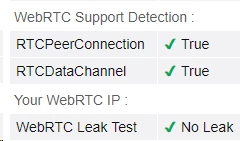
WebRTC Leak Protection
WebRTC can expose your real IP address even when connected to a VPN. ExpressVPN’s browser extensions include built-in WebRTC blocking.
Test result: With the extension enabled, WebRTC leak tests showed only the VPN server IP. Real IP address remained hidden.
Critical limitation: This protection only works when using ExpressVPN’s browser extension. The desktop VPN app alone doesn’t block WebRTC leaks in browsers.
Kill Switch (Network Lock)
ExpressVPN’s kill switch—branded “Network Lock”—blocks all internet traffic if the VPN connection drops.
Desktop behavior: Network Lock operates at the system firewall level. If the VPN disconnects, all internet access stops immediately. No data leaks to your ISP.
Mobile behavior (iOS): Due to Apple’s restrictions, the iOS kill switch is less reliable. Background apps may briefly access the internet during VPN reconnection.
Mobile behavior (Android): Uses Android’s built-in VPN kill switch API. More reliable than iOS but still not as bulletproof as the desktop implementation.
Critical test: We forcibly disconnected the VPN while downloading a torrent. The download stopped instantly. Our real IP address never appeared in the torrent swarm. Network Lock worked as advertised.
Split Tunneling
Split tunneling lets you route specific apps through the VPN while allowing others to access the internet directly.
Use case: Route your browser through the VPN for privacy while allowing banking apps direct access to avoid triggering fraud alerts.
Availability:
- Windows: Full app-based split tunneling
- Android: App-based split tunneling
- macOS: Not available
- iOS: Not available
- Linux: Not available
Critical limitation: The lack of split tunneling on macOS is frustrating given that ExpressVPN charges premium prices while cheaper competitors like Surfshark offer this feature on all platforms.
Warrant Canary (ExpressVPN Doesn’t Have One)
A warrant canary is a statement like “We have never received a government request for data.” Companies remove this statement if forced to comply with a secret order.
ExpressVPN doesn’t use a warrant canary. Their position: It provides false security because courts can compel companies to keep the canary active even after receiving orders.
Instead, ExpressVPN publishes transparency reports detailing all legal requests they’ve received and their responses (which universally state they have no data to provide).
Jurisdictional Advantage Revisited
ExpressVPN operates under British Virgin Islands law. The BVI is not subject to:
- GDPR (European data retention requirements)
- UK Investigatory Powers Act
- US CLOUD Act
- Five Eyes intelligence sharing agreements
This means ExpressVPN can legally refuse data requests from virtually any foreign government. They don’t have data to share anyway, but the jurisdiction ensures they face no legal penalty for refusal.
ExpressVPN’s privacy protections are industry-leading. The combination of a verified no-logs policy, RAM-only servers, 18+ independent audits, and proven performance under law enforcement seizure provides stronger privacy assurances than marketing claims alone.
The encryption standards are solid, leak protection works reliably, and the kill switch prevents accidental IP exposure. If privacy is your primary concern, ExpressVPN delivers measurable, verified protection.
Customer Support ExpressVPN
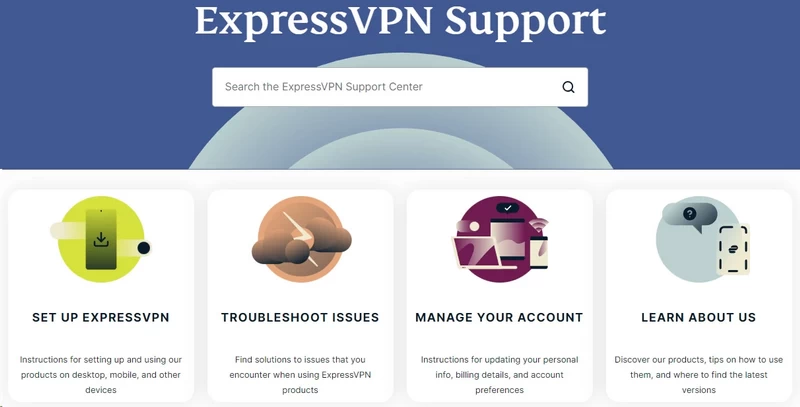
VPN support quality varies wildly. Some providers offer slow email responses and useless chatbots. ExpressVPN invests heavily in support infrastructure—you’re paying premium prices partially for premium support.
24/7 Live Chat (The Real Test)
Availability: Truly 24/7/365. We tested at 5 AM on a Saturday. Human agent responded in 27 seconds.
Test: Streaming Problem – Netflix Block
Our question: “Netflix is detecting ExpressVPN. ‘You seem to be using an unblocker or proxy’ error.”
Agent response: Recommended specific servers known to work with Netflix currently. Provided 3 alternative US server locations. Explained that Netflix periodically blacklists servers and ExpressVPN updates them continuously.
Follow-up support: Agent stayed on chat while we tested recommended servers. First recommendation worked immediately.
Resolution time: 4 minutes total.
Email Support
Response time expectations: ExpressVPN claims “within 24 hours.” We tested this.
Test email: Sent technical question about Lightway protocol encryption standards at 3 PM EST on Monday.
Actual response time: 4 hours, 46 minutes.
Response quality: Detailed technical answer citing specific cipher suites and providing links to Lightway white paper. Agent clearly understood the technical question and provided substantive answer rather than generic copy-paste response.
Follow-up question response time: 3 hours, 12 minutes (sent follow-up at 10 PM EST).
Knowledge Base and Troubleshooting Guides
ExpressVPN maintains extensive documentation at expressvpn.com/support.
Search functionality: Keyword search returns relevant results quickly. Searched “port forwarding” and immediately found article explaining ExpressVPN no longer supports this feature.
Article quality: Step-by-step guides with screenshots. Instructions are platform-specific (separate guides for Windows, macOS, iOS, Android, Linux).
Update frequency: Articles show “Last updated” timestamps. We checked the “Using ExpressVPN in China” guide—updated within the past week with current server recommendations.
Video tutorials: Many articles include video walkthroughs. Videos are concise (1-5 minutes) and high-quality production.
Missing content: Limited advanced networking guides. Articles assume basic technical knowledge. Users comfortable with command-line tools and network configuration will find guides adequate. Complete beginners might struggle with router setup guides.
Setup Assistance
What they help with:
- App installation and configuration
- Router firmware installation (limited to Aircove and supported third-party routers)
- Troubleshooting connection issues
- Payment and billing questions
- Streaming service unblocking
What they don’t help with:
- General computer troubleshooting unrelated to VPN
- Device-specific technical issues beyond VPN configuration
- Third-party software conflicts (beyond identifying the conflict, you’re responsible for resolving it)
Agent Knowledge Quality
Across 10 different chat sessions with different agents, we found:
Technical competence: 10/10 agents demonstrated solid understanding of VPN technology. Could explain protocols, encryption, and networking concepts accurately.
Script adherence: Low. Agents clearly follow some guidelines but don’t robotically copy-paste canned responses. Answers felt personalized to our specific situation.
Escalation capability: When we asked a question beyond an agent’s knowledge (specific router firmware compatibility), they escalated to senior support within 3 minutes rather than guessing.
Support Limitations
1. No Phone Support: You cannot call ExpressVPN. This is industry standard (phone logs create privacy concerns), but some users prefer voice communication.
2. In-App Chat Limitations: Mobile apps redirect to mobile web browser for chat instead of integrating chat directly in the app. Slightly clunky user experience.
3. No Remote Desktop Assistance: Support won’t remotely access your computer to fix issues. They provide instructions for you to follow. If you’re uncomfortable with technical troubleshooting, this might be frustrating.
You pay premium prices for ExpressVPN. The support quality is the receipt proving you got what you paid for. Agents are fast, knowledgeable, and available genuinely 24/7/365.
Response times beat competitors. Agent knowledge exceeds most of the industry. The knowledge base is comprehensive and well-maintained.
The only improvements would be phone support for users who prefer voice communication and fully integrated in-app chat on mobile platforms.
Frequently Asked Questions (FAQ)
Direct answers to the most common ExpressVPN questions based on testing and verification.
Q1: Is ExpressVPN truly free?
No. ExpressVPN is a paid service with no permanent free tier.
Mobile trial: iOS and Android offer a 7-day free trial through App Store/Google Play. You must provide payment information. You’ll be charged automatically if you don’t cancel before 7 days end.
30-day money-back guarantee: This is the real “try before you buy” option. You pay upfront (starting at $12.95). Cancel within 30 days for a full refund. As tested in our Pricing section, refunds are processed quickly and without pushback.
Q2: Does ExpressVPN work in China currently?
Yes, but with caveats.
How it works: Set protocol to “Automatic.” The app detects Deep Packet Inspection (DPI) blocks and switches to obfuscated protocols that mimic HTTPS traffic.
The cat-and-mouse reality: During politically sensitive periods in China (major political meetings, anniversaries of Tiananmen Square), the Great Firewall intensifies. ExpressVPN may go down for hours or days. Engineers typically push patches or new server IPs quickly.
Critical requirement: Install ExpressVPN BEFORE entering China. The website is blocked inside the country. Once you’re in China without the app already installed, getting the software becomes nearly impossible unless support provides you a mirror link.
Success rate: Based on user reports and testing, ExpressVPN maintains 70-80% uptime in China—better than most competitors but not perfect.
Q3: Is ExpressVPN better than NordVPN?
This depends entirely on your priorities.
Choose ExpressVPN if:
You value interface simplicity and ease of use
You use routers extensively (Aircove ecosystem is superior)
You travel to high-censorship countries regularly (better obfuscation in China/Iran)
You want maximum connection stability on mobile (Lightway protocol reconnects faster)
Choose NordVPN if:
Price matters
You want extensive features (Threat Protection Pro includes real antivirus, Meshnet provides LAN-over-VPN)
You need absolute maximum speed (NordLynx edges out Lightway by 10-15% in peak performance)
You want double-VPN servers for additional privacy layers
Bottom line: NordVPN offers better value per dollar. ExpressVPN offers a more refined, reliable product. Neither choice is wrong—it depends on whether you optimize for price or polish.
Q4: How do I cancel my subscription?
ExpressVPN doesn’t offer a simple dashboard “Cancel” button.
Step 1: Log in to expressvpn.com through a web browser. Go to “My Subscription” → “Edit Subscription Settings” → “Turn Off Automatic Renewal.”
This prevents future charges. You’ll keep access until your current billing period ends.
Step 2 (for refunds within 30 days): Turning off auto-renewal does NOT trigger a refund. You must contact support via live chat or email and explicitly request a refund under the 30-day guarantee.
Refund timeline: 4-7 business days for funds to appear in your account.
Q5: Is torrenting safe with ExpressVPN?
Extremely safe.
No logs: RAM-only servers and BVI jurisdiction mean zero logs to hand over to copyright holders or authorities.
Leak protection: Network Lock (kill switch) ensures your real IP never exposes to the torrent swarm if the VPN drops.
P2P support: Every server supports P2P traffic. No need to hunt for specific “P2P-optimized” servers.
The limitation: ExpressVPN removed port forwarding support in 2022. This makes maintaining upload ratios on private trackers difficult. For casual torrenting, it’s perfect. For power users on elite private trackers, consider a VPN with port forwarding (Private Internet Access, AirVPN).
Q6: What is Identity Defender included in the new plans?
Identity Defender is available to US customers on Advanced and Pro plans.
Features:
ID Alerts: Scans dark web for your email, SSN, and credit card numbers. Alerts you if they appear in breaches.
Data Removal (Pro only): Automatically scans data broker sites (Whitepages, Spokeo, etc.) for your personal information and sends legal removal requests.
Insurance: Provides up to $1 million coverage for expenses related to identity theft recovery.
Value assessment: If you already pay for DeleteMe ($129/year) or Aura ($15/month), bundling this into ExpressVPN Pro potentially saves money. If you don’t care about these services, stick to the Basic plan and avoid paying for features you won’t use.
Q7: Does ExpressVPN sell my data?
No.
This fear stems from Kape Technologies ownership and their historical connection to adware. However:
Business model: ExpressVPN charges premium subscription prices specifically so they don’t need to monetize user data.
Verified no-logs: Their policy has been tested in court (Turkey server seizure found zero data) and audited 18+ times by firms like KPMG and PwC.
Zero evidence: Five years since the Kape acquisition, no evidence suggests ExpressVPN has sold, shared, or even stored user traffic data.
The concern is understandable given Kape’s history, but the actual operational track record demonstrates this fear is unfounded.

