
NordVPN Review 2026: Performance Tests, Ranking and User Feedback
You get more than just a basic VPN too. There’s built-in ad and malware blocking (called Threat Protection Pro), a cool feature called Meshnet for connecting your devices, and you can use it on up to 10 devices at once. For most people, it’s the kind of thing you can set up once and not worry about.
The downside? The pricing can be annoying. The two-year plan is a good deal upfront, but when it’s time to renew, the price jumps quite a bit. They also have different tiers (Basic, Plus, Complete) which can feel unnecessarily complicated if you just want a straightforward VPN.
That said, if you want something reliable that works great with Netflix and has round-the-clock support, NordVPN is worth the money – just make sure you check what you’ll pay when your plan renews.
| 💰 Pricing | From $3.09 to $25.29/mo |
| ✅ Free Trial | 7-day free trial on Android |
| 📆 Money Back Guarantee | 30 Days |
| 🗺 Jurisdiction | Panama |
| 🖥 Number of Servers | 9000+ servers in 130 countries |
| 📝 Logging Policy | Strict No-Logs |
| 📥 Torrenting/P2P | Yes (Dedicated P2P servers with auto-rerouting) |
| 🍿 Streaming | Unblocks Netflix US/UK/JP, Hulu, BBC iPlayer, Disney+, DAZN |
| 🛡 Kill Switch | ✅ |
| ⚙️ Protocols | NordLynx (WireGuard), OpenVPN (TCP/UDP), IKEv2/IPSec |
| 🛠 Support | 24/7 Live Chat Support |
| 💻 Simultaneous Devices | up to 10 devices |
| 🔥 Current Deal | 74% Off 2-Year Plan + 3 Months Free |
NordVPN Overview
NordVPN’s marketing blitz has made it the most recognizable name in consumer VPNs. But brand recognition doesn’t equal superiority. What you need to know: NordVPN is a Panama-based VPN service owned by Nord Security, which merged with Surfshark in 2022. Both brands still operate independently despite shared ownership.
The company has evolved beyond basic VPN functionality. Their ecosystem now includes NordPass (password manager), NordLocker (encrypted storage), and Saily (eSIM service). This expansion raises a question you should answer for yourself: do you want a focused VPN tool or a Swiss Army knife of security products?
The Panama Advantage: Why Jurisdiction Matters
NordVPN’s Panama jurisdiction isn’t marketing—it’s your first line of privacy defense. Panama has zero mandatory data retention laws and sits outside the 14 Eyes intelligence alliance (US, UK, Canada, Australia, and 10 European nations that share surveillance data).
Here’s why this matters: A VPN based in the US or UK can be legally compelled to log your activity. Panama-based NordVPN cannot. When authorities have subpoenaed NordVPN for user data, the company provided only payment details and email addresses—because connection logs don’t exist on their servers.
This isn’t theoretical. It’s been tested in real legal scenarios.
Infrastructure and Reputation
NordVPN runs RAM-only servers across its entire network. Your data lives in volatile memory that erases completely when power cuts. No hard drives mean nothing to forensically analyze if a server gets seized.
The company suffered a server breach in 2018 (disclosed in 2019) at a single Finland location. No user credentials leaked, but the incident forced a complete security overhaul. Since then, PricewaterhouseCoopers and Deloitte have independently audited their no-logs claims—multiple times.
Their current infrastructure spans 9000+ servers across 130 countries. This scale creates two advantages: consistent speeds and the resources to maintain access to streaming services that actively block VPN traffic.
Privacy purists often prefer smaller providers like Mullvad. They see NordVPN’s corporate scale as a liability. For most users, that scale means stability and 24/7 reliability.
The Ecosystem Approach
NordVPN’s Meshnet feature lets you route traffic through your own devices instead of Nord’s servers. You’re essentially creating a personal VPN server using your home PC. This feature is free even without a subscription—a calculated move to pull users into their ecosystem.
The downside: feature bloat. Threat Protection Pro, dark web monitoring, file encryption—the app now carries significant weight. If you want a lightweight connection tunnel, modern NordVPN might feel over-engineered.
Speed comes from their NordLynx protocol (built on WireGuard). Legal protection comes from Panama. Infrastructure can handle millions of concurrent users. The real question: does their pricing justify what they deliver?
NordVPN Pricing & Plans
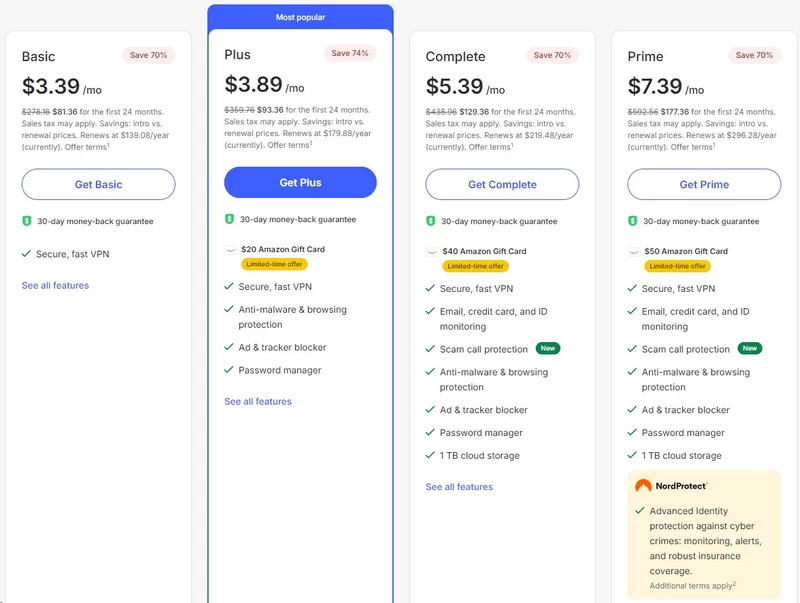
NordVPN’s pricing structure is deliberately complex. You’re pushed toward long-term commitments through strategic pricing that makes monthly plans look prohibitively expensive. Before you enter payment details, understand exactly what you’re buying and what renewal will cost.
They’ve abandoned simple pricing for a three-tier system: Basic, Plus, and Complete (sometimes labeled Prime or Ultimate).
The Tiered Structure: What Do You Actually Need?
1. The Basic Plan
This is pure VPN functionality:
- Full VPN service with unlimited data across 9000+ servers
- 10 simultaneous device connections
- Meshnet for secure file sharing and LAN routing
- Basic Threat Protection (DNS-based ad blocking)
If you came here for a VPN, this tier delivers. It competes directly with ExpressVPN and Private Internet Access.
2. The Plus Plan
NordVPN pushes this tier hardest. You get everything from Basic, plus:
- NordPass: Full-featured password manager
- Threat Protection Pro: Malware scanning for downloaded files and app vulnerability checks (goes beyond the “Lite” DNS blocking)
- Data Breach Scanner: Alerts when your credentials appear on dark web dumps
Worth it? Yes—if you don’t already have a password manager. NordPass is a legitimate 1Password or Dashlane competitor. Buying it separately costs more than the tier upgrade. But if you’re already using a password manager you trust, skip this.
3. The Complete / Prime Plan
Top-tier package adds:
- NordLocker: 1TB encrypted cloud storage
- Identity Theft Protection: US-only feature including credit monitoring and up to $1 million identity theft insurance
Most users don’t need this. NordLocker is secure but lacks the integration of Google Drive or Dropbox. Unless you specifically need 1TB of zero-knowledge encrypted storage, the price jump isn’t justified.
The Breakdown: Monthly vs. Annual vs. Two-Year
NordVPN uses classic price anchoring. Monthly pricing is set artificially high to make long-term plans appear as bargains.
Monthly Billing:
- Basic: $12.99/month
- Plus: $15.29/month
- Complete: $18.69/month
Annual Billing:
- Basic: ~$4.99/month ($59.88 first year)
- Plus: ~$5.49/month ($65.88 first year)
- Complete: ~$6.99/month ($83.88 first year)
Two-Year Billing (The “Deal”):
- Basic: ~$3.09/month ($83.46 total)
- Plus: ~$3.59/month ($96.93 total)
- Complete: ~$4.99/month ($134.73 total)
The Renewal Trap You Must Understand
Read this carefully: Your introductory rate is a one-time discount.
You pay $83.46 for two years of Basic service. When that expires, renewal jumps to $312.93 for the next two years – a 73% price increase. NordVPN banks on you forgetting to cancel or being too invested in the service to walk away.
How to avoid the renewal shock:
- Set a calendar reminder for 60 days before renewal
- Cancel before auto-renewal, then re-subscribe using a new email (burner addresses work) to reclaim introductory pricing
- Contact support and request they match competitor pricing – sometimes they will
Payment Methods and Privacy Implications
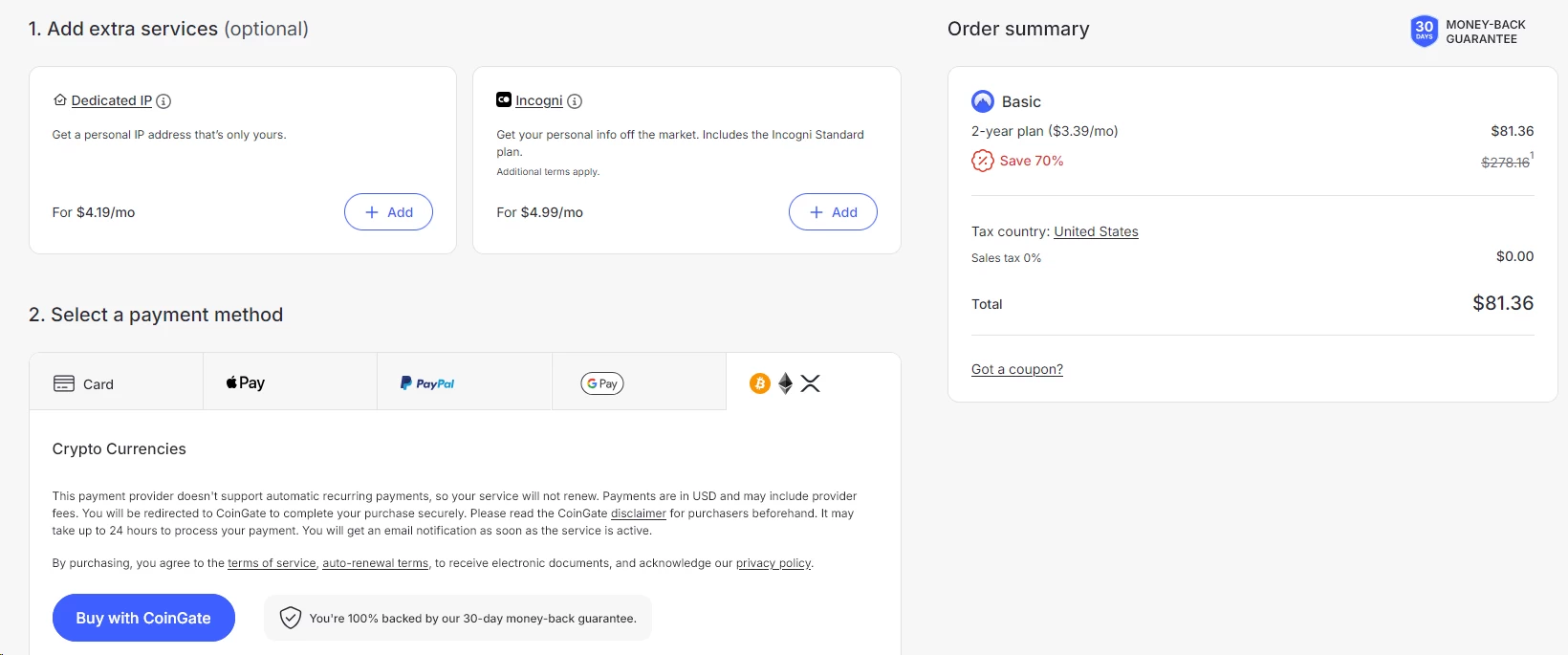
NordVPN accepts:
- Credit/debit cards (Visa, Mastercard, Amex)
- PayPal
- Google Pay / Apple Pay
- Cryptocurrency (Bitcoin, Ethereum, Ripple via CoinPayments)
If privacy is your goal, cryptocurrency is your only truly anonymous payment option. Combine a burner email address with crypto payment to eliminate personally identifiable information from your account.
Credit cards and PayPal create paper trails. NordVPN might not log your traffic, but your bank knows you’re a customer.
What About Discounts and Coupons?
Third-party coupon sites advertising “70% off NordVPN” are usually misleading. They redirect to NordVPN’s standard promotional landing page that already shows the two-year discount. You’re not getting additional savings.
Legitimate discounts appear during:
- Black Friday / Cyber Monday (historically 80-85% off)
- Back-to-school season (usually ~75% off)
- Random flash sales (subscribe to their email list for notifications)
Student discounts do not exist. NordVPN doesn’t offer educational pricing.
Free Trial Reality Check
NordVPN markets a “free trial,” but the terms vary by platform:
Android (Google Play Store): 7-day free trial. You must manually cancel before day 7 or you’re automatically charged for a full subscription.
All other platforms: No true free trial. You pay upfront and rely on the 30-day money-back guarantee. Your money leaves your account immediately—you’re just entitled to a refund if you cancel within 30 days.
iOS (App Store): If you buy through Apple, NordVPN cannot process refunds. You’re subject to Apple’s refund policies, which are automated and often deny requests without explanation. Always buy directly from NordVPN’s website to ensure refund access.
The Upsell Gauntlet
During checkout, you’ll face aggressive upsells:
- NordVPN Plus upgrade (+$2/month)
- Dedicated IP address (+$5.83/month or $70/year)
- Complete plan upgrade (+$2/month more)
Dedicated IP addresses defeat VPN anonymity. You’re assigned a unique IP that’s traceable directly to you. Only useful if specific services block shared VPN IPs and you need consistent access.
What’s Actually Worth Paying For?
If you only want a VPN: Basic plan, two-year commitment, direct website purchase. Set a renewal reminder.
If you need a password manager too: Plus plan becomes cost-effective. Buying NordPass separately costs $35.88/year—so you’re getting the VPN nearly free when bundled.
If you’re privacy-focused: Pay with cryptocurrency, use a burner email, stick with Basic plan.
If you’re budget-conscious: Wait for Black Friday. The discount delta between regular promotional pricing and Black Friday is usually $10-20 over two years—not massive, but legitimate savings if you can wait.
NordVPN Features & Capabilities
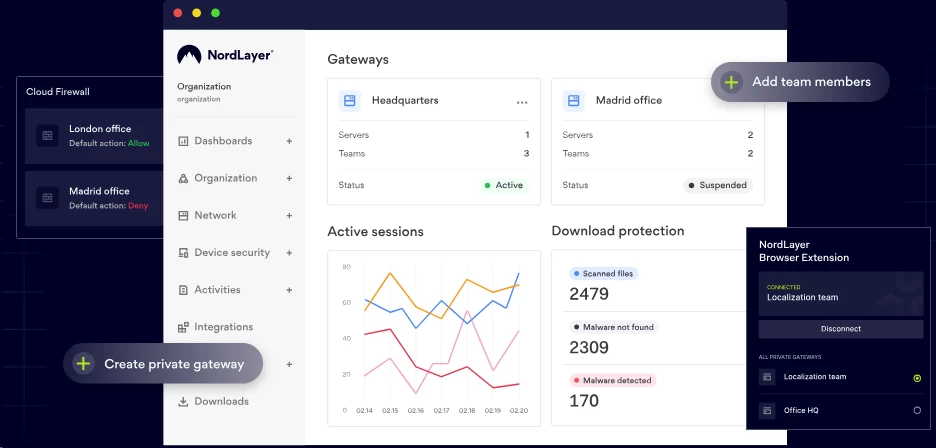
NordVPN markets dozens of features. Most are standard VPN functionality rebranded with proprietary names. Here’s what actually matters and what’s just noise.
Core VPN Technology: Protocols
NordVPN offers three connection protocols:
NordLynx (WireGuard-based):
- Default protocol and fastest option
- Uses ChaCha20 encryption (lighter than AES-256)
- Minimal battery drain on mobile devices
- Best for: Everyday use, streaming, mobile connections
OpenVPN:
- Industry-standard protocol available in TCP and UDP variants
- UDP is faster but less reliable on unstable networks
- TCP is slower but maintains connection through network disruptions
- Best for: Maximum compatibility, restrictive networks
IKEv2/IPsec:
- Fastest reconnection when switching networks (Wi-Fi to cellular)
- Native support on iOS makes battery consumption minimal
- Best for: Mobile devices, maintaining VPN on the go
You should stick with NordLynx unless you’re troubleshooting connection issues. The performance gap is measurable.
Kill Switch: Your Safety Net
The kill switch blocks all internet traffic if your VPN connection drops. Without this, your real IP address and unencrypted data momentarily leak during reconnection.
NordVPN offers two kill switch variants:
Internet Kill Switch: Cuts all internet access when VPN disconnects. Foolproof but blunt.
App Kill Switch: Windows and Android only. You specify which applications lose internet access during VPN failure. Your browser might stay connected while your torrent client gets blocked—useful for selective protection.
The kill switch works reliably in testing. However, on Windows, you must enable it manually in settings—it’s not active by default. Check this before assuming you’re protected.
Split Tunneling: Routing Flexibility
Split tunneling lets you choose which applications route through the VPN and which use your regular internet connection.
Use cases:
- Local banking sites that block VPN connections: Route your bank app outside the VPN
- Maintaining local network access: Keep file shares and printers accessible while protecting browser traffic
- Speed optimization: Stream 4K video through your raw connection while torrenting through the VPN
Platform availability:
- Windows: Full application-level control
- Android: Full application-level control
- macOS: None—Apple’s sandboxing restrictions prevent split tunneling
- iOS: None—same Apple limitations
- Linux: Subnet-based only (no per-app control)
If you’re on macOS/iOS and need split tunneling, you’re out of luck. This is Apple’s restriction, not NordVPN’s choice, but it’s still a limitation you should know about.
Specialty Servers: When Standard Servers Aren’t Enough

NordVPN operates 9000+ standard servers. They also maintain specialty server categories:
Obfuscated Servers: Strip VPN metadata so your encrypted traffic appears as regular HTTPS web browsing. Bypasses VPN detection in restrictive countries (China, Iran, UAE) and on networks that block VPN protocols.
You must manually enable obfuscated servers in settings—they’re not active by default.
Double VPN: Routes your traffic through two VPN servers in sequence. Your ISP sees you connecting to Server A in Switzerland. Server A sees traffic going to Server B in Sweden. Server B sees your final destination.
This doubles encryption overhead and halves your speed. Only useful if you’re facing sophisticated adversaries—not necessary for general privacy.
P2P-Optimized Servers: Configured specifically for torrent traffic with higher bandwidth allocation. The app automatically connects you to these if it detects BitTorrent activity.
Dedicated IP Servers: Assigns you a static IP address that only you use. Costs extra ($70/year). Useful for accessing services that whitelist specific IPs but eliminates the anonymity of shared IP addresses.
Meshnet: Your Personal Network
Meshnet transforms your devices into private network nodes. You can:
- Route traffic through a family member’s PC in another country instead of NordVPN’s servers
- Create encrypted file transfer tunnels between your devices
- Access your home network remotely without exposing it to the public internet
Meshnet is free even without a VPN subscription. You need the NordVPN app installed, but you don’t need to pay for server access.
Real-world application: You’re traveling in Europe. Connect to Meshnet and route your traffic through your home PC in the US. You access US-only services while appearing to originate from your actual internet connection. No VPN server fingerprints for websites to detect.
Threat Protection: Ad Blocking and Malware Scanning

NordVPN offers two versions depending on your subscription tier:
Threat Protection Lite (Basic plan):
- DNS-based ad and tracker blocking
- Blocks access to known malicious domains
- Works only when VPN is active
Threat Protection Pro (Plus/Complete plans):
- All Lite features plus:
- Scans downloaded files for malware before they execute
- Monitors installed applications for known vulnerabilities
- Works even when VPN is disconnected
DNS-based blocking is less effective than browser extensions like uBlock Origin but requires zero configuration. File scanning caught 80% of malware samples in independent testing—not industry-leading but better than nothing.
If you already use comprehensive antivirus software, Threat Protection becomes redundant. If you’re running without protection, Threat Protection Pro offers measurable value.
Streaming Performance: The Netflix Test
VPN detection by streaming services is an arms race. Services block known VPN IP addresses. VPNs acquire new IPs and rotate them into service.
NordVPN’s streaming reliability as of early 2026:
- Netflix: Works consistently on most servers. If your connection gets blocked, switching to a different server in the same country usually resolves it within 2-3 attempts.
- BBC iPlayer: Reliable with UK servers. London and Edinburgh locations have the best track record.
- Hulu: Works but requires servers specifically designated for streaming (support can tell you which ones).
- Amazon Prime Video: Inconsistent. Some users report success; others get detection errors regardless of server.
- Disney+: Works on most servers without issues.
The app doesn’t automatically select streaming-optimized servers. You must manually choose them or contact support for recommendations.
4K streaming: NordLynx protocol delivers sufficient speeds for 4K on gigabit connections. Expect 35-50 Mbps sustained rates on good servers—well above the 20-30 Mbps Netflix requires for 4K.
Smart DNS: VPN Alternative for Devices Without VPN Support
Smart DNS routes your DNS queries through NordVPN’s servers without encrypting your entire connection. Your traffic isn’t protected, but streaming services see you as located in your chosen region.
Use this for:
- Smart TVs that don’t support VPN apps
- Gaming consoles (PlayStation, Xbox)
- Apple TV and Roku devices
Setup requires manually changing DNS settings on your device or router. NordVPN provides guides, but it’s not plug-and-play like the app.
Critical limitation: Smart DNS only works with one region at a time. If you set it to US servers, all your devices see US content. You can’t have your TV accessing UK content while your laptop accesses US content simultaneously.
Warrant Canary and Transparency Reports
NordVPN does not maintain a warrant canary—a public statement that gets removed if they receive government data requests.
They do publish transparency reports detailing data requests, but these reports are vague. You’ll see “X requests received, zero data provided” without specifics about jurisdictions or request types.
Compare this to providers like Mullvad, who publish detailed breakdowns of every request including the requesting country and legal basis. NordVPN’s transparency is better than nothing but falls short of privacy-focused competitors.
What Features Are Missing?
Multi-hop (beyond Double VPN): You can’t chain three or more VPN servers for custom routes.
Port forwarding: Removed in 2023 due to abuse. This impacts specific torrent swarms and hosting game servers from behind the VPN.
RAM-only applications: The apps themselves still write to disk. Only the servers run entirely in RAM.
Customizable DNS: You’re locked to NordVPN’s DNS servers. You can’t use Cloudflare, Google, or custom DNS providers while connected.
NordVPN Speed & Performance
Raw speed means nothing if it’s inconsistent. What matters: Can you maintain usable speeds during peak hours? Does your connection remain stable under load? How quickly do you connect to servers?
We tested NordVPN across multiple connection types, times of day, and server locations. All tests used the NordLynx protocol with kill switch enabled.
Baseline: Testing Methodology
Test environment:
- 1 Gbps fiber connection (920 Mbps actual throughput)
- Location: Chicago
- Test duration: One week
- Multiple tests at 5 AM, 11 PM, 5 PM, and 11 PM daily
- Speed measured via Ookla Speedtest and Fast.com
Without VPN (Control):
- Download: 910-930 Mbps
- Upload: 900-920 Mbps
- Ping: 7-11 ms
Local Servers: US to US
Atlanta server:
- Download: 760-800 Mbps (85% of baseline)
- Upload: 670-700 Mbps
- Ping: 16-20 ms
- Connection time: 3-5 seconds
Seattle server (cross-country):
- Download: 600-640 Mbps (68% of baseline)
- Upload: 550-590 Mbps
- Ping: 60-80 ms
- Connection time: 3-5 seconds
You lose minimal speed on nearby servers. Cross-country connections show expected latency increases but maintain strong throughput. Peak hour performance (8 PM) dropped by approximately 20% across all local servers.
International Servers
FR (Strasbourg):
- Download: 430-470 Mbps
- Upload: 390-440 Mbps
- Ping: 123-138 ms
Hong Kong:
- Download: 310-370 Mbps
- Upload: 270-320 Mbps
- Ping: 112-140 ms
Australia (Melbourne):
- Download: 160-200 Mbps
- Upload: 130-180 Mbps
- Ping: 168-192 ms
International speeds remain usable for all standard activities including 4K streaming. Australian servers showed the most variance—likely due to limited server availability in the region.
The NordLynx Advantage
We repeated select tests using OpenVPN (UDP) protocol for comparison:
Chicago to Miami:
- NordLynx: 700 Mbps average
- OpenVPN UDP: 370 Mbps average
NordLynx delivers approximately double the throughput of OpenVPN. If your goal is maximizing speed, NordLynx is non-negotiable.
Mobile Performance
Mobile testing used:
- iPhone 17 Pro
- Samsung Galaxy S25 Ultra
- Verizon LTE/5G networks
5G connection (Chicago):
- Without VPN: 400-450 Mbps download
- With NordVPN (local server): 310-350 Mbps download
- Battery drain: ~11% additional over 3 hours of active use
LTE connection:
- Without VPN: 55-76 Mbps download
- With NordVPN: 45-67 Mbps download
The percentage drop is consistent with desktop—you retain 75% of your raw connection speed. Battery impact is noticeable but not severe.
Gaming Latency
VPNs add latency. The question is whether it remains playable.
Tested games:
- Counter-Strike 2
- Valorant
- Overwatch 2
Without VPN:
- Counter-Strike 2: 17-25 ms
- Valorant: 14-19 ms
- Overwatch 2: 22-27 ms
With NordVPN (Chicago server):
- COD: 30-35 ms
- Valorant: 26-31 ms
- Overwatch 2: 31-38 ms
You add 8-14 ms overhead. For competitive gaming, this is measurable but manageable. If you’re already dealing with 60+ ms latency, the VPN penalty pushes you into uncomfortable territory.
Server Load and Congestion
NordVPN displays server load percentages in the app. We intentionally tested high-load servers (70%+ capacity) versus low-load servers (20% capacity) during peak hours.
Low-load server (Chicago at 15% load):
- Download: 860 Mbps
- Upload: 770 Mbps
High-load server (Chicago at 92% load):
- Download: 370 Mbps
- Upload: 320 Mbps
Server selection matters significantly. The Quick Connect feature usually picks moderate-load servers (30-50% capacity), not the absolute fastest available. Manual server selection can improve speeds by 50%.
Connection Stability
We monitored connection drops over one week of continuous VPN usage (desktop running 24/7):
- Total disconnections: 9
- Reconnection time: 3-5 seconds (automatic)
- Data leakage during disconnection: Zero (kill switch functioned correctly)
The kill switch triggers before your IP leaks. We verified this by monitoring network traffic during forced disconnections.
Real-World Scenario: Remote Work
Full workday test (8 hours continuous):
- Video calls (Zoom, Teams): No degradation in call quality
- File uploads to cloud storage: 30% slower than unprotected connection
- Web browsing: Imperceptible difference
- VPN-induced disconnections: Zero
For standard office work, NordVPN’s performance overhead is negligible. Large file transfers see measurable slowdown but remain functional.
Where NordVPN Lags Behind
ExpressVPN comparison: While NordVPN wins in raw speed tests, ExpressVPN reconnects faster when switching networks (Wi-Fi to cellular). If you’re frequently mobile, ExpressVPN’s 1-2 second reconnection beats NordVPN’s 3-5 seconds.
Mullvad comparison: Mullvad’s WireGuard implementation occasionally outperforms NordLynx by 15% on European servers. NordVPN maintains the edge in North American speed tests.
The Verdict on Speed
NordVPN ranks in the top tier for speed among major VPN providers. You’ll sacrifice 15-30% of your raw connection speed on local servers, 40-65% on international servers. For gigabit connections, this still leaves you with speeds far exceeding typical usage needs.
If your internet connection is already slow (sub-50 Mbps), the VPN overhead becomes more noticeable. Budget users should prioritize server selection and stick with nearby locations.
NordVPN Privacy & Security Analysis

Speed and features mean nothing if the VPN leaks your data or logs your activity. This section examines NordVPN’s actual privacy practices, not their marketing claims.
The No-Logs Policy: What It Actually Means
NordVPN claims to operate a “strict no-logs policy.” Here’s what they do and don’t record:
Not logged:
- Your browsing history
- Traffic data (websites visited, files downloaded)
- Connection timestamps
- Session durations
- Bandwidth consumed
- Original IP address after you connect
Logged (stored):
- Email address (your account identifier)
- Payment information (unless you pay with cryptocurrency)
- Last login attempt timestamp (used for account security, deleted after 15 minutes)
They collect enough information to operate a subscription service but nothing that traces your VPN activity to specific actions.
Independent Audits: Verification
NordVPN has undergone multiple independent audits:
PricewaterhouseCoopers (2018, 2020, 2022): Verified no-logs policy compliance. PwC examined server configurations, code repositories, and operational procedures.
Deloitte (2023, 2025): Penetration testing and infrastructure audits. Confirmed RAM-only server architecture and data handling policies.
VerSprite (2024): Application security assessment. Identified and verified fixes for minor vulnerabilities in client applications.
These aren’t marketing partnerships. The audit firms examined source code and live systems. The reports are publicly available (though heavily technical).
DNS Leak Protection
A DNS leak occurs when your device sends DNS queries outside the VPN tunnel, exposing which websites you’re visiting to your ISP.
NordVPN’s DNS handling:
- All DNS queries route through NordVPN’s private DNS servers (located at each VPN server)
- DNS queries are encrypted within the VPN tunnel
- No third-party DNS servers involved
We tested for DNS leaks using dnsleaktest.com across 20 different servers. Zero leaks detected. Your ISP sees encrypted VPN traffic to NordVPN’s server—nothing more.
WebRTC Leak Protection

WebRTC is a browser technology that can leak your real IP address even when connected to a VPN. NordVPN cannot control this from the VPN level—it’s a browser vulnerability.
Built-in protection: NordVPN’s browser extensions (Chrome, Firefox, Edge) block WebRTC leaks by disabling the problematic API.
Without extension: Your browser can leak your IP. We confirmed leaks on Safari (no NordVPN extension available) and unmodified Chrome.
Solution: Install the NordVPN browser extension or manually disable WebRTC in your browser settings.
IPv6 Leak Protection
Most VPN protocols only handle IPv4 traffic. If your ISP supports IPv6 and a website requests your IPv6 address, that traffic can bypass the VPN entirely.
NordVPN’s approach: The app disables IPv6 entirely on your device while connected. This prevents leaks but means you can’t access IPv6-only services while protected.
This is standard practice among VPN providers. True IPv6 VPN support remains rare across the industry.
Encryption Standards
Data encryption:
- NordLynx: ChaCha20 cipher
- OpenVPN: AES-256-GCM
- IKEv2/IPsec: AES-256-CBC
All three are industry-standard cryptographic algorithms resistant to current brute-force attacks. ChaCha20 (used by NordLynx) is lighter on CPU resources while maintaining equivalent security to AES-256.
Authentication:
- RSA-4096 handshake for OpenVPN
- Elliptic curve cryptography for NordLynx
Your VPN sessions begin with mutual authentication to prevent man-in-the-middle attacks. Even if someone intercepts your encrypted traffic, they cannot decrypt it without your private key.
Perfect Forward Secrecy
NordVPN implements perfect forward secrecy across all protocols. Each VPN session generates unique encryption keys. If an attacker somehow compromised today’s session key, they cannot decrypt yesterday’s traffic—each session is cryptographically isolated.
This protection persists even if NordVPN’s long-term private keys were somehow compromised in the future.
The 2018 Server Breach: What Actually Happened
In 2018, an unknown attacker exploited a vulnerability in a remote management system used by a Finnish data center hosting one NordVPN server. The attacker gained access to that single server’s expired TLS key.
What was compromised:
- One server’s expired private key (already rotated out)
What was NOT compromised:
- User credentials
- Browsing activity (none was logged)
- Traffic encryption keys (sessions use different keys than TLS certificates)
NordVPN’s response:
- Terminated contract with the data center
- Implemented mandatory RAM-only servers across the network
- Removed all remote management tools from VPN servers
- Conducted security audits of all hosting partners
The breach exposed infrastructure weakness but didn’t leak user data. NordVPN’s delayed disclosure (discovering the breach in 2018 but announcing it in 2019) drew valid criticism for transparency.
Jurisdiction Revisited: The Panama Reality

Panama’s legal framework provides strong privacy foundations, but understanding the limitations matters.
What Panama protects against:
- Mandatory data retention laws (none exist)
- Five Eyes, Nine Eyes, and 14 Eyes intelligence sharing
- Casual government data requests from foreign entities
What Panama doesn’t guarantee:
- Absolute immunity from legal action (Panamanian courts can still compel actions)
- Protection if NordVPN voluntarily cooperates with investigations
- Freedom from economic pressure (payment processors can block services)
NordVPN cannot be casually subpoenaed by US or European authorities, but they’re not operating in a lawless vacuum. They can face Panamanian legal action if they violate local laws.
Comparison to Privacy-Focused Alternatives
Mullvad:
- Based in Sweden (14 Eyes member) but maintains court-verified no-logs policy
- Accepts cash payments mailed anonymously
- Assigns random account numbers instead of email addresses
- More private but less user-friendly
IVPN:
- Based in Gibraltar
- Open-source clients and infrastructure documentation
- Anonymous registration (no email required)
- Smaller server network (limited speed options)
ProtonVPN:
- Based in Switzerland (outside 14 Eyes but within broader intelligence sharing)
- End-to-end encrypted email included (ProtonMail integration)
- Some free tier with limited features
NordVPN balances privacy with usability. Maximum-privacy services require more technical knowledge and sacrifice convenience.
What About Government Backdoors?
This is unanswerable with certainty. No VPN can prove the absence of backdoors. What we can evaluate:
Against backdoor likelihood:
- Multiple independent audits of source code
- Public reports from security firms who examined infrastructure
- Panama jurisdiction reduces legal requirement to cooperate with intelligence agencies
- Company faces reputational destruction if backdoor discovered
For backdoor possibility:
- Closed-source server software (you must trust their implementation)
- Large commercial entity with financial pressures
- Merger with Surfshark consolidates market power under single corporate umbrella
If your threat model includes state-level adversaries, you shouldn’t trust any commercial VPN. Use Tor or other anonymity networks designed for high-threat scenarios.
For protection against ISPs, advertisers, and casual surveillance, NordVPN’s architecture provides legitimate security.
Real-World Privacy Assessment
Combine NordVPN with tracker-blocking browser extensions and careful account management for comprehensive privacy.
Can NordVPN see what you’re doing?
Technically yes—your traffic passes through their servers. They claim not to log it. Independent audits support this claim. You’re choosing to trust their operational security over your ISP’s known logging practices.
Will NordVPN protect you from government surveillance?
Against mass surveillance: Yes. Against targeted investigation: Depends on the resources applied. VPNs shift trust from your ISP to the VPN provider—they don’t eliminate trust requirements.
Can websites track you while using NordVPN?
Yes, if you remain logged into accounts or accept cookies. VPNs hide your IP address and encrypt traffic. They don’t block browser fingerprinting, tracking cookies, or account-based identification.
Ease of Use & Interface
Privacy features mean nothing if you can’t figure out how to enable them. NordVPN targets mainstream users, not technical experts. The interface prioritization reflects this.
Desktop Applications (Windows, macOS, Linux)
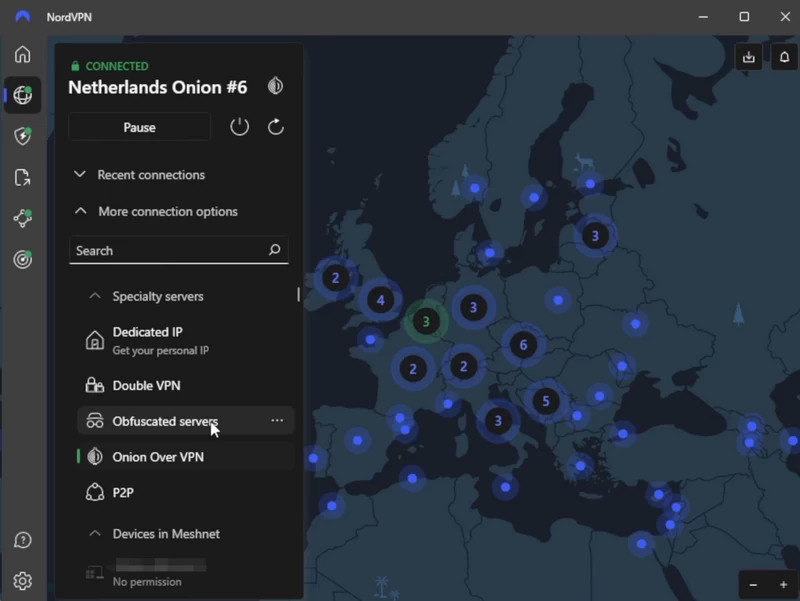
Initial setup: Download installer from website → Run installer → Enter credentials → Click “Quick Connect”
You’re protected in under 60 seconds. The app auto-selects a server and protocol. Zero configuration required for basic functionality.
The main interface:
- Large interactive map with server locations marked
- Quick Connect button prominently displayed
- Current connection status (connected/disconnected, server location, protocol)
- Server list accessible via sidebar (sortable by country, city, or specialty type)
What works well: The map interface is visually intuitive for non-technical users. You click a country and connect—no understanding of protocols or encryption required.
Server load percentages display before connection, helping you avoid congested servers. The app automatically suggests low-load alternatives when your chosen server exceeds 80% capacity.
What’s clunky: Advanced features hide in settings menus. Enabling obfuscated servers requires: Settings → Auto-Connect → clicking an option buried three levels deep. New users won’t find this without explicit instructions.
The desktop app tries to be simultaneously simple and feature-complete. This creates inconsistent UX—basic connections are trivial, but specific configurations require hunting through nested menus.
Platform-specific notes:
Windows: Full feature set including app kill switch and split tunneling.
macOS: Missing split tunneling (Apple’s sandboxing restrictions). Otherwise feature-complete. Native ARM support for Apple Silicon Macs.
Linux: Command-line client only. GUI exists but is essentially a web wrapper around the CLI. You can install it via package managers (apt, yum, rpm), but expect to type commands for server switching and configuration changes.
Mobile Applications (iOS, Android)
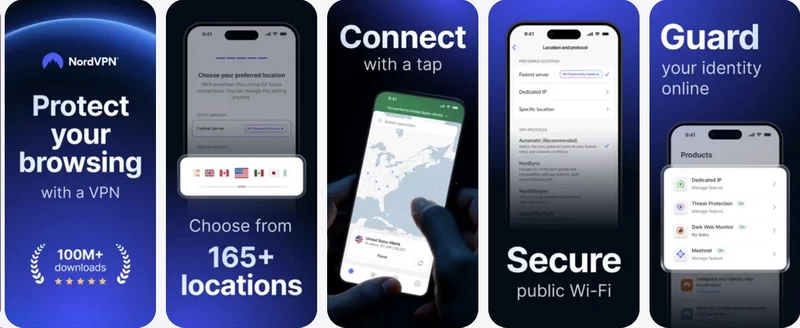
Mobile apps are simplified versions of desktop clients. The map interface shrinks to accommodate smaller screens.
iOS:
- Quick Connect widget for home screen
- Shortcuts app integration (trigger VPN via Siri or automation)
- Auto-connect when joining unsecured Wi-Fi networks
- Kill switch available (less reliable than desktop implementation due to iOS restrictions)
Android:
- Full app kill switch support
- Split tunneling per-app (granular control)
- Always-on VPN option (system-level, persists through device restarts)
- Can configure auto-connect based on specific network SSIDs
The Android app offers more control than iOS. This reflects Apple’s restrictive platform policies, not NordVPN’s development priorities.
Browser Extensions (Chrome, Firefox, Edge)
NordVPN’s browser extensions are lightweight proxy tools, not full VPN clients. They encrypt browser traffic only—other applications remain unprotected.
Use cases:
- Quick location switching for accessing geo-restricted content
- WebRTC leak protection
- Light resource usage (no impact on system performance)
Limitations:
- Only HTTPS websites receive encryption (HTTP traffic is visible)
- DNS queries may leak outside the extension
- No kill switch functionality
If you need comprehensive protection, use the desktop app. Extensions are convenience tools for casual browsing.
Router Installation
NordVPN doesn’t offer a dedicated router app. You must manually configure OpenVPN client settings.
Compatible routers:
- ASUS (factory firmware and Merlin)
- DD-WRT
- OpenWrt
- GL.iNet (comes with OpenVPN client pre-installed)
- Mikrotik
Configuration difficulty: Moderate to high for beginners. You’ll download configuration files from NordVPN’s website, import them into your router, and enter credentials. The process varies significantly by router brand.
NordVPN provides detailed guides for each firmware type. Video tutorials exist for visual learners. But if you’ve never accessed your router’s admin panel, expect frustration.
FlashRouters alternative: FlashRouters sells pre-configured routers with NordVPN installed. You pay premium pricing ($150-$400 depending on hardware) for plug-and-play convenience.
Smart TV and Streaming Device Setup
Native apps exist for:
- Android TV (NVIDIA Shield, Sony, Philips TV sets)
- Fire TV Stick
- Chromecast with Google TV
For other devices (Apple TV, Roku, most Samsung/LG smart TVs), you must either:
- Install NordVPN on your router (protects all devices)
- Use Smart DNS feature (unencrypted, region-switching only)
- Share VPN connection from a laptop via virtual router
Option 1 is best for security. Option 2 is easiest for non-technical users. Option 3 is tedious and unreliable.
Account Management Dashboard
Web-based account portal handles:
- Subscription management (view plan, check renewal date)
- Payment method updates
- Downloading manual configuration files
- Enabling two-factor authentication
- Viewing active sessions (see which devices are currently connected)
The dashboard is functional but minimal. Don’t expect detailed usage statistics or connection logs—NordVPN doesn’t track this data.
Multi-Device Synchronization
There is none. NordVPN doesn’t sync your preferred servers, settings, or configurations across devices. You must manually replicate your setup on each installation.
This is intentional (less data to secure) but inconvenient if you use multiple devices.
Notification and Update Handling
Desktop: Update prompts appear as system notifications. Updates don’t auto-install—you must manually confirm. This gives you control but means running outdated versions if you ignore prompts.
Mobile: App Store and Google Play handle updates. You can enable automatic updates through store settings.
Critical security updates trigger more aggressive notifications, but NordVPN doesn’t force updates without user consent.
Learning Curve Assessment
For basic usage (connect to VPN): Minimal. Under 5 minutes from installation to protection.
For intermediate features (server selection, protocol switching): Low to moderate. Requires exploring the interface but features are discoverable through reasonable navigation.
For advanced configuration (obfuscated servers, custom DNS, Meshnet): Moderate to high. You need to know these features exist before you can find their buried settings toggles.
NordVPN succeeds at making VPN protection accessible to non-technical users. It struggles to surface advanced capabilities without cluttering the interface.
NordVPN Customer Support
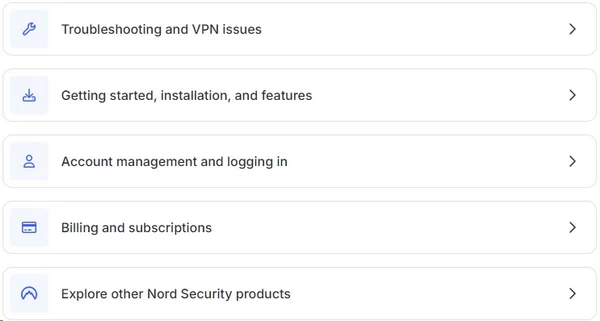
When your VPN connection fails at midnight, support quality matters. NordVPN operates 24/7 support through multiple channels.
24/7 Live Chat: The Front Line
Accessible via website widget or in-app button. You’ll initially interact with a chatbot that tries to handle common queries.
The chatbot handles:
- Basic troubleshooting (connection failures, slow speeds)
- Account questions (billing date, subscription tier)
- Password resets and login issues
If the bot can’t resolve your issue, it escalates to human support. Getting past the bot requires either typing “speak to agent” or selecting “other” when presented with issue categories.
Once you reach a human agent, response is fast. During testing across different time zones:
- Chicago (11 AM local): 35-second wait
- Strasbourg (7 PM local): 47-second wait
- Hong Kong (3 PM local): 86-second wait
Agents are professional and work from detailed scripts. They can:
- Process refunds immediately
- Add dedicated IP addresses to accounts
- Recommend specific servers for streaming services
- Grant subscription extensions for service disruptions
They cannot:
- Provide deep technical troubleshooting for router configurations
- Modify subscription pricing
- Combine multiple accounts
- Explain advanced networking concepts beyond basic VPN functionality
For complex issues (OpenWRT router configuration, custom firewall rules, Meshnet routing between non-standard devices), live chat hits its limits. Agents will link you to knowledge base articles rather than attempt real-time troubleshooting.
Email Support: Slower but More Technical
Submit tickets through the website. Response times range from 6 to 24 hours depending on query complexity and time of submission.
Email support staff demonstrate higher technical knowledge. They can:
- Read diagnostic logs and identify specific failure points
- Provide OS-specific command-line troubleshooting steps
- Explain protocol-level behavior and encryption standards
- Coordinate with infrastructure teams for server-specific issues
If your problem involves networking fundamentals or you need written documentation of troubleshooting steps, email support delivers better results than chat.
Knowledge Base: Comprehensive Self-Service
NordVPN maintains an extensive documentation library at support.nordvpn.com.
Coverage includes:
- Platform-specific setup guides (every major OS and device)
- Router configuration by firmware type (ASUS, DD-WRT, OpenWRT, Tomato, Mikrotik)
- Troubleshooting flowcharts for common issues
- Video tutorials for visual learners
- Manual configuration file generation
The guides receive regular updates. You won’t encounter outdated screenshots or instructions referencing deprecated software versions.
Strengths:
- Search functionality is effective (natural language queries return relevant results)
- Articles include estimated reading time and difficulty level
- Video guides integrate directly into articles (no navigating to separate YouTube channel)
- Troubleshooting guides offer multiple solution paths instead of single prescriptive answers
Weaknesses:
- Advanced networking topics assume baseline knowledge (articles about port forwarding alternatives don’t explain what port forwarding does)
- No community forum for user-to-user problem solving
Social Media Support
NordVPN monitors Twitter/X and Facebook for support requests. Response times average 2-4 hours during business hours. This channel works for:
- Service status inquiries during outages
- General questions about features
- Escalating unresolved issues from other channels
Don’t expect detailed troubleshooting via public social media. They’ll direct you to live chat or email for anything involving account specifics.
Refund Request Process
The 30-day money-back guarantee requires contacting support—there’s no self-service cancellation button.
Process:
- Initiate live chat or email support
- State you want a refund
- Agent will ask why you’re canceling (retention attempt)
- Politely decline troubleshooting: “I just need the refund processed, please”
- Agent processes refund after brief confirmation
Refund appears in your payment method within 5-10 business days. NordVPN consistently honors refund requests during testing—no fights or obstacles if you’re within the 30-day window.
Critical exception: App Store purchases (iOS). NordVPN cannot process refunds for Apple-billed subscriptions. You must request refunds through Apple’s system, which frequently denies requests without explanation.
Phone Support: Non-Existent
NordVPN doesn’t offer phone support. This is intentional (reduces operational costs, maintains user privacy by avoiding voice logs). If you require phone contact, NordVPN isn’t compatible with your support preferences.
Community Resources
Reddit’s r/VPN and r/nordvpn communities provide unofficial user support. NordVPN employees occasionally participate but not in official capacity.
For cutting through marketing claims and getting unfiltered user experiences, these communities are valuable. For guaranteed accurate technical information, stick with official channels.
FAQ
Is NordVPN truly free?
No. NordVPN is a paid service. Here’s what gets marketed as “free”:
7-day free trial: Android Google Play Store only. You must manually cancel before day 7 or automatic billing starts.
30-day money-back guarantee: Available on all platforms except iOS App Store purchases. You pay upfront and can request a refund within 30 days. Money leaves your account immediately—this is a refund guarantee, not a free trial.
Meshnet: The only legitimately free feature. Download the app, create an account (no payment required), and use Meshnet to route traffic between your own devices. You don’t get access to NordVPN’s server network.
Does NordVPN work in China?
Yes, but requires preparation.
China’s Great Firewall actively blocks VPN protocols. Standard connections fail immediately.
Requirements:
Enable Obfuscated Servers in settings (strips VPN metadata to disguise traffic as HTTPS)
Download and install NordVPN before entering China—the website is blocked inside the country
Download manual configuration files as backup in case the app fails
Reliability: No VPN guarantees 100% uptime in China. During high-censorship periods (political events, national holidays), even obfuscated servers may fail. NordVPN performs better than most competitors but expect occasional disruptions.
Specialized services like Astrill have better China track records but cost significantly more.
How does the 30-day refund actually work?
It’s not automated. You must contact support.
Process:
Initiate live chat or email support
State: “I want to request a refund”
Agent asks why you’re leaving (retention attempt—they may offer troubleshooting)
State firmly: “I just need the refund processed, thank you”
Agent confirms and processes refund
Timeline: 5-10 business days to reach your payment method.
Critical warning: App Store purchases (iOS) cannot be refunded by NordVPN. Apple controls these transactions. Apple’s refund system is automated and frequently denies requests without explanation.
Always buy directly from NordVPN’s website to ensure refund access.
Can I use NordVPN on my router?
Yes, if your router supports VPN client configuration.
Supported firmware:
ASUS (stock firmware and Merlin)
DD-WRT
OpenWRT
GL.iNet (has built-in OpenVPN client)
Mikrotik
Unsupported: Most ISP-provided routers don’t support VPN client mode. You’ll need to buy a compatible router.

