

Private Internet Access (PIA) Review 2026: Performance Tests, Ranking and User Feedback
On the performance side, PIA offers very low prices on long‑term plans, unlimited simultaneous devices, advanced split tunneling and native port forwarding that make it a favorite for torrenting and home networks. However, its speeds can be inconsistent across locations and it is less reliable than top rivals for unblocking streaming platforms unless you add a dedicated IP or use its streaming‑optimized servers
| 💰 Pricing | From $2.03 to $11.95/mo |
| ✅ Free Trial | ❌ |
| 📆 Money Back Guarantee | 30 Days |
| 🗺 Jurisdiction | United States |
| 🖥 Number of Servers | 35,000+ in 91 countries |
| 📝 Logging Policy | No‑logs |
| 📥 Torrenting/P2P | Full support on all servers |
| 🍿 Streaming | Unblocks Hulu + Live TV, Sling TV, fuboTV, and more |
| 🛡 Kill Switch | ✅ |
| ⚙️ Protocols | WireGuard and OpenVPN, along with IKEv2/IPSec for mobile |
| 🛠 Support | 24/7 Live Chat Support |
| 💻 Simultaneous Devices | Unlimited |
| 🔥 Current Deal | 83% OFF (on 2-year plan) |
PIA: Overview
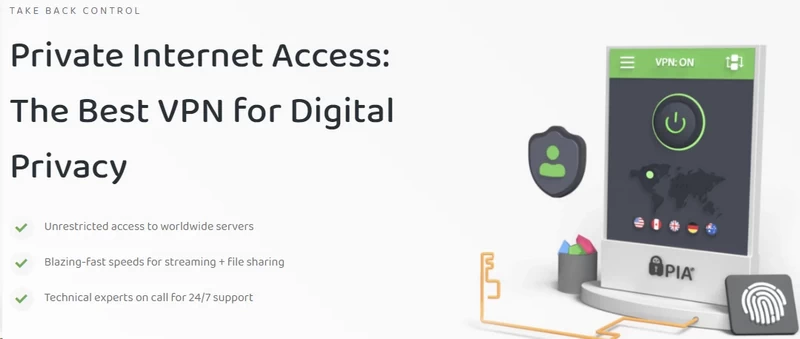
Private Internet Access (PIA) is an anomaly. Founded in 2010, it is a relic from the early days of the commercial VPN industry that has somehow managed to survive the aggressive consolidation of the privacy market. While its competitors have pivoted to flashy marketing campaigns and celebrity endorsements, PIA has largely maintained its original identity: a highly configurable, slightly utilitarian tool built for power users who want to understand exactly what is happening inside their encrypted tunnel.
But evaluating PIA requires addressing two massive, unavoidable elephants in the room before we even look at the software itself. The first is its jurisdiction. The second is its corporate ownership. If you spend five minutes on any privacy forum, you will see these two points used to instantly dismiss the service. As a cybersecurity editor, I am naturally skeptical of corporate assurances, but dismissing PIA based purely on optics ignores the actual, verifiable technical data we have at our disposal.
The US Jurisdiction Problem

Private Internet Access is headquartered in Denver, Colorado, which makes it subject to US federal subpoenas, National Security Letters, and gag orders as a core member of the Five Eyes intelligence alliance. For privacy purists, operating inside one of the world’s most aggressive surveillance jurisdictions is an automatic disqualifier. That concern is legitimate—but it misses the point. A VPN is only as vulnerable as the data it retains, and PIA’s architecture is built around retaining nothing.
That claim has been tested in actual federal court, not just stated in a privacy policy. In 2016, the FBI subpoenaed PIA over a bomb threat investigation and received nothing useful—the database simply did not map IP addresses to individual accounts. A 2018 hacking case produced the same result. Since then, PIA has reinforced this posture by migrating its entire network to RAM-only infrastructure, meaning every server wipe erases all volatile memory with no persistent data left to seize. Independent audits by Deloitte in 2022 and 2024 verified that the server configurations match the company’s no-logging claims.
The Kape Technologies Ownership Question
The second major point of contention is PIA’s corporate ownership. In late 2019, PIA was acquired by Kape Technologies. Kape has a controversial history. The company was formerly known as Crossrider, a business that developed a platform used by third-party developers to inject adware and malware into web browsers. When the acquisition was announced, the VPN community panicked. The optics of a privacy company being bought by a former ad-tech and malware-associated firm were objectively terrible.
So, did Kape ruin PIA? Looking at the raw technical output over the past several years, the answer is no. Crossrider shut down its ad platform in 2016 and completely pivoted to cybersecurity, acquiring ExpressVPN, CyberGhost, and PIA. Rather than gutting Private Internet Access, Kape flooded it with cash.
Private Internet Access: Pricing & Plans
The virtual private network market is essentially a race to the bottom, with providers constantly slashing prices to lock users into multi-year contracts. Amidst this, Private Internet Access has firmly entrenched itself as the premier budget option for power users. It refuses to charge the premium prices of its sister company, ExpressVPN, and consistently undercuts mid-tier giants like NordVPN.
Subscription Tiers: Which Plan to Buy
PIA’s pricing structure follows the standard industry playbook: the month-to-month plan is a decoy designed to make the long-term commitments look like an absolute steal.
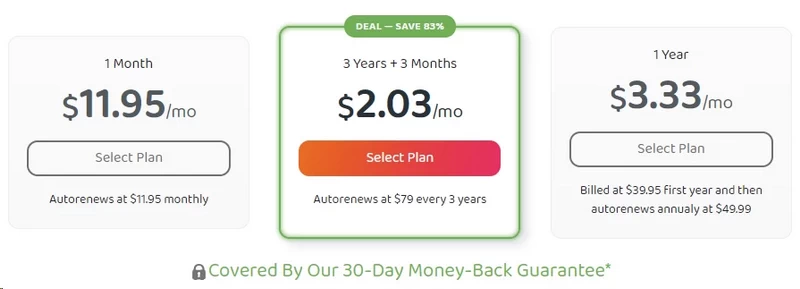
If you opt to pay monthly, PIA charges $11.95. This is an objectively poor value-you are paying top-tier pricing without getting top-tier polish. There is a one-year plan available for $3.33 per month (billed as $39.95), which sits in the middle ground.
The main reason to buy Private Internet Access is to leverage its long-term pricing. The flagship offer is a 3-year plan that typically includes an additional 3 months for free, bringing the total upfront cost to roughly $79-or an astonishingly low $2.03 per month. The first 30 days come with a no-questions-asked money-back guarantee, which eliminates any buyer’s remorse risk.
Unlimited Devices: The Hidden Value Driver
The raw monthly cost is only half the equation. The real value of PIA’s pricing was established in 2023 when the company made a quiet but massive change to its terms of service: it removed the device limit entirely.
Previously capped at 10 simultaneous connections, a single PIA subscription now covers an unlimited number of devices. This fundamentally alters the value proposition. In a modern household, a 10-device cap gets eaten up fast-two adults and two children can easily possess four smartphones, four laptops, two tablets, a smart TV, and a gaming console. In the budget tier, only Surfshark matches this unlimited policy.
Optional Add-Ons: Dedicated IP and Antivirus
Private Internet Access offers two optional add-ons at checkout: a Dedicated IP address and Antivirus by PIA.
The Dedicated IP is an excellent tool if you understand why you need it. On a standard VPN server, you share an IP address with thousands of other users. If one of those users does something malicious, websites flag the entire IP. This is why you constantly face CAPTCHAs, get blocked by banking portals, or find yourself locked out of gaming servers while on a VPN. A Dedicated IP is exclusively yours-a clean, consistent reputation that eliminates CAPTCHA loops and makes remote access to secure corporate networks vastly simpler.
PIA charges an additional $2.50 to $5.00 per month for a Dedicated IP depending on the subscription length, with locations available in the US, UK, Canada, Australia, and Germany. What makes PIA’s implementation stand out is its privacy engineering. Normally, assigning a static IP destroys anonymity because the provider must link it to your billing account. Private Internet Access solves this using a token-based system: you purchase the add-on, the system generates an anonymous cryptographic token, and you redeem it within the app to claim your IP. PIA’s servers mathematically cannot link your Dedicated IP back to your email address or credit card. It is an elegant solution to a genuinely complex privacy problem.
The second add-on, Antivirus by Private Internet Access, is less compelling. Costing between $1.00 and $4.50 per month, it is a basic, Windows-only malware scanner. It functions exactly as advertised-running continuous scans, quarantining malicious files, and alerting you to threats-but it lacks the heuristic learning and advanced Endpoint Detection and Response (EDR) capabilities of a dedicated security suite like Bitdefender or Malwarebytes. If you currently have zero antivirus protection on your PC, it is a cheap and convenient bolt-on. It is not, however, a replacement for a mature, standalone security product.
Payment Methods and Refund Policy
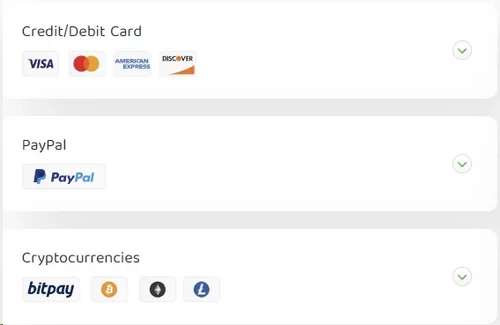
When it comes to handing over your money, PIA supports an excellent range of payment methods: standard credit and debit cards, PayPal, and Amazon Pay. More critically for privacy advocates, they accept cryptocurrency payments via BitPay, including Bitcoin, Ethereum, and Litecoin. Pair a crypto payment with a burner email address, and you have a completely anonymous account with zero billing data that could ever be subpoenaed.
Every plan-including the overpriced one-month option-is backed by a 30-day money-back guarantee. The refund process is strictly no-questions-asked: you submit a support ticket, and the money is returned. No usage interrogations, no retention agents offering you a discount to stay. It is a confident policy from a company that knows exactly what it is selling.
Private Internet Access: Features & Apps
Most commercial virtual private networks treat their users like liabilities. The prevailing design philosophy over the last five years has been absolute minimalism: a giant, idiot-proof “Connect” button in the center of a blank window, with all the actual network mechanics hidden behind simplified menus. The assumption is that exposing advanced routing protocols will overwhelm users and flood the support queue.
Private Internet Access fundamentally rejects this philosophy. While it has modernized its interface over the years, the software remains a utilitarian dashboard built for power users, network tinkerers, and privacy advocates who want absolute control over how their packets are routed. It is one of the most highly configurable VPN clients on the market, but that density of features requires a learning curve.
The GUI: Compact vs. Detailed Views
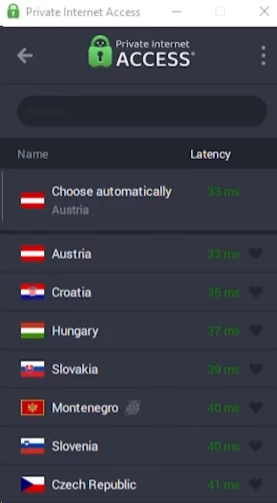
When you first install the PIA client on Windows or macOS, it anchors itself to the system tray or menu bar and operates in a “Compact View.” In this state, it masquerades as a standard, simplified VPN app-a large power button, the name of your currently selected server, and your current IP address. For someone who just wants to activate the VPN and forget about it, this is perfectly adequate.
Clicking the small downward arrow at the bottom of the client expands it into the “Detailed View,” transforming the app into a modular control center. This expanded dashboard is populated with a series of informational tiles and quick-action toggles that you can drag, drop, and rearrange to suit your workflow.
The data provided in this detailed view is extensive. A live performance graph tracks your real-time bandwidth consumption, plotting upload and download speeds on a moving chart. Another tile displays exact connection latency metrics, allowing you to monitor the ping of your current server to the millisecond. You are also given immediate visibility into your cryptographic environment, with readouts showing exactly which protocol, cipher, and handshake you are currently utilizing-something most VPN clients bury two or three menus deep, if they surface it at all.
Quick-setting toggles for port forwarding, the MACE ad-blocker, and a “VPN Snooze” function sit prominently in the panel. Snooze is a particularly practical tool that temporarily disconnects the tunnel for a predefined number of minutes before automatically reconnecting-ideal if you need to quickly bypass a strict firewall without forgetting to re-enable your encryption afterward. The entire interface can also be unpinned from the system tray and dragged around the desktop as a standalone window.
Advanced Settings: Protocol and Encryption Customization
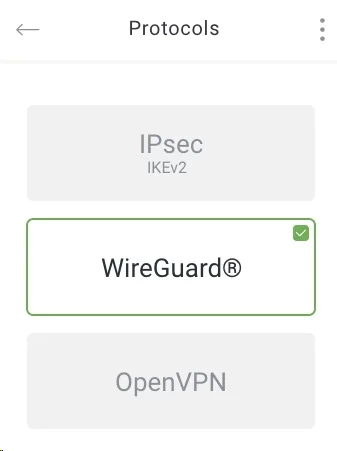
The core function of a VPN is to establish a secure tunnel between your hardware and the internet, but the mechanics of that tunnel dictate your speed, stability, and security. Private Internet Access offers two primary protocols across its desktop environment: WireGuard and OpenVPN. (IKEv2/IPSec is available but primarily restricted to the iOS application, where it excels at handling mobile network transitions.)
WireGuard is the modern standard. A lightweight, incredibly fast protocol that operates entirely inside the kernel space, it delivers massive performance gains over legacy systems. When you select WireGuard in the PIA settings, your encryption is locked to the ChaCha20 cipher. This is non-negotiable by design-WireGuard deliberately eliminates cryptographic agility to reduce the potential attack surface.
OpenVPN is where PIA historically allowed users to dive into the weeds, and that level of control remains. If you select OpenVPN, you can manually toggle between AES-128 (GCM) and AES-256 (GCM).
To the uninitiated, dropping from 256-bit to 128-bit sounds like a reckless security decision. The answer is CPU overhead. AES-256 requires more rounds of cryptographic transformation than AES-128. On a modern desktop processor with hardware-accelerated AES instruction sets, the difference is imperceptible. On a low-powered device-an aging budget laptop, a cheap Android TV box, or a consumer-grade Wi-Fi router running PIA-the CPU will bottleneck the network. It simply cannot perform AES-256 math fast enough to keep pace with your bandwidth. Switching to AES-128 on these devices can recover 20 to 40 percent of your throughput without any meaningful reduction in real-world security. AES-128 remains mathematically unbroken and completely immune to modern brute-force attacks.
It is worth noting a recent shift in PIA’s approach to extreme customization. Older iterations of the software allowed users to manually swap cryptographic handshakes and authentication hashes. As of 2026, Private Internet Access has removed this granular handshake customization to fix deep-seated compatibility issues and improve overall tunnel stability. OpenVPN now enforces a strict RSA-4096 handshake alongside SHA-2 authentication. While extreme tinkerers might lament the loss of those dropdown menus, enforcing RSA-4096 is the correct architectural call-it prevents users from accidentally configuring a weak cryptographic environment that undermines their own security.
MACE: DNS-Level Ad and Tracker Blocking
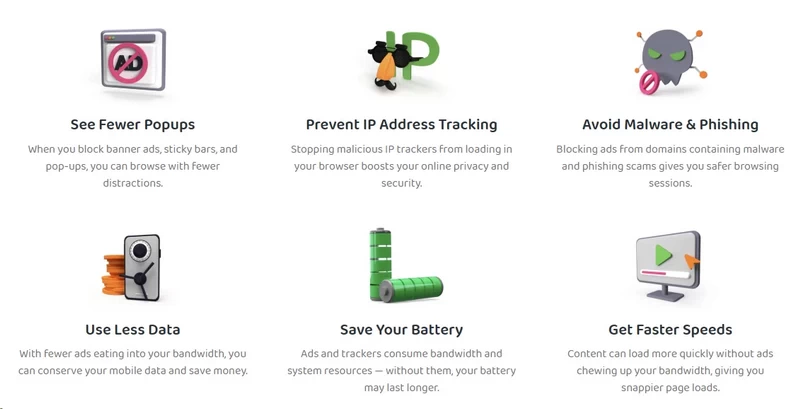
Packaged within the settings menu is a toggle for “PIA MACE”-the company’s proprietary system for blocking advertisements, cross-site trackers, and known malware domains.
It is vital to understand how MACE operates compared to a traditional browser extension like uBlock Origin. Browser-based blockers inspect elements loading on a webpage and selectively suppress the HTML or scripts associated with advertisements. They are highly effective but consume system memory and only function within that specific browser.
MACE operates at the DNS level. When your device loads a webpage, it first sends a DNS request to translate the human-readable URL into a machine-readable IP address. When MACE is active, Private Internet Access cross-references those DNS requests against a constantly updated blacklist of known advertising and malicious domains. If there is a match, MACE acts as a DNS sinkhole-it drops the request entirely and refuses to resolve the IP address. The ad or tracking script never downloads to your machine, which reduces page load times, conserves bandwidth (a tangible benefit on mobile data connections), and blocks telemetry across your entire operating system, not just your browser. Background update services, standalone desktop applications, and mobile apps are all covered.
The technical limitation is that DNS-level blocking cannot intercept ads hosted on the same domain as the content you are viewing. MACE is highly effective against third-party banner ads and malicious pop-ups, but it will not block first-party, in-stream video ads on platforms like YouTube. For complete coverage, use MACE alongside a dedicated browser extension like uBlock Origin.
Advanced Split Tunneling
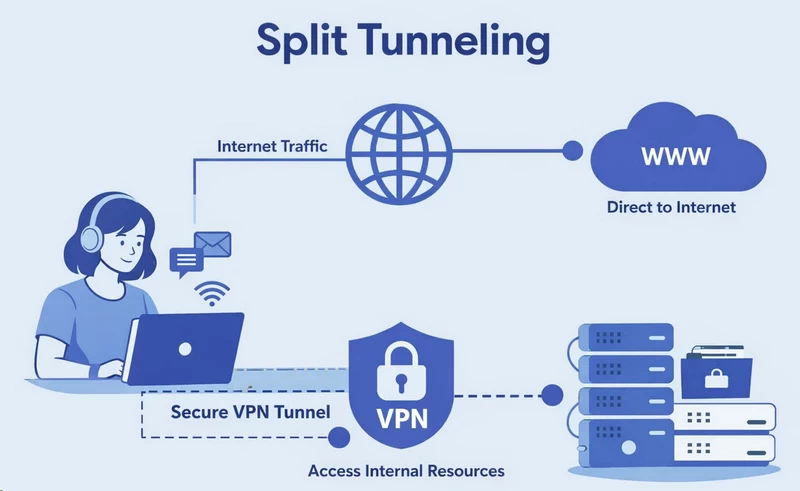
Split tunneling allows you to dictate exactly which traffic routes through the encrypted VPN tunnel and which flows through your standard ISP connection. PIA possesses one of the most intricate and reliable split tunneling engines in the commercial VPN market.
Most competitors offer basic app-level split tunneling: exclude your web browser from the tunnel, keep everything else encrypted. Private Internet Access does this too, but it extends the routing logic significantly further.
PIA allows for both “Normal” and “Inverse” routing. You can encrypt the entire machine and select specific applications to bypass the tunnel, or you can leave the machine unencrypted and force only specific applications into the tunnel. If you only want your torrenting client secured while your gaming client and browser run at full ISP speed, Inverse routing handles this cleanly.
Beyond app-level control, PIA allows IP-based split tunneling. You can explicitly command the client to bypass the tunnel when connecting to specific IP addresses. This solves one of the most frustrating everyday VPN problems-local network isolation. If you have a wireless printer, a Plex media server, or Network Attached Storage (NAS) hardware on your home network, a standard VPN will block your computer from talking to those devices. An IP-level exclusion rule restores that local access without dropping the VPN tunnel.
PIA: Speed & Performance
Evaluating the speed of a virtual private network requires cutting through a thick layer of corporate marketing. Every provider claims to be “the fastest VPN on the planet,” but physics and network infrastructure dictate the actual user experience. Whenever you route your traffic through an encrypted tunnel to an intermediary server, you introduce computational overhead and physical distance. Speed loss is inevitable. The metric of a successful VPN is not whether it maintains 100 percent of your base speed, but how efficiently it minimizes the degradation.
Private Internet Access has undergone a significant infrastructural overhaul in recent years to address historic performance complaints. To understand how the software performs today, we have to look at the hardware powering the network and the cryptographic protocols driving the data.
The “NextGen” Network: Hardware Reality
If you read PIA’s promotional material, you will repeatedly encounter the phrase “NextGen Network.” Stripping away the branding, the “NextGen” initiative fundamentally represents two major hardware upgrades: the deployment of 10Gbps Network Interface Cards (NICs) and the transition to RAM-only infrastructure.
Historically, commercial VPN servers operated on 1Gbps uplinks. In the early 2010s, this was sufficient. Today, with 4K streaming, 100GB game updates, and gigabit home fiber connections proliferating, a 1Gbps server port is a severe bottleneck. The issue is not just maximum theoretical speed-it is the contention ratio. If a VPN server has a 1Gbps uplink and 500 users connect simultaneously, available bandwidth is fractioned. During peak evening hours, servers congest and user speeds collapse.
By upgrading to 10Gbps network cards, Private Internet Access exponentially increased the bandwidth pipeline. A single 10Gbps server can handle thousands of concurrent, high-bandwidth connections before any individual user experiences congestion. This infrastructure investment is the primary reason PIA can support unlimited simultaneous device connections without its network crumbling under the weight of the traffic.
The second component is the shift to RAM-only servers. We have already discussed the privacy benefits of diskless infrastructure. But RAM-only architecture also yields tangible performance benefits. Traditional servers rely on HDDs or SSDs to read and write operating system logs and routing tables, introducing Input/Output (I/O) latency. Random Access Memory is orders of magnitude faster than the fastest NVMe SSD. By running the entire operating environment directly in RAM, PIA eliminates storage I/O bottlenecks, allowing the server’s CPU to dedicate maximum cycles to encrypting and routing packets rather than managing disk reads and writes.
Speed Test Results: High Peaks, Inconsistent Valleys
To understand how these hardware and software upgrades translate to real-world performance, we need to synthesize speed tests across various global nodes. The data paints a picture of a VPN that is highly capable, occasionally brilliant, but frustratingly inconsistent.
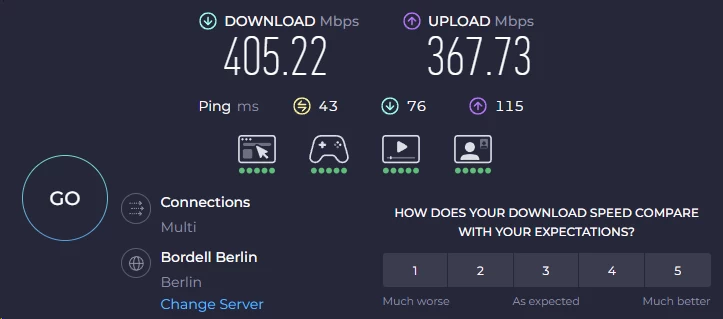
On a high-speed fiber connection (500 Mbps download / 500 Mbps upload), connecting to a localized Private Internet Access server via WireGuard typically results in a minimal speed drop. On nodes within the same geographic state or country, PIA frequently retains 90 to 95 percent of the baseline download speed-hitting 450 Mbps on a local server is entirely feasible. At this performance tier, the encryption overhead is completely imperceptible. You can stream 4K video, run large downloads, and browse exactly as you would on a naked ISP connection.
As distance increases, the performance curve becomes erratic. Trans-Atlantic speeds under ideal conditions often hover around 200 Mbps to 250 Mbps-highly usable, but not remarkable. The primary criticism of PIA’s speed is not its peak potential; it is its standard deviation. In rigorous testing, speed consistency varies wildly from server to server and on the same server at different times of day. A New York server that delivers 400 Mbps at 10:00 AM can drop to 80 Mbps at 6:00 PM.
Private Internet Access also suffers from notably asymmetrical performance. While a connection might only lose 15 percent of its download capacity, upload speeds on the same server can plummet by 50 to 80 percent. For average users consuming media, this is irrelevant. For remote workers uploading large files to cloud storage or content creators broadcasting to Twitch, this upload throttling is a genuine bottleneck that competitors like ExpressVPN and NordVPN handle more consistently.
When benchmarked directly against the top tier, PIA’s consistency issues become apparent. ExpressVPN’s proprietary Lightway protocol and NordVPN’s WireGuard-based NordLynx both exhibit much tighter performance groupings. Their speeds do not swing wildly based on the hour of the day. PIA is undeniably fast at its best, but it lacks the ironclad stability of its more expensive rivals.
Ping, Latency, and Gaming
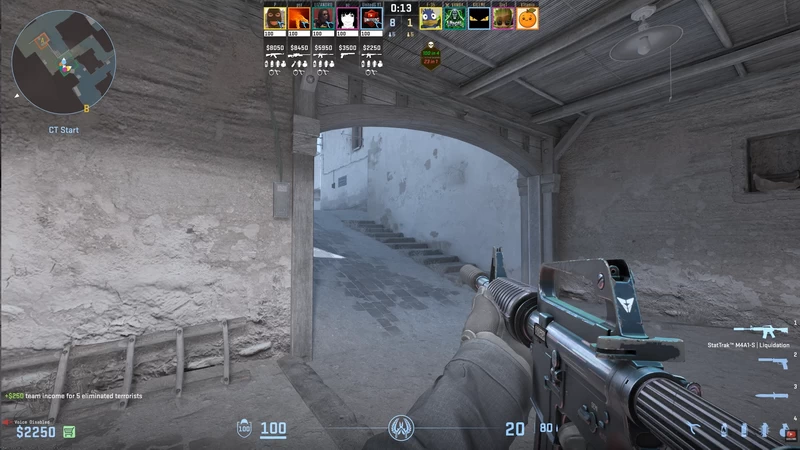
For online gaming, raw bandwidth is a secondary concern. Modern multiplayer games send very little actual data-they rely on tiny packets containing positional coordinates and input commands. The critical metric is ping (latency): the time it takes for a packet to travel from your machine to the server and back.
Activating a VPN forces your traffic to detour through the VPN server before reaching the game server, and this detour almost always increases ping. If you are playing a competitive title like Counter-Strike 2 or Valorant-where server tick rates demand split-second accuracy-high latency will ruin the experience.
When connecting to a Private Internet Access server in your immediate vicinity, the latency penalty is remarkably low: typically just 20 to 50 milliseconds on a local connection. This is entirely viable for competitive gaming.
Port Forwarding: The P2P Holy Grail
If you ask a dedicated torrenting community which VPN they recommend, Private Internet Access will almost always dominate the conversation. The reason comes down to one specific, highly coveted feature: Port Forwarding.
To understand why this matters, you have to understand how peer-to-peer (P2P) file sharing works and how VPNs naturally break it. When you connect to a VPN, your traffic is routed through a Network Address Translation (NAT) firewall. The VPN server acts as a shield, routing thousands of users’ traffic out under a single shared IP. The NAT firewall identifies which specific user requested incoming data and forwards the packets through the encrypted tunnel.
This is excellent for security but terrible for torrenting. The BitTorrent protocol relies on a swarm of users connecting directly to one another. There are “active” peers-those with an open network port facing the internet, allowing other computers to initiate connections with them-and “passive” peers, who are trapped behind a NAT firewall. The fundamental rule of P2P networking: two passive peers cannot connect to each other. Standard VPN users are passive. They can only download from the fraction of the swarm that is active, which severely restricts speeds and makes seeding on private trackers nearly impossible.
Port forwarding punches a specific, designated hole through the VPN’s NAT firewall, assigning you a port that faces the public internet. You plug that port number into your torrenting client-qBittorrent, Transmission, or similar-and you instantly become an active peer with access to every user in the swarm.
Over the past few years, the VPN industry has systematically eradicated this feature. Mullvad, long considered the privacy gold standard, permanently removed port forwarding in 2023 because bad actors were abusing the open ports to host malicious content. Private Internet Access is one of the very last premium, trustworthy VPNs to offer native port forwarding directly within its desktop client.
One major caveat: PIA explicitly disables port forwarding on all United States server locations. Due to the aggressive copyright enforcement environment and the DMCA, PIA restricts the feature to international nodes. If you live in the US and want to torrent with port forwarding, you must connect to a server in Canada, Mexico, or Europe.
Private Internet Access: Security & Privacy

In the commercial VPN industry, marketing departments have weaponized the term “military-grade encryption” to the point of absurdity. Every provider, from the most expensive premium tier to the shadiest free application on the Play Store, claims to offer impenetrable security and total anonymity. As a cybersecurity editor, I do not care about marketing copy. I care about cryptographic implementation, verifiable client integrity, and how a company’s infrastructure holds up when federal law enforcement arrives with a court order.
Private Internet Access occupies a fascinating space in this regard. As previously established, it operates out of the United States-a jurisdiction fundamentally hostile to digital privacy. Yet PIA boasts one of the most formidable, empirically tested security postures in the consumer privacy market.
The Crucible of Court-Proven No-Logs
A “no-logs policy” written in a Terms of Service agreement is merely a promise. In the realm of digital security, promises are worthless. The only metric that matters is how a company’s server architecture responds to a legally binding federal subpoena.
When the FBI, DHS, or NSA serves a technology company with a subpoena, compliance is not optional. If the company possesses the requested data, they must surrender it-refusal results in contempt of court and potential imprisonment of executives. The only way a VPN provider can genuinely protect its users is through an architectural philosophy known as privacy by design: the deliberate engineering of systems so that identifiable data is never collected, stored, or mapped to an individual user. You cannot be compelled to surrender data that physically does not exist.
Private Internet Access is one of the extraordinarily few VPN providers that has had its privacy-by-design architecture stress-tested in federal court. And it has survived.
During sprawling, multi-agency investigations into digital black markets and cybercrime-including cases connected to figures like Ross Ulbricht (the operator of the Silk Road darknet market)-federal investigators frequently traced illicit activity back to PIA IP addresses. The Department of Justice issued subpoenas demanding the identity of the user connected to a specific IP at a specific timestamp.
In every single instance, PIA’s legal counsel responded with the exact same reality: the requested data was unavailable. Because Private Internet Access utilizes shared IP addresses-where hundreds or thousands of users simultaneously route traffic through the same server IP-and because the company explicitly does not log connection timestamps, session durations, bandwidth usage, or originating home IP addresses, there was mathematically no way to untangle the traffic and assign it to a specific billing account.
The federal government had the absolute legal authority to demand the data, the motivation to prosecute high-profile targets, and the technical resources to analyze whatever logs they were given. Zero bytes of usable user data were produced. That is not a marketing claim. It is a court-proven, legally documented fact.
Transparency Reports: The Canary in the Coal Mine
While high-profile court cases make headlines, the reality of running a US-based privacy company involves a continuous, quiet barrage of data requests from local, state, and federal law enforcement. To provide visibility into this ongoing friction, Private Internet Access publishes regular transparency reports.
A transparency report is a public document detailing the exact number of legal requests received within a given quarter, categorized by request type-subpoenas, warrants, court orders-alongside exactly how many of those requests resulted in the production of user data.
Review PIA’s transparency reports over the last decade and a definitive pattern emerges. The company routinely receives dozens of subpoenas and warrants every quarter. Agencies constantly ask for user identities, connection logs, and payment details linked to specific VPN IP addresses. The adjacent column-the number of times logs were produced-remains perpetually at zero.
These reports serve a dual purpose for privacy advocates. First, they validate the ongoing enforcement of the no-logs policy. Second, they function as a modern warrant canary. If a transparency report were to suddenly show that data was produced, or if the company stopped publishing the reports entirely (which often occurs when a company is hit with a classified National Security Letter and a gag order), the privacy community would instantly know the network had been compromised. The uninterrupted publication of these reports, consistently showing zero data handed over, is a vital indicator of network integrity.
Open Source Clients: Verifiable Integrity

Security relies on verification. When you install a VPN application on your machine, you grant that software deep, system-level access to your network interfaces and routing tables. If that application is closed-source, it is effectively a black box. It could be executing background telemetry, logging your DNS requests, or containing a government-mandated backdoor. You have no way to know.
Private Internet Access removed this requirement for blind trust by fully open-sourcing its desktop and mobile clients. The source code for their applications is hosted on GitHub, available for anyone to scrutinize.
The security benefits are profound. Independent security researchers can continuously audit the codebase for vulnerabilities, memory leaks, or improper cryptographic implementations. If a developer accidentally introduces a bug that compromises the kill switch, the open-source community will likely spot and flag it before it can be exploited. More critically, it completely neutralizes the threat of a silent, state-sponsored backdoor. If a three-letter agency secretly forced Private Internet Access to introduce a traffic-logging script, that malicious code would have to be committed to the public GitHub repository. The moment it was published, independent auditors would see it, and PIA’s reputation would evaporate overnight.
Cryptographic Implementation: CBC vs. GCM
Moving beneath the application layer, we must examine the actual cryptography securing the data tunnel. When utilizing OpenVPN, Private Internet Access has historically allowed users to modify the operational mode of AES encryption-specifically, to choose between CBC (Cipher Block Chaining) and GCM (Galois/Counter Mode).
AES is a block cipher that takes plaintext data, breaks it into fixed-size 128-bit blocks, and scrambles them using a cryptographic key. If identical plaintext blocks are encrypted with the same key, they produce identical ciphertext-a vulnerability that pattern recognition can exploit. Operational modes solve this problem, but not equally.
CBC is a legacy mode. Each block of plaintext is XORed with the previous ciphertext block before encryption, meaning Block N cannot be processed until Block N-1 is complete. The encryption process is strictly sequential and cannot be parallelized. CBC also only provides confidentiality, not authentication-it must be paired with a separate HMAC to verify data integrity, which introduces additional computational overhead and has historically been susceptible to padding oracle attacks.
GCM (Galois/Counter Mode), which PIA now correctly defaults to and enforces, is vastly superior on both fronts. GCM acts as a stream cipher using an incrementing counter for each block-because Block N does not depend on Block N-1, a multi-core processor can encrypt or decrypt multiple blocks simultaneously. This parallelization drastically reduces CPU load and increases raw throughput. Crucially, GCM handles both encryption and authentication in a single, highly efficient mathematical operation using Galois field multiplication, rendering it completely immune to the padding oracle attacks that plague CBC.
By standardizing on AES-GCM and utilizing modern CPUs equipped with AES-NI hardware acceleration, PIA ensures the encrypted tunnel is simultaneously faster, lighter, and cryptographically harder to break than legacy configurations.
The Kill Switch: “Auto” vs. “Always On”
The most critical failsafe in a VPN’s security posture is the kill switch. An encrypted tunnel is useless if it quietly drops and allows your operating system to revert to your standard, unencrypted ISP connection. This phenomenon-known as a traffic leak-exposes your real IP address and plaintext DNS requests to the internet.
Private Internet Access approaches leak prevention by deeply integrating its software into the host operating system’s native firewall architecture-the Windows Filtering Platform on PC, iptables on Linux. Rather than simply monitoring connection status, PIA manipulates the system’s routing tables directly. The client offers two distinct kill switch configurations: “Auto” and “Always On.”
The “Auto” kill switch is designed for reactive protection. When you initiate a VPN connection and that tunnel experiences an unexpected disruption-a VPN server reboot, a momentary Wi-Fi drop, an ISP routing hiccup-the Auto kill switch instantly intercepts all outbound network traffic and halts your data packets, preventing your torrent client or browser from leaking your true IP while the VPN software attempts to reconnect. Once the tunnel is re-established, traffic flows again. If you manually click “Disconnect,” the kill switch disengages, assuming you intentionally want to return to your unencrypted local network.
The “Always On” (Advanced) kill switch operates on a far stricter, proactive paradigm. When engaged, Private Internet Access rewrites the operating system’s firewall rules to create a permanent blockade: no network traffic is permitted to leave your NIC unless it is actively routing through the encrypted VPN tunnel. Boot your computer, and your machine cannot access the internet until the PIA client launches and connects. Click “Disconnect,” and your internet connection is entirely severed. Background applications, silent OS updates, and telemetry processes are physically blocked from communicating with outside servers in plaintext.
For high-risk users-investigative journalists operating in hostile regimes, whistleblowers, or dedicated P2P file sharers running unattended seeding servers-the “Always On” kill switch is an absolute necessity. It guarantees that a moment of human error, a software crash, or a sudden power cycle cannot result in the catastrophic exposure of the user’s real IP address.
Private Internet Access: Servers & Locations
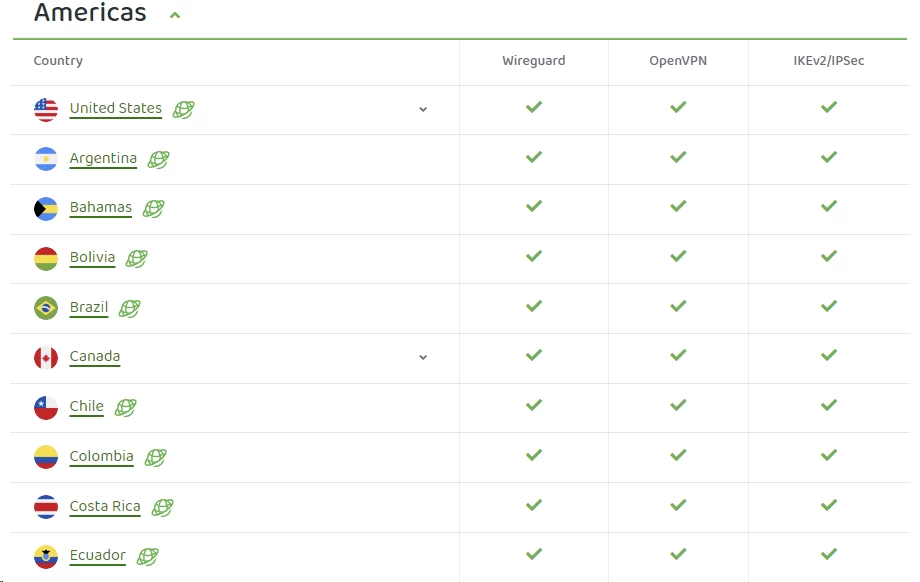
In the commercial VPN industry, server counts have historically been deployed as a brute-force marketing metric. Providers engaged in a numerical arms race, with Private Internet Access at one point claiming a staggering network of over 30,000 active servers. Eventually, the company stopped aggressively publishing this figure. The reality is that raw server counts are meaningless without context. A provider running 5,000 virtualized, low-bandwidth servers on cheap hardware will perform significantly worse than one running 500 dedicated, bare-metal servers on 10Gbps uplinks. Today, Private Internet Access focuses its messaging on geographic spread, officially maintaining servers in 91 countries and over 150 distinct locations.
US Coverage: All 50 States and Why It Matters
The most significant infrastructural achievement in PIA’s current network is its complete coverage of the United States-a physical or virtual presence in all 50 states. Even premium competitors like NordVPN typically cluster hardware in major coastal data centers, with a few central hubs in Chicago or Dallas.
PIA’s 50-state presence has a specific, highly practical use case: bypassing regional sports blackouts. Major American leagues-MLB, NBA, NFL-enforce draconian broadcasting restrictions on premium streaming packages. MLB.tv and NBA League Pass black out in-market teams based on your device’s IP address to protect local cable television monopolies. A resident of Iowa, inexplicably blacked out from watching six different MLB teams despite having no local professional team, illustrates how absurd these zones are. Standard VPNs with only a “US Midwest” server in Chicago provide no relief-Chicago is also blacked out. PIA’s 50-state network allows a surgical selection of a neighboring state with a clean broadcasting zone. Virtually relocating your IP to Wyoming or Nebraska successfully spoofs the geo-location check and unlocks the stream.
Virtual Servers: The Trade-offs
When evaluating PIA’s global footprint, we must also address its heavy reliance on virtual servers. In the application, certain locations are marked with a globe icon, designating them as “geo-located”-meaning the physical server hardware is not actually located in the country matching the IP address. If you connect to PIA’s India server, your traffic is likely physically routing through hardware in Singapore assigned an Indian IP. Over 50 percent of PIA’s global locations operate on this virtualized architecture.
Virtual servers are a double-edged sword. The primary drawback is routing inefficiency: if you are physically located in Southeast Asia and connect to a virtual server for a neighboring country, your data packets may take a high-latency geographical detour before reaching the wider internet. The security benefits in the current geopolitical climate, however, are substantial. Physical servers represent a physical vulnerability. When the Russian government passed data retention laws demanding that VPNs log user traffic, Private Internet Access refused to comply, physically abandoned its Moscow servers, and pulled out of the country entirely. They executed a similar hardware withdrawal from Hong Kong following the implementation of national security laws. Virtual servers allow PIA to provide users with IP addresses for highly censored or dangerous regions without exposing underlying hardware to state seizure.
PIA: Streaming & Unblocking

Let us be direct about Private Internet Access: it is engineered as a cryptographic privacy tool, not a dedicated entertainment unblocker. If your sole reason for purchasing a VPN is to seamlessly hop between international Netflix catalogs, PIA is not your best option. Competitors like NordVPN and ExpressVPN dedicate vast capital to acquiring residential IP addresses and playing an aggressive cat-and-mouse game with streaming providers. PIA participates in this game, but it does not dominate it.
To understand why streaming with a VPN is so difficult, you need to understand how platforms like Netflix, Amazon Prime Video, and Hulu enforce geographic licensing. They do not just check your country of origin-they examine the Autonomous System Number (ASN) and the classification of your IP address. Standard VPN servers use data center IPs. When Netflix detects 5,000 accounts simultaneously streaming from a single commercial data center IP in a New Jersey server farm, the automated systems flag the IP as a proxy and blacklist it.
Streaming-Optimized Servers: What Works and What Doesn’t
When you attempt to stream using a standard, unoptimized PIA server, you will frequently encounter a proxy error-Netflix error code F7111-1331-5059. The video simply refuses to load.
To combat this, PIA has deployed “Streaming-Optimized” servers in roughly a dozen key countries, including the US, UK, Canada, Australia, and Japan. These specific nodes are continually refreshed with clean IP addresses that have not yet been burned by streaming blacklists.
When utilizing these optimized nodes, results are functional but inconsistent. In rigorous testing, PIA’s US optimized servers generally unblock the domestic Netflix catalog, Hulu, and HBO Max. The UK servers are consistently capable of bypassing BBC iPlayer’s notoriously strict geographic filters. Canadian and Japanese nodes generally grant access to their respective regional Netflix libraries.
Dedicated IP: The Guaranteed Solution

For users who require guaranteed streaming access without the frustration of server-hopping, the solution is the Dedicated IP add-on. As discussed in the pricing section, a Dedicated IP is assigned exclusively to your account. Because you are the only person using that specific IP, it does not generate the massive, anomalous traffic spikes associated with shared VPN servers. To Netflix or Disney+, your Dedicated IP looks like a standard, quiet residential connection. It eliminates the F7111 proxy errors and prevents platforms from forcing endless CAPTCHA verifications. It is the most reliable way to stream geo-restricted content, though it comes at the cost of the shared anonymity that a standard VPN pool provides.
Smart DNS: Streaming on Devices That Block VPNs
For users who wish to stream geo-blocked content on hardware that natively rejects VPN applications-Apple TV, PlayStation 5, Xbox Series X, older Roku models-PIA provides a Smart DNS service.
Smart DNS is frequently conflated with a VPN, but operates on entirely different mechanics. A VPN encrypts your entire data payload and routes it through a physical server, which introduces computational overhead. Smart DNS does not encrypt your data and does not change your device’s actual IP address. It simply reroutes your Domain Name System queries. When your Apple TV attempts to load BBC iPlayer, the Smart DNS intercepts the request and quietly reroutes the initial location-check ping through a UK proxy server. The BBC registers a UK origin and unlocks the video stream. Because the actual video data is not being encrypted or tunneled, you maintain 100 percent of your raw ISP bandwidth.
PIA’s Smart DNS is included free with the subscription and can be configured via the client dashboard. It currently supports spoofing queries for the US, UK, Germany, Netherlands, and Japan. It offers zero security benefits and will not hide your traffic from your ISP-but for bypassing geographic content blocks on living room hardware, it is the most efficient, high-speed method available.
Customer Support
In the consumer software market, technical support is typically treated as a cost center to be minimized. Companies deploy aggressive AI chatbots and bury their contact forms deep within labyrinthine menus. For a highly technical product like a VPN that exposes advanced routing and cryptographic settings to the end user, this approach is disastrous. The probability of a user misconfiguring their network and breaking their internet connection is exponentially higher than with a simplified client. Consequently, PIA’s support infrastructure has to be substantially more robust than its competitors.
Live Chat and Email Escalation
PIA provides 24/7 live chat support, accessible directly from the PIA website. When you initiate a session, you are typically intercepted by an automated bot designed to triage basic inquiries. Once you request a human agent, the connection times are generally excellent-in most testing scenarios human agents join within 20 to 50 seconds.
The quality of live chat support, however, is a tale of two tiers. For basic account management, billing inquiries, or simple troubleshooting-“How do I change my protocol to WireGuard?”-the frontline agents are highly responsive and accurate. Present them with a complex routing issue, such as identifying why a custom MTU packet size is causing fragmentation on a specific localized ISP, and the Tier 1 agents will rapidly exhaust their scripts. The protocol at that point is to generate a debug log from your PIA client, attach it to an email ticket, and escalate to the advanced engineering team. The email ticketing system operates with a 24-to-48-hour SLA, and responses from the escalated team are noticeably more technical and precise.
Knowledge Base: Documentation for Power Users
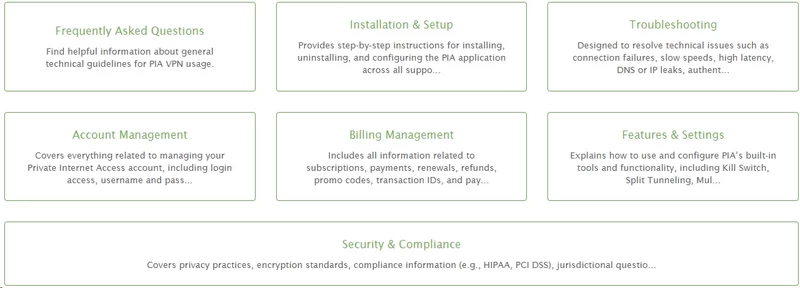
Where PIA’s support ecosystem truly excels is its static knowledge base. Because PIA caters to power users, its documentation is refreshingly dense. Want to configure a pfSense firewall to route specific VLAN traffic through a PIA OpenVPN tunnel? The step-by-step documentation exists. Want to flash a consumer Netgear router with DD-WRT firmware and install a PIA config file? There are exact, command-line-level guides available.
The Linux documentation deserves specific praise. While most VPN providers treat Linux as an afterthought-providing outdated configuration files or broken command-line interfaces-PIA treats it as a first-class citizen. The knowledge base contains explicit installation instructions for its full Graphical User Interface (GUI) across Ubuntu, Debian, Arch, and Fedora.
Community Support on Reddit
PIA also maintains an active presence on Reddit (r/PrivateInternetAccess). Official subreddits often devolve into unmoderated complaint boards, but PIA actually deploys product managers and support staff to actively monitor the forum. When a specific server node experiences hardware failure, or a recent Windows update breaks the network adapter driver, you will frequently find official communication and beta patch rollouts posted directly to the subreddit long before an official email blast is sent. It is a level of direct, unpolished communication that technical users genuinely value-and it is rare among commercial VPN providers.
FAQ
Does PIA work in China?
PIA struggles consistently in China due to the Great Firewall’s aggressive proxy detection. Users traveling to restrictive regimes should consider alternatives with more resilient obfuscation protocols.
Is PIA good for gaming?
When connecting to localized servers, PIA provides excellent latency that is perfectly suitable for fast-paced competitive gaming. However, long-distance servers can introduce noticeable jitter, so you must manually select the closest node for optimal performance.
Does PIA keep logs of my activity?
No, PIA operates on a strict privacy-by-design architecture utilizing RAM-only servers that cannot store persistent data. You can trust that your browsing history and connection timestamps are never secretly recorded.
How does PIA’s split tunneling work?
PIA offers an advanced split tunneling engine that lets you route specific applications or IP addresses outside the encrypted VPN tunnel. You can use normal or inverse routing logic to perfectly customize your network traffic.
Can I get a dedicated IP address with PIA?
Yes, PIA offers dedicated IP addresses as an optional paid add-on during the checkout process. To preserve your anonymity, the system uses a blind cryptographic token so the company cannot link the IP back to your specific billing account.
What exactly is the MACE feature?
MACE is PIA’s proprietary, DNS-level ad and malware blocker built directly into the client applications. By intercepting DNS requests, it stops malicious domains and tracking scripts from ever loading on your machine. This drastically improves page load times and conserves bandwidth, though it cannot block in-stream video ads.
Does PIA support the WireGuard protocol?
Yes, PIA fully supports the modern WireGuard protocol across all of its primary desktop and mobile applications. This protocol operates inside the operating system kernel, resulting in blistering speeds and reduced CPU overhead. If you want maximum throughput for downloading or streaming, WireGuard is the optimal choice.
Is the PIA client truly open-source?
Absolutely, PIA has open-sourced all of its desktop and mobile client applications on GitHub. This allows independent security researchers to continuously audit the code for vulnerabilities or hidden background telemetry.
Can I pay for PIA anonymously?
Yes, PIA allows you to pay for your subscription using various cryptocurrencies via the BitPay platform. If you combine a crypto payment with a burner email address, you can create a completely anonymous account. This ensures no financial paper trail links your real-world identity directly to your VPN usage.
Does PIA have a money-back guarantee?
PIA offers a strict, no-questions-asked 30-day money-back guarantee on all of its subscription plans. If you are unsatisfied with the service or its performance, you simply submit a support ticket within the first month.

