

StrongVPN Review 2026: A Decent VPN Stuck in a Premium Price Range
However, the limitations are hard to overlook in 2026. The tiny server network (950+ vs. 9,000+ for NordVPN), inconsistent streaming performance, absent mobile kill switch, US jurisdiction without an independent audit, and missing advanced features like ad blocking and multi-hop all hold it back. The price renewal jump after year one and the missing money-back guarantee on monthly plans add salt to the wound. Our recommendation: conditional buy – appropriate for users who specifically need its strengths and can live with its gaps, but not the best choice for most people. Consider NordVPN or Surfshark first.
- StrongVPN’s annual plan is competitively priced at $3.97/month, but the renewal doubles to $7.50/month – always check the renewal rate before committing.
- 12 simultaneous connections beats most competitors, making it a strong pick for families or device-heavy households.
- The kill switch only works on desktop – if you use public Wi-Fi on your phone, your data is unprotected if the VPN drops.
- No independent audit exists – StrongVPN’s no-logs claims remain unverified, unlike NordVPN, Surfshark, and ExpressVPN.
- Streaming works, but expect troubleshooting – Netflix US is unreliable; Disney+, Max, and BBC iPlayer fare better.
- Server network is small (950+ in 30 countries) – if you need servers in Africa, most of South America, or the Middle East, look elsewhere.
- Speed is adequate but not impressive – 18-25% loss on nearby servers, 40%+ on distant ones.
- Customer support is a genuine strength – 24/7 live chat, email, and phone support with knowledgeable agents.
- US headquarters under Five Eyes jurisdiction is a dealbreaker for serious privacy users.
- Self-owned servers are a real security advantage – no third-party access to your data.
| 💰 Pricing | From $3.97 to $11.99/mo |
| ✅ Free Trial | ❌ |
| 📆 Money Back Guarantee | 30 Days |
| 🗺 Jurisdiction | United States |
| 🖥 Number of Servers | 950+ |
| 📝 Logging Policy | No‑logs |
| 📥 Torrenting/P2P | ✅ |
| 🍿 Streaming | Unblocks Netflix, Max, Hulu, Amazon Prime Video |
| 🛡 Kill Switch | ✅ |
| ⚙️ Protocols | WireGuard, OpenVPN, IKEv2, IPsec, SSTP, L2TP |
| 🛠 Support | 24/7 Live Chat Support & Phone Support |
| 💻 Simultaneous Devices | 12 devices |
| 🔥 Current Deal | 66% OFF |
Overview
StrongVPN does what it says. AES-256 encryption, a genuine no-activity-logs policy, and functional apps across all major platforms. It’s been doing this since 2005, which is a long time in an industry where fly-by-night providers appear and vanish constantly. Ziff Davis owns it, headquartered at 114 5th Ave in New York City, alongside IPVanish, PCMag, and IGN. Corporate longevity counts for something.
But longevity isn’t the same as progress. In 2026, the VPN market has raised the floor substantially. What StrongVPN offers as standard, competitors offer plus ad blocking, multi-hop, RAM-only servers, and audited no-logs claims. The gap between “functional” and “competitive” has widened, and StrongVPN sits firmly on the wrong side of it.
The 950+ servers across 30 countries is the number that tells you the most. NordVPN runs 9,000+ servers across 111 countries. Even Surfshark, which competes on price, runs 4,500+ servers. StrongVPN’s network isn’t just small by comparison; it’s so small that server overcrowding becomes a real performance variable during peak hours, and users traveling to Africa, Central America, or the Middle East simply have no server to connect to.
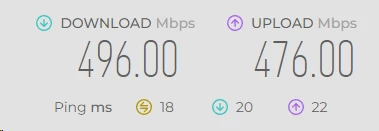
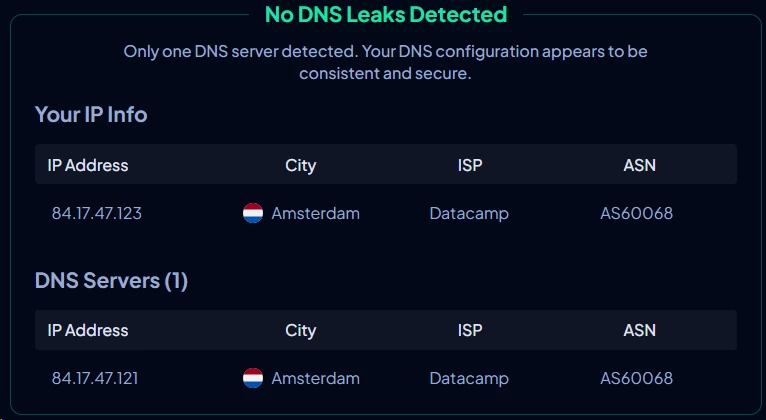
Encryption and leak protection hold up well in testing. DNS, WebRTC, and IPv6 leak tests all pass clean. WireGuard is available across every platform and delivers 496 Mbps on local LA-to-LA connections, dropping to a still-usable 456 Mbps for cross-country New York runs. The long-distance story is uglier: London connections average 301 Mbps (a 40% drop), and Tokyo falls to 127 Mbps, a 75% reduction.
The kill switch, which cuts all internet traffic if the VPN tunnel collapses and prevents your real IP from leaking, works on Windows and Mac. It’s absent on Android, iOS, and Fire TV. Any user connecting from a hotel network or public Wi-Fi on their phone has no protection against the brief but real exposure that occurs during a VPN reconnect cycle. NordVPN and ExpressVPN ship kill switches on every supported platform.
No independent audit exists. StrongVPN’s privacy claims are entirely self-reported. IPVanish, the sister company also owned by Ziff Davis, has been audited by both Leviathan Security Group and Schellman Compliance.
Who StrongVPN is for
- Casual users who want a one-click, zero-configuration experience
- Families protecting up to 12 devices without per-device fuss
- Gamers on servers near their physical location (17ms ping achievable on local connections)
- P2P users who want torrenting permitted on every server, not just designated ones
Who should look elsewhere
- Privacy-focused users who require a VPN audited by a third party and headquartered outside Five Eyes
- Streamers who need consistent, protocol-agnostic Netflix US access
- Power users who depend on multi-hop routing, network-level ad blocking, or full cross-platform split tunneling
- Anyone comparing two-year total cost of ownership: StrongVPN has no two-year plan, and its year-two renewal rate is $89.99
Pricing & plans

StrongVPN offers two plans. Monthly at $11.99, or annual at $3.97/month billed as $47.69 upfront. The structure looks simple. But the pricing has two traps that most coverage skips.
What you’ll pay
| Plan | Monthly cost | Total billed | Money-back guarantee |
|---|---|---|---|
| Monthly | $11.99 | $11.99 | None |
| Annual | $3.97 | $47.69 | 30 days |
The first trap is renewal pricing. Year-one introductory annual pricing is $47.69. Year two bills at $89.99 ($7.50/month). That’s an 89% price jump. StrongVPN does not offer a two-year lock-in plan, which means the only way to avoid the renewal rate is to cancel before it hits and re-subscribe, potentially losing any account history or promotional access you’ve accumulated.
The second trap is the missing monthly guarantee. Paying $11.99 for a monthly subscription comes with zero refund protection. That makes the monthly plan a particularly bad value for someone testing the service: if you connect, find that your specific Netflix region won’t unblock, and cancel within 24 hours, you get nothing back. By contrast, ExpressVPN and NordVPN both extend their 30-day money-back guarantee to monthly subscribers.
The two-year math matters if you’re comparison shopping:
- StrongVPN (year 1 + year 2): $47.69 + $89.99 = $137.68
- NordVPN Basic (28-month deal at $3.49/mo): ~$97.72
- Surfshark Starter (28-month deal at $1.89/mo): ~$52.92
Over 24 months, StrongVPN costs 40% more than NordVPN and 160% more than Surfshark, with fewer servers, a smaller country footprint, and no ad blocker included.
How StrongVPN stacks up on price
| VPN | Monthly | 1-year | 2-year | Servers | Devices | Money-back |
|---|---|---|---|---|---|---|
| StrongVPN | $11.99 | $3.97 | N/A | 950+ | 12 | 30 days (annual only) |
| NordVPN | $12.99 | $4.99 | $3.49 | 9,000+ | 10 | 30 days (all plans) |
| Surfshark | $15.45 | $3.19 | $2.49 | 4,500+ | Unlimited | 30 days (all plans) |
| ExpressVPN | $12.99 | $3.99 | $2.49 | 3,000+ | 8 | 30 days (all plans) |
StrongVPN’s 12-device limit is the one column where it wins. For a household running two phones, two laptops, a tablet, a smart TV, and a gaming console, you’re at seven devices before guests plug in. NordVPN’s 10-device cap still handles that, but StrongVPN’s 12 gives more headroom without forcing a router-level configuration.
No free trial, no free plan
There is no free tier and no trial period. Testing StrongVPN without financial commitment requires paying $47.69 upfront and relying on the 30-day refund window. ProtonVPN’s free plan includes unlimited bandwidth across three server locations (Netherlands, US, Japan) with no data cap, operating under Swiss law. TunnelBear offers 2GB monthly on a free tier. For a user who hasn’t decided whether they need a VPN at all, those options let you establish a baseline before committing money.
Refund processing on the annual plan runs 5-10 business days through StrongVPN directly. If you subscribed through the Apple App Store or Google Play, refunds route through Apple and Google respectively, which follow their own timelines and policies. Some reviewers report confusion at this step; the process is not as frictionless as the support page implies.
Payment methods
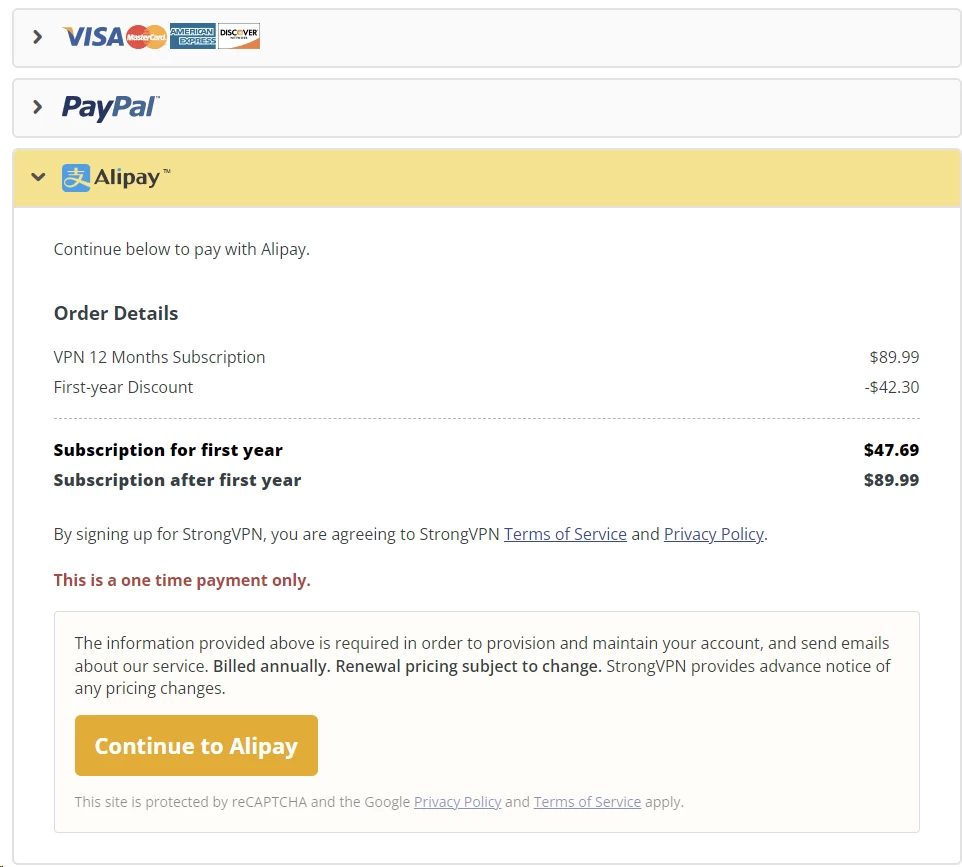
StrongVPN accepts Visa, MasterCard, American Express, PayPal, Apple Pay, and Alipay. The Alipay inclusion reflects a deliberate focus on Chinese users, which aligns with the Scramble feature designed to bypass DPI-based VPN blocking on the Great Firewall.
Cryptocurrency is not accepted. Bitcoin, Monero, and other privacy-preserving payment options let you purchase a VPN subscription without linking it to your real identity or payment history. NordVPN, ExpressVPN, and Surfshark all support crypto. For a user specifically buying a VPN to reduce their digital footprint, having to provide a credit card or PayPal account partially undercuts the goal.
Features & apps
Platform support
StrongVPN ships native apps for Windows, Mac, Android, iOS, Amazon Fire TV, and Chrome OS. Linux gets OpenVPN configuration only, with no GUI app. For users running Ubuntu or Fedora who want a native interface with WireGuard support, that’s a gap worth noting: NordVPN, ExpressVPN, and Mullvad all ship Linux GUI apps.
Devices that can’t run VPN software directly – Roku players, Chromecast, Apple TV, gaming consoles – connect through StrongDNS, a smart DNS proxy bundled with every subscription. StrongDNS works by overriding the DNS resolver that streaming platforms use to determine your geographic location. It does not encrypt your connection or mask your IP at the network layer; it changes only the DNS resolution path. Speed impact is minimal compared to a full VPN tunnel, which makes it practical for 4K streaming on bandwidth-sensitive devices. It covers over 140 streaming platforms.
Router-level installation is supported on hardware from Asus, Netgear, Belkin, D-Link, and Linksys using OpenVPN or WireGuard configuration. StrongVPN also partners with Sabai Technology to sell pre-flashed routers running Sabai OS with StrongVPN embedded. That option removes the manual configuration step entirely, which is worth the cost if you’re protecting a house full of devices that can’t individually run VPN apps.
The app experience
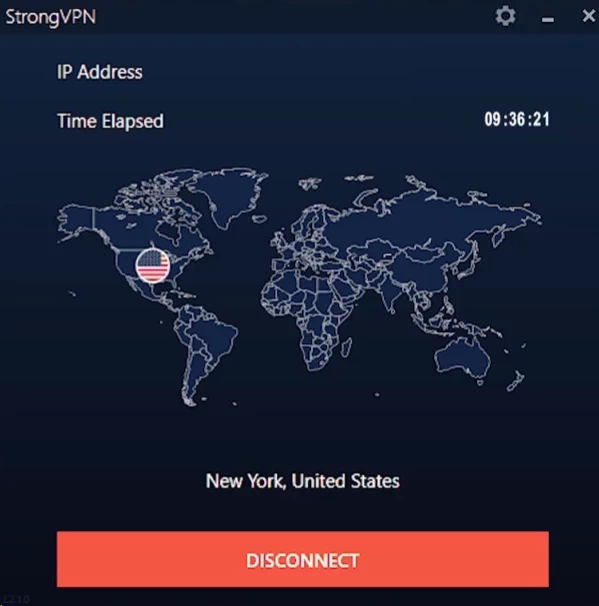
Desktop apps on Windows and Mac are functionally identical, with distinct default color schemes you can override in settings. The layout is minimal: a server picker, a prominent Connect button, and a Settings panel with four tabs covering connection behavior, protocol selection, kill switch configuration, and software updates. Auto-reconnect, connect on launch, and connect on startup toggles are in the Options tab. These defaults are well-chosen for a set-and-forget deployment.
Installation on Windows takes roughly two minutes from download to first connection. The installer doesn’t bundle extras or solicit additional software during the process. Android APK files are available directly from StrongVPN’s website for sideloading, which matters if you’re in a country where the Play Store blocks VPN app downloads at the platform level.
One consistent usability gap: the app displays no server load data and no latency estimate before connection. NordVPN shows server load as a percentage. ExpressVPN surfaces its recommended server based on your location. With StrongVPN, you pick a city and connect blind. If that server is saturated during peak hours, you won’t know until speeds degrade. You’ll need to disconnect, pick a different city, and retry manually.
Feature comparison across platforms
| Feature | Windows | Mac | Android | iOS | Fire TV |
|---|---|---|---|---|---|
| Kill switch | Yes | Yes | No | No | No |
| Split tunneling | No | No | Yes | No | Yes |
| VPN protocols | WireGuard, OpenVPN UDP/TCP, IKEv2, SSTP, L2TP | WireGuard, OpenVPN, IKEv2, IPSec, L2TP | WireGuard, OpenVPN, IKEv2 | WireGuard, IKEv2, IPSec | WireGuard, OpenVPN, IKEv2 |
| Scramble (obfuscation) | Yes (OpenVPN only) | Yes (OpenVPN only) | Yes | No | No |
The feature distribution creates real-world problems. Kill switch absence on mobile is the most consequential. When a WireGuard tunnel on Android drops due to a network handoff (switching from Wi-Fi to LTE, for example), there is a reconnection window where traffic routes over your real IP. That window is typically 2-8 seconds, but it’s enough to expose your IP to any service you’re connected to. StrongVPN has no mechanism to block this traffic on Android or iOS. If you’re connecting to a public hotspot at an airport, hotel, or coffee shop on your phone, that gap is a genuine risk.
Split tunneling on Android lets you designate specific apps to bypass the VPN tunnel, sending them over your normal connection. This is the feature that allows a remote worker to run Slack and a browser through the VPN while letting a local NAS or printer app use the LAN directly. It’s absent on Windows, Mac, and iOS. NordVPN and ProtonVPN implement split tunneling on Windows, Mac, Android, and iOS.
What’s missing
Features absent from StrongVPN that are standard at competing price points:
- Network-level ad and tracker blocking – NordVPN’s Threat Protection intercepts malicious domains before a connection is established, using its own DNS resolver. Surfshark’s CleanWeb does the same. StrongVPN has no DNS-level filtering.
- Multi-hop (double VPN) – Routes traffic through two VPN servers in sequence. The first server sees your real IP; the second sees only the first server’s IP. If one server is compromised, your origin remains hidden. ProtonVPN and NordVPN both support this.
- RAM-only servers – Servers that store no data on disk; everything lives in volatile RAM and is wiped on reboot. NordVPN and ExpressVPN run fully diskless infrastructure. A server seizure yields nothing recoverable.
- Dedicated IP addresses – StrongVPN offered these previously and discontinued the option. NordVPN and Surfshark still offer dedicated IPs as paid add-ons at $3-5/month, which are useful for banking portals and corporate VPNs that allowlist specific IPs.
- Full cross-platform split tunneling – Covered above.
Chrome browser extension
StrongVPN’s Chrome extension is a proxy, not a VPN. It reroutes browser HTTP and HTTPS traffic through a proxy server to change the browser’s apparent IP address, but does not establish an encrypted tunnel. Traffic outside the browser (other apps, DNS queries from the OS) remains unaffected. Server selection is limited to 14 locations, with the majority in the US. For bypassing a basic geographic restriction on a web service while staying in Chrome, it works. For actual privacy or security, it doesn’t qualify.
Speed & performance
Testing environment
| Parameter | Value |
|---|---|
| Base connection | 500 Mbps down / 500 Mbps up |
| Testing origin | Los Angeles, California, USA |
| Protocol | WireGuard |
| Device | Windows desktop |
| Tests per server | 3 runs, averaged |
| Tool | Ookla Speedtest |
Speed results
| Server location | Download (Mbps) | Upload (Mbps) | Ping (ms) | Speed loss |
|---|---|---|---|---|
| Los Angeles (local) | 496 | 476 | 18 | ~1% |
| New York (cross-country) | 456 | 443 | 56 | ~9% |
| London (intercontinental) | 301 | 275 | 121 | ~40% |
| Tokyo (long-distance) | 127 | 102 | 285 | ~75% |
Local and cross-country performance on WireGuard is genuinely strong. A 1% speed loss to LA and 9% to New York means StrongVPN is adding essentially no overhead on domestic connections. 4K streaming requires around 25 Mbps; Zoom HD video calls use 1.5-3 Mbps. On a 500 Mbps base connection, even the 40% London drop leaves you with 301 Mbps of download capacity, which covers both comfortably.
The Tokyo result is the failure scenario. At 285ms round-trip latency and 127 Mbps download, real problems emerge. Multiplayer gaming at 285ms ping is unplayable on any reaction-dependent title. 4K streaming over a 127 Mbps connection works in isolation, but the latency creates rebuffering when the CDN adjusts stream quality dynamically. Any remote work workflow that involves accessing a server in the Asia-Pacific region from a US-based connection will see significant slowdowns.
Real-world performance
| Activity | Performance | Notes |
|---|---|---|
| 4K streaming | Conditional | Works on local/domestic servers; buffering risk on Tokyo and other long-distance connections |
| HD streaming | Reliable | 1080p holds at every tested server |
| Web browsing | No impact | Sub-20ms local latency makes browsing indistinguishable from unprotected connection |
| Video calls | Stable | Local and cross-country latency is well below the 150ms threshold where call quality degrades |
| Gaming | Location-dependent | 17ms ping on local servers supports competitive play; 285ms to Tokyo does not |
| Torrenting | Good | P2P download speeds hold well on US and European servers |
| Large downloads | Adequate | Trails NordVPN and ExpressVPN on cross-continental connections |
Server overcrowding
With 950+ servers distributed across all subscribers, popular US and UK servers carry higher user density than equivalent servers at NordVPN or Surfshark. Higher density means more shared bandwidth per user during peak hours (typically 6-10 PM local time). The app provides no server load indicator, so you can’t avoid congested nodes. As a workaround, picking a less-trafficked city in the same region, such as choosing Dallas over New York during US evening hours, can recover some speed, but this requires manual trial and error.
Security & privacy
Encryption
StrongVPN uses AES-256 in GCM mode for data encryption across all supported protocols. AES-256-GCM is the same cipher suite used by the US National Security Agency for Top Secret classification protection. The GCM (Galois/Counter Mode) adds authentication to the encryption, meaning tampering with the ciphertext is detectable at the receiving end. All VPNs at this price tier use AES-256; StrongVPN meets the standard without differentiating on it.
DNS leak testing confirms that DNS queries route through StrongVPN’s resolvers rather than falling back to your ISP’s default resolver. WebRTC leak protection functions correctly in Chrome and Firefox. IPv6 traffic is blocked when the tunnel is active, preventing IPv6 addresses from bypassing the VPN and resolving to your real location. These three leak categories represent the most common failure modes in consumer VPN implementations; StrongVPN passes all three.
VPN protocols
| Protocol | Available on | Use case |
|---|---|---|
| WireGuard | All platforms | Fastest performance, modern cryptography (ChaCha20-Poly1305 cipher) |
| OpenVPN UDP | Windows, Mac, Android, Fire TV | Reliable security, adjustable to TCP when UDP is blocked |
| OpenVPN TCP | Windows, Mac, Android, Fire TV | Bypassing firewalls that drop UDP; works with Scramble obfuscation |
| IKEv2 | All platforms | Fast tunnel re-establishment after network changes; good for mobile |
| SSTP | Windows only | Tunnels over TCP port 443 (HTTPS port); harder to block at firewall level |
| L2TP/IPSec | Windows, Mac | Legacy compatibility; no longer recommended due to known weaknesses |
| IPSec | Mac, iOS | Native Apple framework support |
WireGuard’s cryptographic stack (ChaCha20 for encryption, Poly1305 for authentication, Curve25519 for key exchange, BLAKE2 for hashing) is more auditable than OpenVPN’s implementation because its codebase is roughly 4,000 lines versus OpenVPN’s 600,000+. StrongVPN deployed WireGuard across all platforms, including mobile, which is correct. Some providers still restrict WireGuard to desktop only.
SSTP deserves attention for a specific scenario: corporate firewalls and hotel networks that restrict VPN protocols by port. SSTP tunnels over TCP port 443, the same port as HTTPS traffic. Firewalls that use deep packet inspection can still identify SSTP by its TLS handshake pattern, but firewalls using only port-based filtering can’t distinguish SSTP from regular web traffic. This makes SSTP on Windows a useful fallback for restrictive network environments, though it’s only functional on Windows here.
Kill switch
StrongVPN’s kill switch operates at the firewall rule level on Windows and Mac, inserting rules that block all non-VPN traffic while the tunnel is active. When the WireGuard or OpenVPN connection drops, those rules prevent any application-layer traffic from transmitting until the tunnel re-establishes or you manually disconnect. On Mac specifically, the kill switch interacts with the system firewall (PF) rather than a user-space daemon, making it harder for an application to accidentally bypass it.
On Android and iOS, no kill switch exists. Android’s built-in “Always-on VPN” setting (available in Settings > Network > VPN) provides partial mitigation: it can block all non-VPN traffic system-wide, independent of the StrongVPN app. Enabling “Block connections without VPN” under that setting replicates kill switch behavior at the OS level. It doesn’t cover all failure modes (it doesn’t handle the scenario where the VPN connects but routes traffic incorrectly), but it’s better than nothing for Android users who need protection on public networks.
iOS has no equivalent native option. Apple’s Network Extension framework, which VPN apps use on iOS, doesn’t expose the same system-level traffic blocking that Android does. The only protection on iOS is the VPN app itself, and if it drops connection and doesn’t immediately re-establish it, your real IP is visible.
Scramble feature
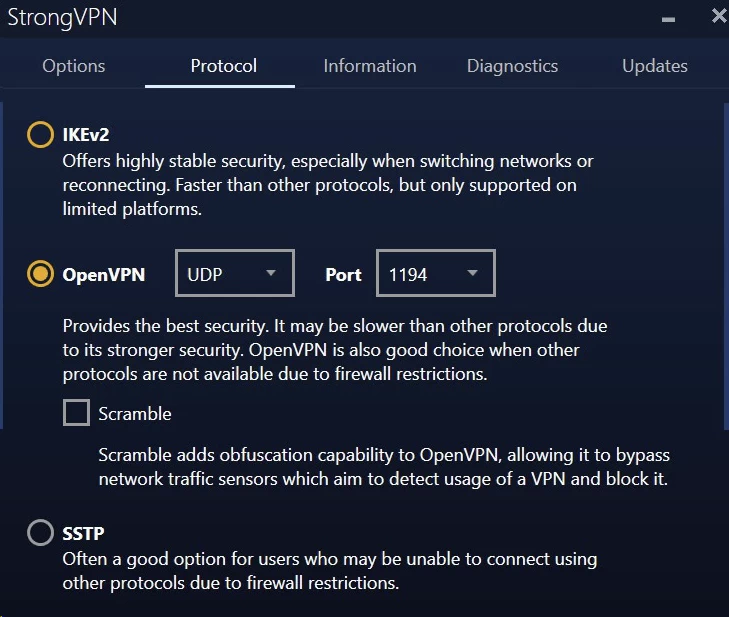
Scramble obfuscates OpenVPN packet headers to prevent DPI-based VPN identification. Without obfuscation, OpenVPN packets carry recognizable header patterns that state-level firewalls, including China’s Great Firewall, can identify and drop. Scramble uses XOR obfuscation applied to the OpenVPN header bytes, making the traffic pattern resemble unstructured data rather than a known VPN protocol.
The tradeoff is performance. XOR obfuscation adds CPU overhead on both ends of the tunnel, and OpenVPN TCP (required for Scramble on most setups) already carries higher per-packet overhead than WireGuard or OpenVPN UDP. Expect 15-25% speed reduction compared to unobfuscated WireGuard on the same server. On a 500 Mbps base connection, that’s still fast enough for any standard use case, but if you’re on a hotel’s already-throttled Wi-Fi at 20 Mbps, losing 25% matters.
StrongVPN’s support team confirmed that Scramble works on Windows, Mac, and Android for China. It does not function on iOS. iOS VPN behavior is constrained by Apple’s App Store guidelines, which restrict what network configurations third-party apps can push to the system. Several iOS users on Google Play and Reddit have reported failed connections in China specifically, which aligns with the iOS exclusion.
Logging policy
StrongVPN’s privacy policy documents that the following are not collected: browsing history, IP addresses assigned during sessions, bandwidth or traffic data, connection metadata, and session timestamps. What is collected: the email address used to create the account and payment information. That data set is minimal and identical to what any subscription service requires to function.
The policy language is straightforward. There are no carve-outs for “aggregated data” or “debugging purposes” that would implicitly permit session-level data collection under a different label. That clarity is worth noting because several VPN policies contain language that permits traffic analysis for network management while claiming no activity logging.
The audit problem
StrongVPN has not submitted to an independent privacy or security audit by any third party. In 2026, the absence of an audit is a meaningful trust signal:
| VPN | Audit status | Auditor | Most recent |
|---|---|---|---|
| NordVPN | Audited | Deloitte | 2025 |
| Surfshark | Audited | Deloitte | 2025 |
| ExpressVPN | Audited | Cure53, KPMG | 2024 |
| Mullvad | Audited | Cure53 | 2024 |
| StrongVPN | Not audited | None | Never |
An audit conducted by a firm like Deloitte, Cure53, or KPMG involves direct access to server configuration, application source code, and internal data-handling procedures. The auditor verifies that what the privacy policy claims matches what the infrastructure actually does. Without an audit, a no-logs claim is a policy statement without verification.
IPVanish, which Ziff Davis also owns, has been audited by Leviathan Security Group and Schellman Compliance. Both audits are publicly available. Applying the same process to StrongVPN would cost Ziff Davis nothing meaningful relative to the trust it would produce. The choice not to do so should factor into your risk assessment.
Jurisdiction: Five Eyes

StrongVPN is incorporated in the United States. The US is a founding member of the Five Eyes signals intelligence alliance alongside the UK, Canada, Australia, and New Zealand. Under the Electronic Communications Privacy Act and subsequent amendments, US intelligence agencies can compel disclosure of stored data through National Security Letters, which carry gag orders preventing disclosure to users.
If StrongVPN retains no session data, a compelled disclosure produces nothing relevant. But that’s a conditional claim on an unaudited policy. Providers in jurisdictions outside Five Eyes face different legal frameworks: NordVPN (Panama) and ExpressVPN (British Virgin Islands) operate under no mandatory data retention laws and no intelligence-sharing treaty obligations. Mullvad (Sweden) and ProtonVPN (Switzerland) are subject to EU data protection law and GDPR respectively, which provide different but well-defined constraints.
Server ownership
StrongVPN owns and operates 100% of its physical server infrastructure. No shared data center hardware, no third-party colocation arrangements where a hosting company has physical access to the machines. Rented server environments create a theoretical chain of access: the VPN provider, the data center operator, and potentially the data center’s other customers via side-channel hardware attacks. Self-ownership eliminates the data center operator from that chain. This is a concrete security distinction, and it’s one that providers with significantly larger networks often cannot match.
Servers & locations
Network size
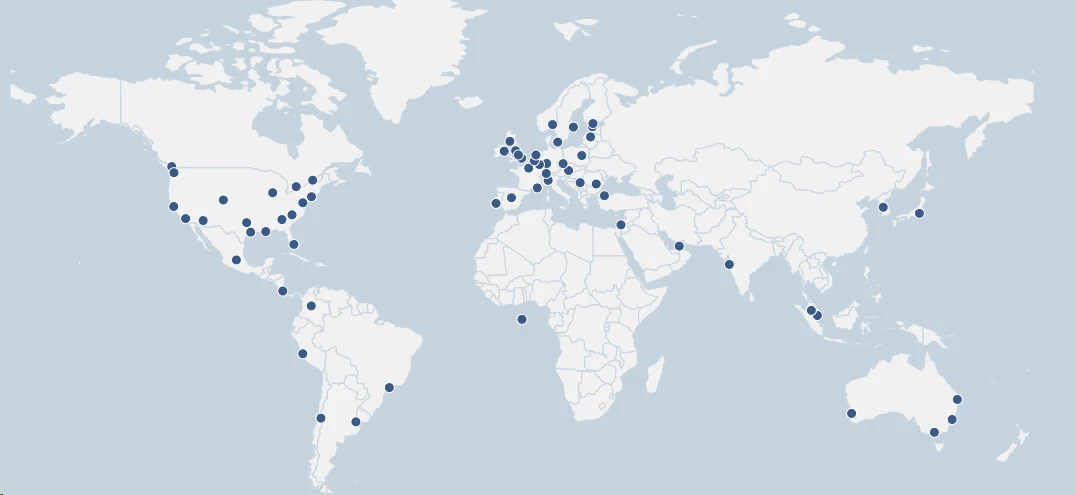
950+ servers across 30 countries. The comparison is stark:
| VPN | Servers | Countries |
|---|---|---|
| NordVPN | 9,000+ | 111 |
| Surfshark | 4,500+ | 100 |
| ExpressVPN | 3,000+ | 105 |
| StrongVPN | 950+ | 30 |
A larger server count does more than offer geographic variety. It distributes subscriber load across more nodes, reducing per-server congestion. NordVPN’s 9,000 servers absorb its significantly larger user base with less crowding than StrongVPN’s 950 manage. The arithmetic is direct: more servers per user means more available bandwidth per user during peak hours, which is why NordVPN consistently outperforms StrongVPN on intercontinental speed benchmarks beyond just physical distance.
Where StrongVPN has servers
US coverage is the network’s strongest area: 15+ cities including Los Angeles, New York, Dallas, Chicago, Seattle, and Miami. Multi-city US coverage lets domestic users pick a geographically close server, keeping latency under 30ms for most of the continental US. European coverage includes the UK, Germany, France, Netherlands, Italy, Czech Republic, Norway, and Latvia. Asia-Pacific nodes cover Japan, South Korea, Singapore, and Taiwan.
India is served by one virtual server: a node physically located outside India but presenting an Indian IP address. India’s VPN data retention regulations issued by CERT-In in 2022 require VPN providers operating physical servers in India to log user data for five years. StrongVPN, along with many other providers, responded by removing physical Indian servers and operating a virtual location instead. This is standard practice and not a trust concern, but it does mean traffic to and from India travels a longer physical path than the city label implies, adding latency.
What’s missing
The geographic gaps are large:
- Africa has no coverage at all. A continent of 1.4 billion people is completely unserved. NordVPN covers South Africa, Kenya, Nigeria, and Egypt. ExpressVPN adds Tanzania and Algeria.
- South America has minimal presence. Coverage details vary by source, but StrongVPN’s South American footprint is sparse compared to competitors serving Brazil, Argentina, Chile, and Colombia.
- Middle East coverage is limited. NordVPN and ExpressVPN each offer multiple Middle Eastern server locations; StrongVPN’s options there are thin.
StrongVPN support confirmed in live chat that there are no current plans to significantly expand the server network. For a traveler routing through Sub-Saharan Africa or Central America, that response closes the option entirely.
Server quality
With the exception of the Indian virtual location, every listed server location uses a physical server in the named country. No inflated country counts via servers pretending to be somewhere they’re not physically located. Some providers, particularly those advertising 90+ country coverage with a few hundred total servers, fill the gaps with virtual locations. StrongVPN’s 30-country count is honest.
Combined with full server ownership, this means StrongVPN’s physical infrastructure is exactly what its documentation claims. A smaller honest network is more operationally trustworthy than a larger network padded with virtual locations.
Streaming & unblocking

Platform-by-platform results
| Platform | Works? | Notes |
|---|---|---|
| Netflix US | Inconsistent | Frequently redirects to Netflix Originals only; blocked outright in some testing windows |
| Netflix DE, UK | Works | Functions reliably on select regional libraries |
| Disney+ | Works | Connected first attempt via US servers |
| Max (HBO Max) | Works | No issues in testing window |
| Hulu | Inconsistent | Required switching to Firefox; server-dependent |
| Amazon Prime Video | Inconsistent | VPN detected on initial Chrome attempts; worked in Firefox |
| BBC iPlayer | Works | UK servers functional; Firefox performed better than Chrome |
| ITVX / All 4 | Works | UK servers reliable |
| Crunchyroll | Works | Consistent access across testing |
Protocol matters for streaming
Protocol choice materially affects streaming success. SSTP produces faster streaming speeds on Windows due to lower protocol overhead compared to OpenVPN TCP. OpenVPN TCP with Scramble enabled was intended to bypass streaming platform detection by disguising VPN traffic patterns, but in practice it didn’t consistently succeed across testers. Some sources found that switching from Chrome to Firefox resolved Amazon Prime Video and Hulu detection in cases where the browser’s WebRTC behavior was contributing to the VPN fingerprint.
Practically, getting StrongVPN to work reliably with a specific streaming platform involves trying different server cities in the target region, switching between WireGuard and OpenVPN TCP/SSTP, and potentially changing browsers. That cycle takes 10-15 minutes and may need to be repeated if the server gets flagged. Providers that specifically engineer for streaming access solve this problem at the infrastructure level so you don’t have to solve it at the session level.
What helps: StrongDNS
StrongDNS changes the DNS resolution path your device uses without establishing a VPN tunnel. When a streaming platform’s CDN looks up your DNS resolver to infer location, it sees a StrongDNS resolver associated with the target region rather than your ISP’s resolver associated with your physical location. The connection itself stays direct, which means no encryption overhead and no speed penalty.
StrongDNS covers 140+ streaming services and runs on any device that lets you manually change DNS settings: Apple TV, Roku, Chromecast, Samsung and LG smart TVs, PlayStation, Xbox, and Nintendo Switch. Setup requires entering the StrongDNS IP addresses in the device’s network settings, which takes 5 minutes with the setup guide.
The constraint is scope. StrongDNS doesn’t change your IP address and doesn’t encrypt traffic. A streaming platform that validates both DNS origin and the requesting IP address (as Netflix increasingly does) will still detect a mismatch if your IP is geolocated to the wrong country. StrongDNS works best on platforms that validate only DNS source, not IP geolocation.
Gaming performance
On nearby servers, StrongVPN achieves ping rates as low as 17ms, which falls within the competitive gaming threshold (under 50ms for most multiplayer titles). At that latency, StrongVPN is a viable tool for reducing ping jitter on congested ISP routes or bypassing ISP-level throttling applied to gaming traffic on specific ports. Router-level configuration supports Xbox, PlayStation, and Nintendo Switch, which can’t run VPN apps directly.
The constraint is server proximity. Gaming with a 285ms ping to a Tokyo server is unplayable on any title where frame timing matters. StrongVPN’s 30-country network means that for users in regions without nearby coverage, the gaming use case doesn’t work.
The streaming bottom line
StrongVPN unblocks streaming platforms in enough cases to qualify as useful. Success rates across all tested platforms are roughly 50-60%, compared to 90%+ reported consistently for NordVPN and ExpressVPN. The platforms it handles well (Disney+, BBC iPlayer, Max, Crunchyroll) are reliable. The platforms where it struggles (Netflix US, Hulu, Amazon Prime Video) are the ones most users are buying a VPN to access. For occasional streaming from less-locked-down platforms, it works. For a primary streaming tool, it doesn’t compete with the top tier.
User reviews
Trustpilot
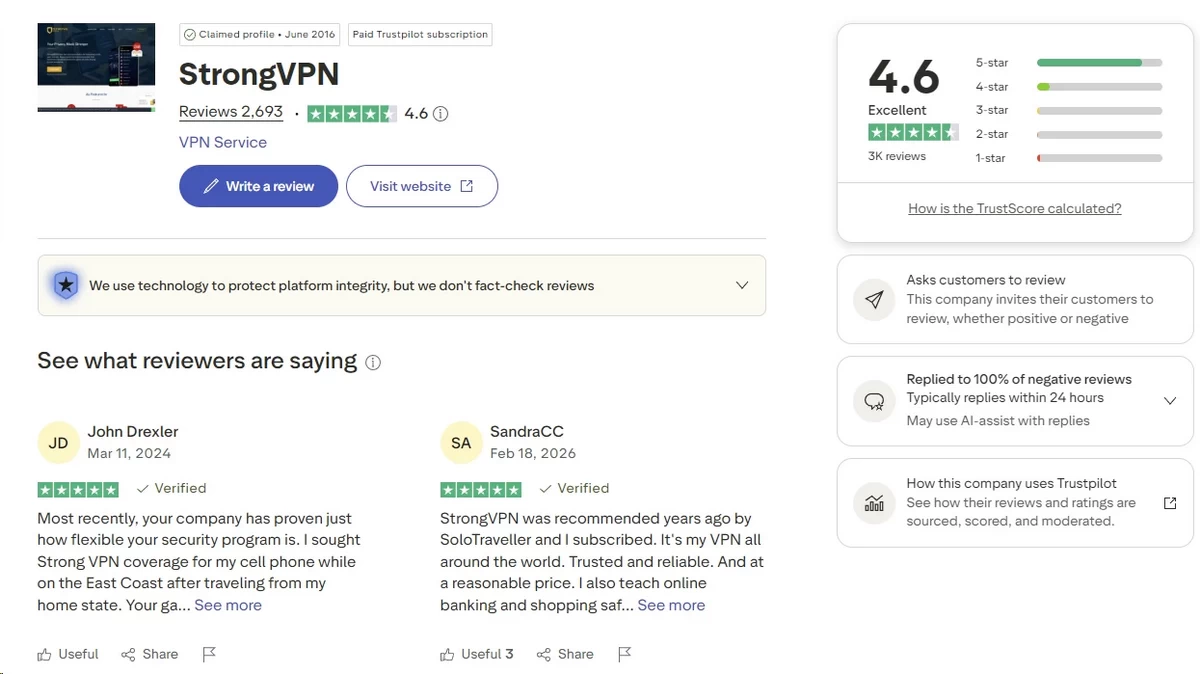
StrongVPN holds 4.6 out of 5 stars on Trustpilot from approximately 2,690 reviews as of mid-2026. That’s a credible rating, and the reviews trend toward specific, detail-oriented praise rather than generic endorsements, which is a positive indicator of authenticity.
Common praise themes:
- Consistent ease of use – one-click connection, no configuration required for standard use cases
- Reliable everyday performance – reviewers describe years of uninterrupted browsing and moderate-load streaming
- Customer support quality – response times and agent knowledge come up repeatedly in five-star reviews
- Year-one annual pricing viewed as fair value
- Travel performance in Southeast Asia – several users specifically describe StrongVPN working in Thailand, Vietnam, and the Philippines where some competitors fail
Common complaint themes:
- Service discontinued in certain regions – lifetime plan subscribers reported cutoffs without advance notice when StrongVPN stopped serving specific countries
- China connectivity issues on iOS – multiple Android reviews praise Scramble functionality while iOS users report connection failures in China, consistent with StrongVPN’s own documentation that Scramble is not available on iOS
- Refund friction on the monthly plan – users who purchased month-to-month and expected a refund discovered the policy doesn’t cover them
- Speed inconsistency on distant servers
- Server location gaps for international travelers
StrongVPN responds to negative Trustpilot reviews, typically directing users to support channels. The response cadence is consistent, which indicates active monitoring.
Reddit sentiment (r/VPN and related subreddits)
Overall community sentiment: Mixed to negative
In threads canvassing VPN recommendations for 2026, the community consensus centers on NordVPN, Surfshark, ProtonVPN, and Mullvad. StrongVPN appears occasionally, almost always with qualifications.
What Reddit users value:
- Simple app with no configuration complexity for basic protection needs
- Customer support quality acknowledged even by critical posters
- Long-term reliability for users with years of uninterrupted history
- Adequate for basic privacy without tuning settings or protocols
What Reddit users criticize:
- Overpriced relative to feature set – the most repeated objection
- US jurisdiction is treated as disqualifying by privacy-focused subreddits, with ProtonVPN (Switzerland) and Mullvad (Sweden) offered as alternatives
- Absence of an independent audit is cited as a red flag specifically in communities discussing threat models that include legal compulsion
- Small server network limits usefulness for travelers needing coverage outside North America and Europe
The r/VPN community’s criticism is consistent and technically grounded rather than emotional. The US jurisdiction concern is a real legal analysis, the missing audit is a factual gap, and the server count comparison is accurate. These aren’t complaints about user experience; they’re structural concerns about what StrongVPN can and cannot protect against.
App store ratings
| Platform | Rating | Approximate review count |
|---|---|---|
| Trustpilot | 4.6/5 | ~2,690 |
| Google Play | 4.0/5 | 5,500+ |
| Apple App Store | 4.4/5 | ~6,500 |
| Amazon | 3.6/5 | ~45 |
| Reddit sentiment | Mixed | Community-driven |
Google Play shows 1 million+ downloads. For a VPN in business since 2005, that’s a modest install base compared to NordVPN’s tens of millions. Smaller user volume means each negative review carries proportionally more weight in the overall average.
iOS App Store reviews are the most positive, with detailed five-star accounts from long-term subscribers. The recurring themes are simplicity and reliability rather than feature depth. Android reviews show more variance: the most detailed negative reviews involve China connectivity failures on iOS (where Scramble is unavailable) and refund complications for monthly subscribers.
Customer support
Support channels
| Channel | Available | Hours |
|---|---|---|
| Live chat | Yes | 24/7 |
| Yes | Response within hours | |
| Phone | Yes | Available |
| Help center | Yes | Setup guides, FAQs, troubleshooting articles |
| In-app support | Yes | Direct chat link in mobile apps |
Testing experience
In live chat testing, agents answered technical questions directly without escalating. A question about China compatibility produced a specific, accurate answer: Scramble works on Windows, Mac, and Android; it doesn’t work on iOS. A follow-up about planned server network expansion received an honest “no current plans” response rather than a holding answer. That kind of accuracy, when the honest answer is unflattering, is more useful than vague reassurance.
The chat widget initiates through a bot that suggests knowledge base articles based on your query before offering a human agent option. That adds 30-60 seconds to the start of each session. For users troubleshooting a dropped connection during time-sensitive work, the bot gating is friction in the wrong place. Once connected, human response quality is consistently strong across multiple contact sessions.
Mobile apps include a direct in-app link that opens a live chat session without requiring a browser. This is functionally useful: most VPN apps make you leave the app to access support, which requires separately navigating to the website while managing whatever connection problem you’re experiencing. The in-app shortcut removes that step.
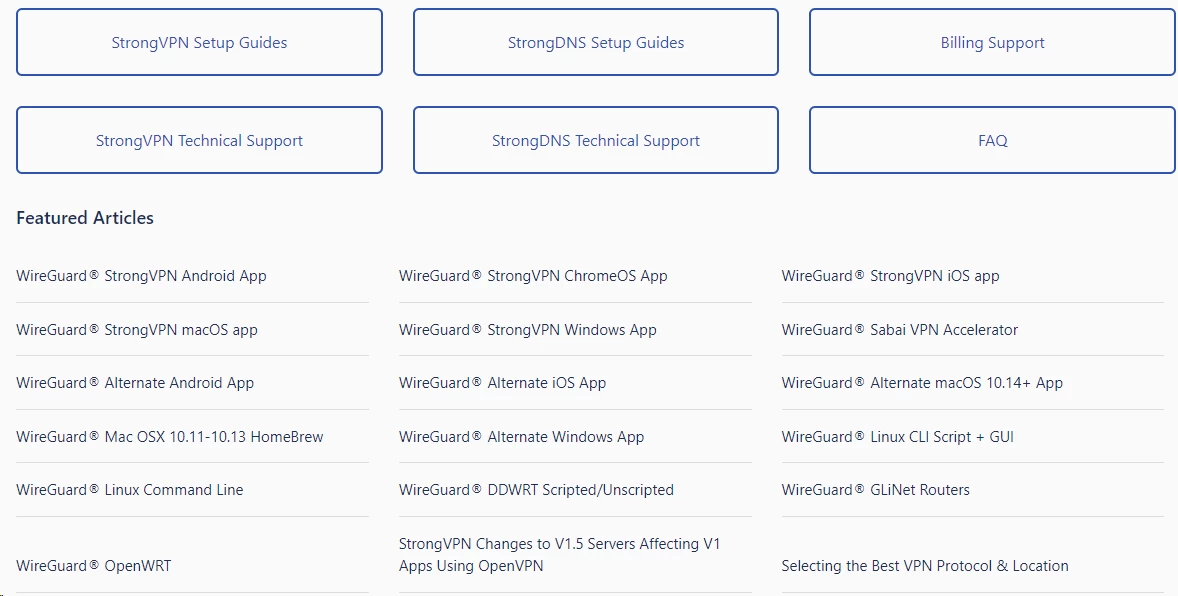
The help center is organized into StrongVPN and StrongDNS sections. Router configuration guides cover Asus, Netgear, Belkin, D-Link, and Linksys hardware with step-by-step screenshots. Protocol explanations are accurate without being dumbed down. Billing and account management articles are clear on the refund policy, though the monthly-plan exclusion is not prominently highlighted.
FAQ
StrongVPN can access some Netflix libraries, but results are inconsistent. It works more reliably with Netflix Germany, UK, and other regional catalogs than with Netflix US. You may need to switch servers or browsers. For dedicated Netflix streaming, NordVPN and ExpressVPN are significantly more reliable choices in 2026.
No, StrongVPN has no free plan or free trial. The only way to test it risk-free is to purchase the annual plan and use the 30-day money-back guarantee. The monthly plan offers no refund, so you can’t test it on a short-term basis without financial commitment.
StrongVPN is exceptionally fast on local connections but struggles over long distances. On nearby servers, expect a minimal speed loss of around 1-9% – more than enough for 4K streaming. However, on distant and intercontinental servers, speeds can drop 40-75%. While it handles general browsing and video calls effortlessly on nearby servers, its long-distance performance remains noticeably slower than top-tier rivals like NordVPN and ExpressVPN.
NordVPN is better in almost every category. It has 9,000+ servers vs. StrongVPN’s 950+, faster speeds, more reliable streaming, an audited no-logs policy, a Panama jurisdiction outside Five Eyes, and features like multi-hop and ad blocking that StrongVPN lacks. StrongVPN’s only advantages are 12 vs. 10 device connections, phone support, and a simpler interface.
StrongVPN claims to work in China on Windows, Mac, and Android using its Scramble feature, which disguises VPN traffic to look like regular browsing. Support confirmed that iOS is not supported for China use. The apps can reportedly be downloaded from mirror sites within China. However, VPN reliability in China fluctuates constantly, and we could not independently verify current performance in-country.

