
Turbo VPN Review 2026: Can 500 Million Downloads Be Wrong?
- Use Turbo VPN’s free tier only for casual public Wi-Fi browsing; never for anything sensitive.
- Treat the “no-logs” claim as unverified – no audit has ever been performed in the company’s history.
- Privacy-conscious users should avoid it outright due to unresolved ties to sanctioned Chinese firm Qihoo 360.
- Streamers should look elsewhere: only Netflix works even occasionally, and the free tier’s data cap rules out streaming.
- Expect solid speeds only on nearby servers; long-distance connections lose 75% or more.
- If you do subscribe, buy through the website – app-store purchases void the 30-day refund guarantee.
- Turn the kill switch on manually – it ships disabled.
- Discount its 4.2 Trustpilot score: the platform itself flagged the profile over purchased reviews.
Turbo VPN Review 2026: 500 Million Downloads, But Should You Trust It?
Overview
Here’s the thing about this Turbo VPN review: the numbers look spectacular until you start pulling on threads. Over 500 million downloads on Google Play. A 4.6-star rating from roughly 10 million users. Prices starting around $3.33 a month. On paper, this looks like a bargain.
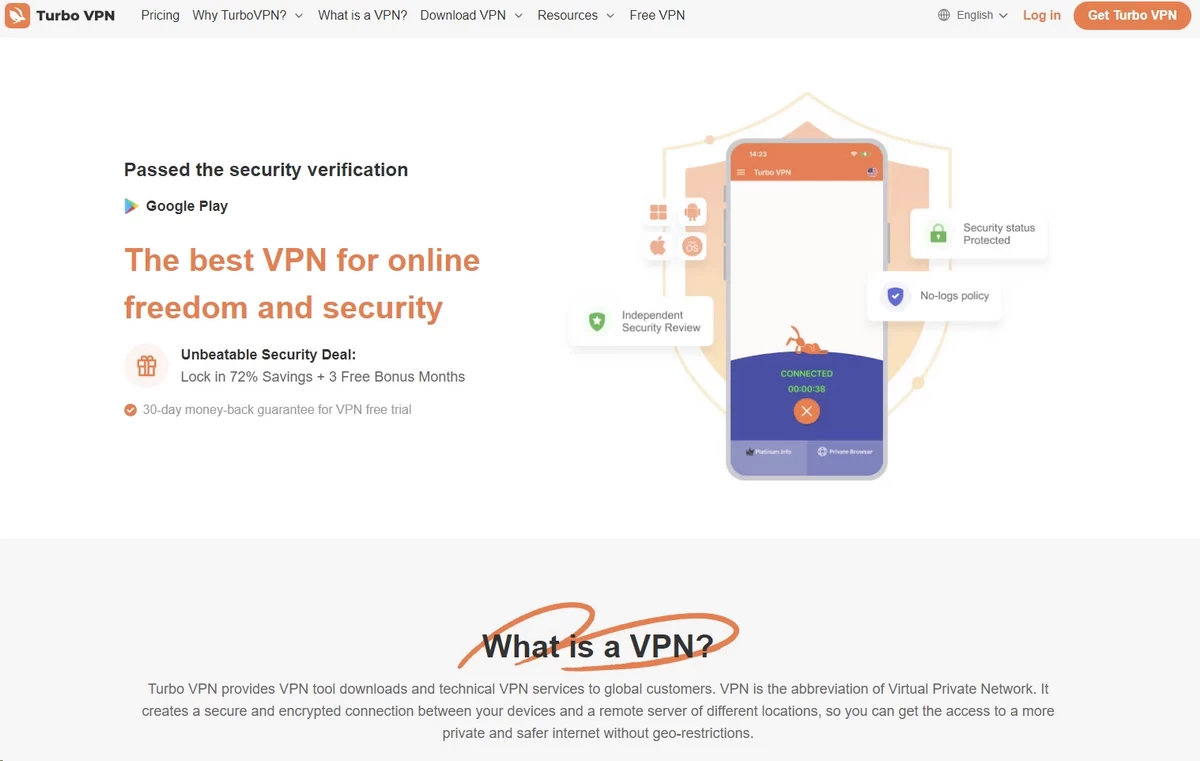
Then you pull the first thread. Turbo VPN has never passed an independent no-logs audit: that’s an outside inspector confirming the company doesn’t keep a diary of what you do online. Pull another: investigative reports have repeatedly linked its corporate family to Qihoo 360, a Chinese company sanctioned by the US government. Pull a third: independent researchers found around 30 advertising and analytics trackers inside the free Android app.
Turbo VPN at a Glance
| Category | Details | Our Take |
|---|---|---|
| Starting price | ~$3.33/mo (2-year plan); $11.99/mo monthly | 🟢 Cheap for a paid VPN |
| Free version | Yes, with ads, few locations | 🟡 Usable, but ad-heavy |
| Servers | Claims 21,000+ in “111 locations” | 🔴 Only 40–50 countries |
| Devices | 10 (Gold) or 20 (Platinum), per official site | 🟢 Some 2026 tests still show 5 |
| Independent audit | None, ever | 🔴 Major red flag |
| Jurisdiction | Singapore (Innovative Connecting Pte. Ltd.) | 🟡 Reported ties to Chinese ownership |
| Streaming | Netflix hit-or-miss; most other platforms fail | 🟡 Unreliable |
| Speed | Decent nearby, poor long-distance | 🟡 Well behind top rivals |
| Works in China | No, confirmed by its own support team | 🔴 |
| Money-back guarantee | 30 days (direct purchases only) | 🟡 Excludes app-store purchases |
Who Turbo VPN Is For
Let’s be honest about who might actually be happy here. The Casual Browser, someone who wants a free, one-tap privacy layer on café Wi-Fi – is Turbo VPN’s true audience. The app is dead simple. It connects in seconds. And free is free, if you can stomach the ads.
That’s roughly where the good news ends.
Who Should Look Elsewhere
If privacy is a top priority for you, it’s worth digging into the service’s audit history, privacy policy, and ownership structure before signing up – these are the details that matter most when strict privacy is the goal.
For streaming, keep in mind that access to certain platforms and locations can be inconsistent, so it may not be the most predictable choice if you’re streaming regularly. Remote workers should also factor in connection stability, since server reliability tends to vary. And while families might appreciate multi-device support, the lack of parental controls and a fairly basic desktop experience could limit how useful it really is for a whole household.
One more thing before we dig in. Turbo VPN launched around 2018 as a mobile-only free app from Innovative Connecting, a Singapore-registered developer that also runs Snap VPN, VPN Proxy Master, and several sibling apps. It grew huge on free mobile installs, then bolted on paid plans and desktop apps later. That history explains a lot of what follows: this is a mobile ad business that grew a subscription arm, not a privacy company that grew an audience.
Pricing & Plans
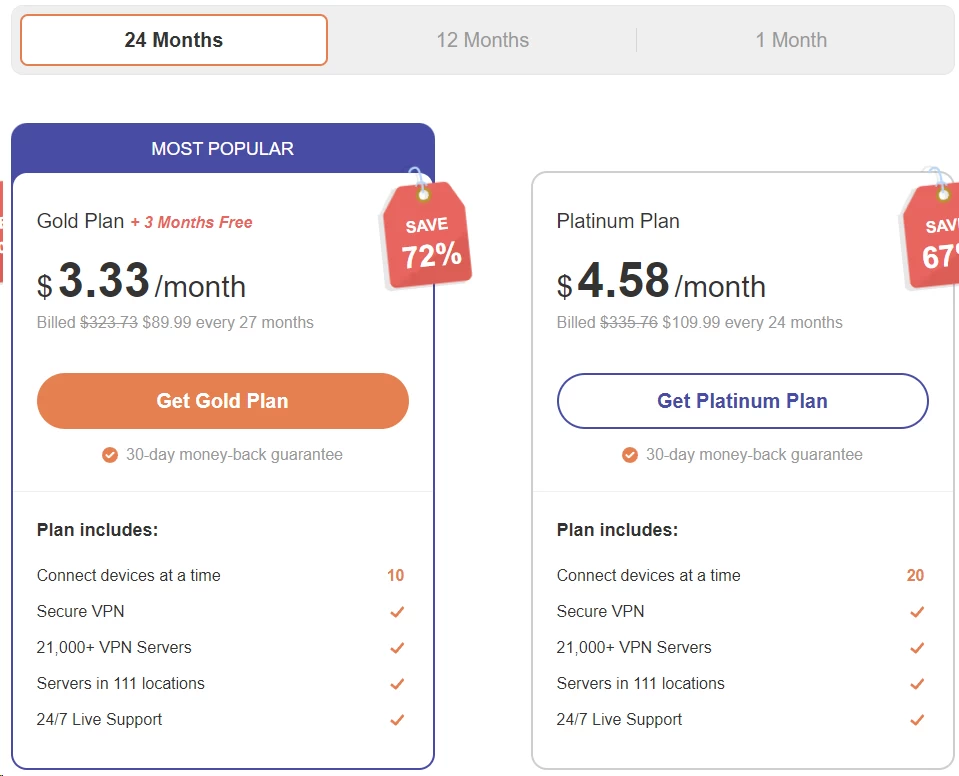
Turbo VPN runs a classic freemium model: a free app that shows you ads, and paid “VIP” plans that remove them and unlock the full server network. The pricing itself is competitive. The question is whether you’re getting premium value for those premium dollars.
What Turbo VPN Costs
At the time of writing, the official website listed the following. Always check turbovpn.com for current pricing, because promotional rates shift often.
| Plan | Term | Total Price | Monthly Equivalent | Devices |
|---|---|---|---|---|
| Free | – | $0 | $0 | 1 |
| Monthly | 1 month | $11.99 | $11.99/mo | 10 |
| Annual | 12 months | $59.99 | $5.00/mo | 10 |
| Gold | 24 months (+3 free) | $89.99 | $3.33/mo | 10 |
| Platinum | 24 months | $109.99 | $4.58/mo | 20 |
Watch the renewal math, too. That $89.99 Gold plan covers 27 months the first time (24 plus 3 free). Assume the renewal price will be higher, because that’s how nearly every VPN discount works.
The Free Plan: What You Actually Get
What really grabbed me at first was that Turbo VPN’s free version is, well, actually free: no hidden daily data limit that I could find. But it doesn’t take long to notice how much you’re missing compared to Premium. The server list shrinks considerably, and you’re stuck with just one device at a time. If you’re just doing casual browsing every now and then, that’s probably fine. But if you want the full feature set or plan to cover multiple devices, the free tier isn’t going to cut it.
Ads are another place where things get inconsistent. On mobile, I ran into promotional content pretty regularly while using the free version – not exactly shocking, since Turbo VPN is upfront about partnering with ad networks to keep the free plan running. Their privacy policy names Google AdMob, Liftoff, InMobi, Unity, and Bigo Ads as partners. Oddly enough, though, the desktop free plan is currently marketed as ad-free, so the experience really depends on which platform you’re on.
One thing worth clearing up: Premium isn’t a classic “free for seven days” trial. When I looked at the current terms, what Turbo VPN actually offers is a 30-day money-back guarantee. That’s a longer window to try things out, sure, but it’s a different mechanism: you’re paying upfront and can get a refund if it’s not for you, rather than using Premium free of charge from day one.
How It Compares: Turbo VPN vs NordVPN, Surfshark, and ExpressVPN
Here’s where things get uncomfortable for Turbo VPN. Its long-term price sits right in the same range as VPNs that outclass it on nearly every measure.
| VPN | Cheapest Long-Term Plan | Monthly Plan | Devices | Audited No-Logs Policy? |
|---|---|---|---|---|
| Turbo VPN | $3.33/mo (2-yr Gold) | $11.99 | 10 | 🔴 Never |
| NordVPN | $3.49/mo (2-yr Basic) | $14.99 | 10 | 🟢 Deloitte, 6 times |
| Surfshark | $2.49/mo (2-yr Starter) | ~$16.45 | Unlimited | 🟢 Deloitte, 2025 |
| ExpressVPN | ~$2.79/mo (2-yr Basic) | $12.99 | 10 | 🟢 KPMG, 2025 |
Read that table twice. Surfshark costs less than Turbo VPN on a two-year term, covers unlimited devices, and has a Deloitte-verified no-logs policy. NordVPN costs 16 cents more per month and brings a vastly faster, fully audited service. For The Family User counting devices, Surfshark’s unlimited allowance makes Turbo VPN’s 10-or-20 split look arbitrary.
Payment Methods and the Refund Catch
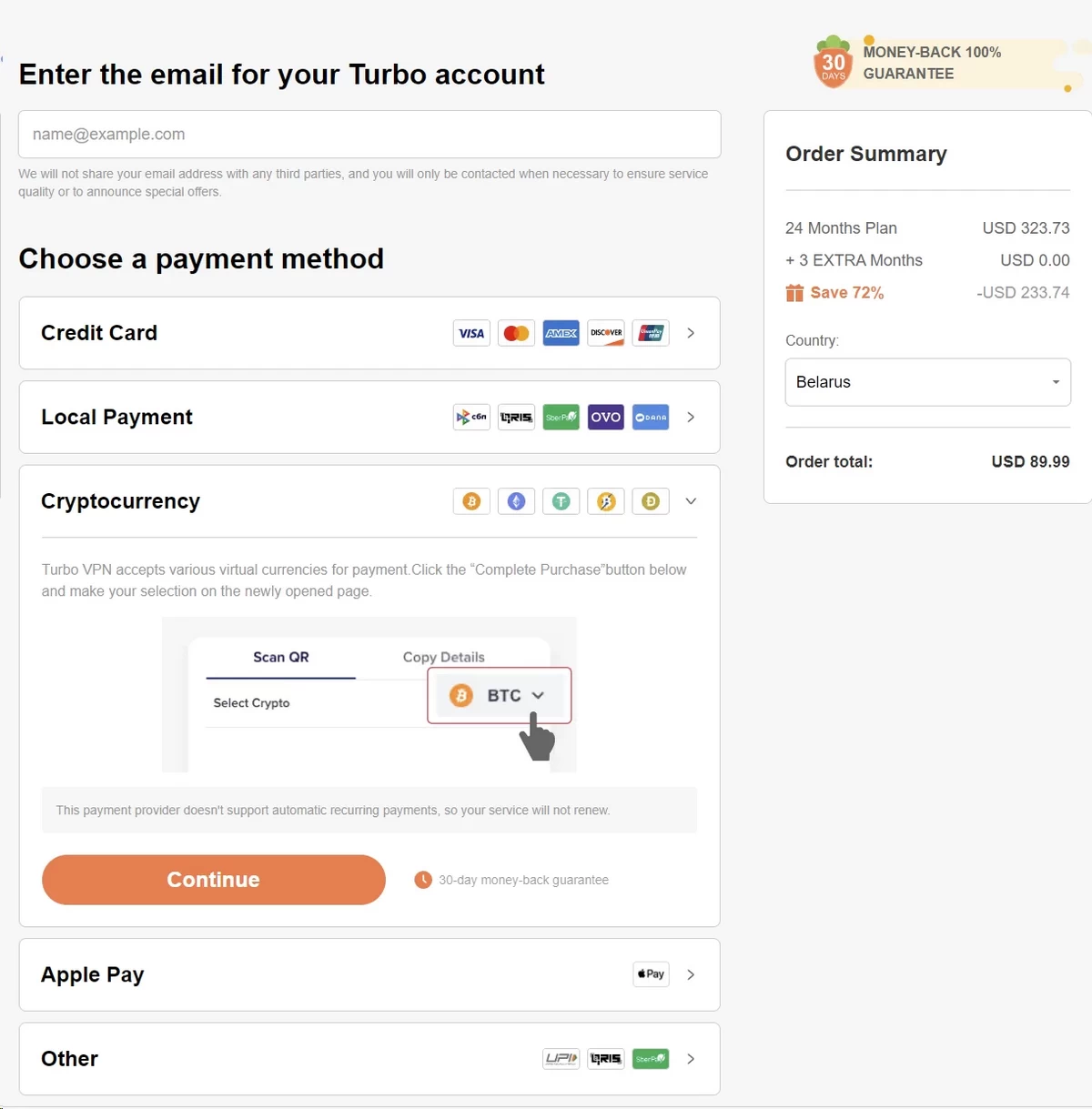
Turbo VPN accepts major credit cards, Apple Pay, and – a genuine plus for privacy-minded buyers – cryptocurrency, including Bitcoin and Ethereum. There’s a 30-day money-back guarantee on purchases made through the website.
Here’s the catch that burns people: subscriptions bought through the Apple App Store or Google Play are excluded from that guarantee. You’d have to request refunds through Apple or Google instead, and their rules are stricter. Since Turbo VPN is overwhelmingly a mobile product that funnels users toward in-app purchases, this exclusion matters more than it would for a desktop-first VPN. Complaint platforms show a steady stream of auto-renewal and refund grievances through mid-2026.
Is It Good Value?
The free tier has real, if narrow, value for The Casual Browser: zero dollars for basic Wi-Fi protection, paid for with your ad views. The paid tiers are harder to justify. You’re not paying less than the audited competition – you’re paying about the same for a service that’s slower, less reliable, and unverified. Cheap only counts as value when the alternative costs more. Here, it doesn’t.
If You Buy Anyway: Three Ways to Protect Your Wallet
Maybe you’ve weighed all this and still want to subscribe – perhaps the free tier won you over and you just want the ads gone. Fine. Three practical rules will save you money and grief.
First, buy on the website, never in the app. This is the single most important rule. Website purchases get the 30-day money-back guarantee; App Store and Google Play purchases don’t, and app-store refund policies are far less forgiving. The apps push in-app upgrades constantly, which is exactly why you should ignore them.
Second, start with a one-month plan instead of jumping straight into a longer subscription – yes, the monthly price is higher, but it buys you the freedom to actually test the service under your own real-world conditions before committing to anything bigger. Spend that first week putting it through its paces: check whether the servers you actually need work, test streaming if that matters to you, and see how connection stability and speeds hold up at different times of day. If it passes that test and genuinely fits what you need, that’s when it makes sense to switch over to a longer-term plan.
Third, set a calendar reminder to cancel before renewal. Auto-renewal complaints are the loudest theme on every complaint platform we checked – users report charges continuing after they deleted the app. Deleting an app never cancels a subscription, with any company. Cancel through your account page or your app store’s subscription settings, and do it days before the renewal date, not hours.
Features & Apps
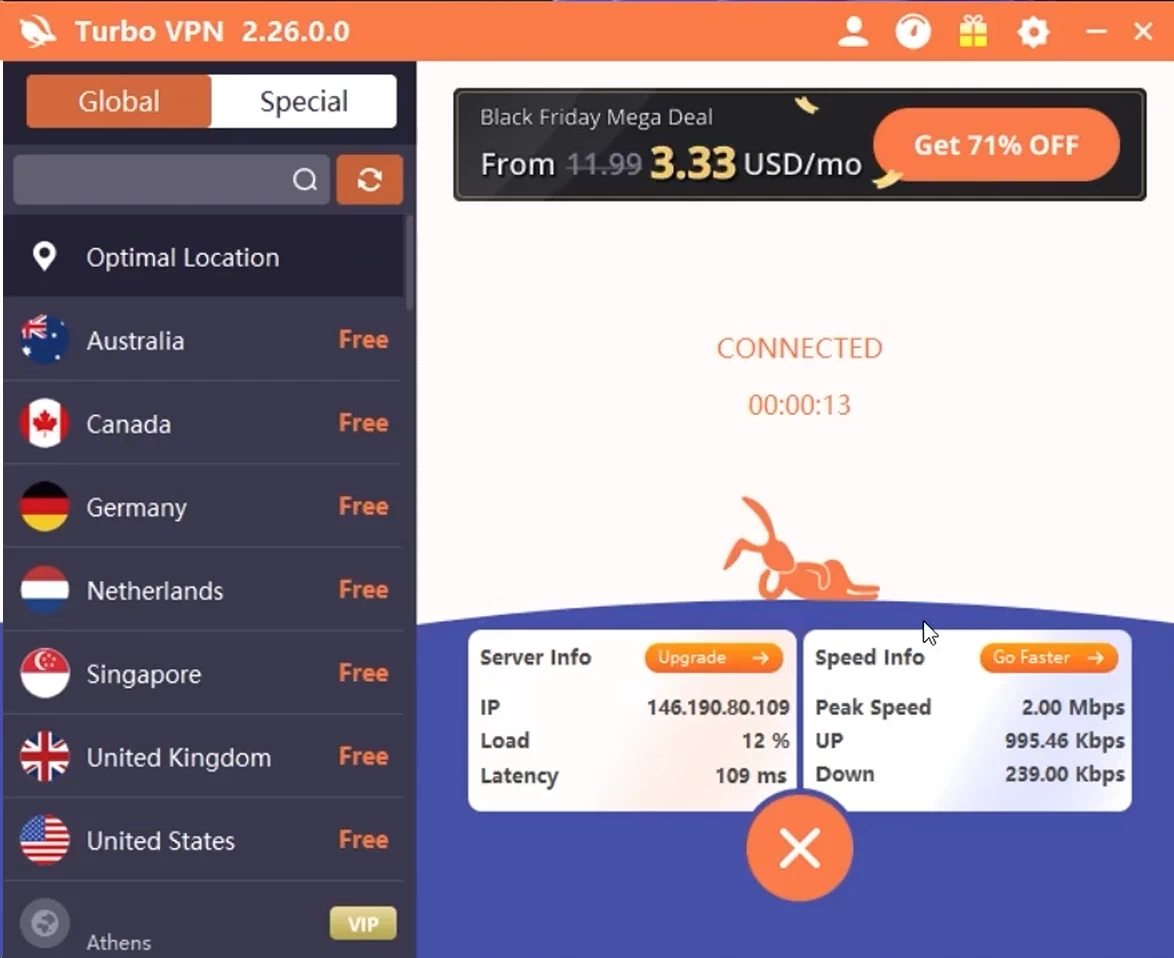
Turbo VPN’s feature list reads respectably on the website. In the apps themselves, the picture is thinner – and which features you get depends heavily on which device you’re holding.
Platform Coverage
| Platform | App Available? | Notes |
|---|---|---|
| Android | 🟢 | The flagship app — most features live here |
| iOS | 🟢 | Solid, slightly fewer options |
| Windows | 🟢 | Basic; fewer protocols and settings |
| macOS | 🟢 | Most barebones of the four |
| Chrome extension | 🟢 | Reviewers report frequent disconnects |
| Linux | 🔴 | No app |
| Routers | 🔴 | No router support |
| Smart TVs / Fire TV | 🔴 | No dedicated TV apps advertised |
| Game consoles | 🟡 | Setup guides only, no native apps |
The gaps matter for real households. No router support means you can’t protect every device in the house through one setup – a standard workaround The Family User would want. No Linux app rules out a chunk of Remote Workers. NordVPN, Surfshark, and Bitdefender all cover Linux, routers, and smart TVs.
Ease of Use: The One Thing Turbo VPN Nails
I have to give TurboVPN credit for keeping its mobile app incredibly simple. Installation took me just a couple of minutes, and the main screen is pretty much exactly what you want from a no-frills VPN – a big connect button with the server list sitting right below it. In my testing, connections typically took around seven seconds, so there wasn’t much standing between me and getting protected. If all you need is to hop on and browse safely over public Wi-Fi – say, killing time at an airport – TurboVPN gets it done without any fuss. The one catch on the free plan is putting up with ads alongside your VPN session.
The desktop apps, though, don’t hold up nearly as well. Using the Windows and Mac versions, I couldn’t shake the feeling that they were mobile apps just stretched onto a bigger screen rather than proper desktop VPN clients. The interface is bare-bones, really just the server list and connect button carrying the whole experience. That’s fine if you want to connect and forget about it, but if you’re working from a laptop most of the day, the desktop experience feels too thin, and you’ll probably want more control than it gives you.
The Android App: Where Turbo VPN Actually Lives
If Turbo VPN has a real product, it’s the Android app. It’s the flagship, the one with 500 million installs, and the one that gets features first. Beyond the basic connect button, the Android version includes a built-in speed test, a “Smart Location” auto-picker, Android-only smart DNS for devices that can’t run VPN apps, and those gaming-labeled servers we mentioned. There’s even a stripped-down “Turbo VPN Lite” variant for older phones.
The iOS app trails slightly behind but covers the essentials. The trade-off on both: the free experience is where the ad machine runs hardest. Full-screen ads on launch, ads after disconnecting, ads between screens. Ad close-buttons are positioned to specifically catch mis-taps. You’re not the customer on the free tier; you’re the inventory.
The Chrome Extension: Skip It
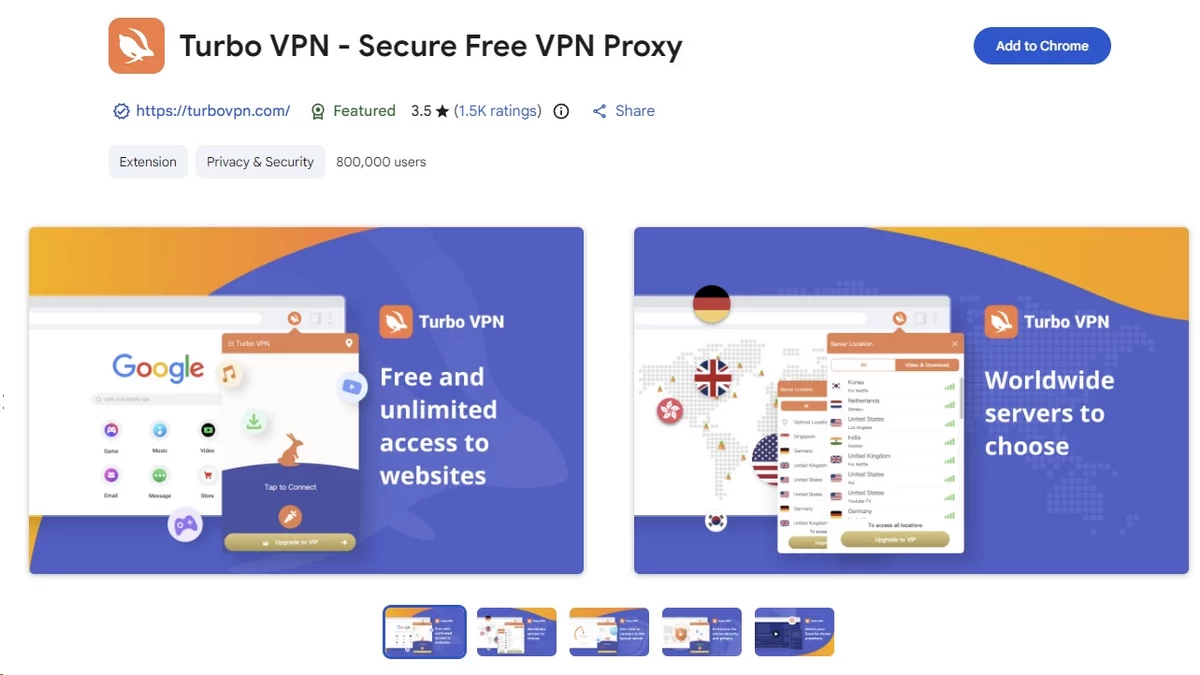
The Chrome extension deserves a specific warning. A browser extension VPN only protects your browser traffic – everything else on your computer connects normally, which surprises people. Turbo VPN’s version adds a second problem: disconnecting frequently without warning. Since the extension shows no persistent indicator you’d notice mid-browsing, you can be unprotected for minutes before realizing. If you need browser-level protection, the desktop app covers the browser too, plus everything else. There’s no scenario where the extension is the right choice here.
Tunnel Types (What Techies Call “Protocols”)
A VPN protocol is the type of tunnel your data travels through – different tunnels trade speed for compatibility. Turbo VPN offers OpenVPN and IKEv2 (both industry standards), the aging L2TP/IPsec, and some proprietary options with names like SSR and V2Ray.
The notable absence: WireGuard, the modern tunnel that makes today’s fastest VPNs fast, appears to be available only in the mobile apps. NordVPN, Surfshark, and Hotspot Shield all offer WireGuard-class tunnels on every platform. One more limitation: manually selecting OpenVPN can significantly reduce the number of servers available to you.
Kill Switch
A kill switch is an emergency brake: if the VPN connection drops, it cuts your internet entirely so your real location never leaks out. Turbo VPN has one. Two caveats. First, it ships switched off, so you must find it in settings and enable it yourself – a bad default for the very beginners this app targets. Second, availability varies by platform and plan tier, with access to the feature limited to paid plans on some Windows and Android configurations.
For The Privacy-Conscious, a kill switch that’s off by default is the tell. Privacy-first VPNs enable theirs out of the box.
Split Tunneling
Split tunneling lets you choose which apps go through the VPN and which use your normal connection. It’s a lifesaver for The Remote Worker – route your work tools through the VPN while your video calls or local printer traffic skip it. Turbo VPN advertises the feature (misspelled “Spilt Tunneling” on its own website, which we’d find funnier if it inspired more confidence).
What’s Missing
The extras column is mostly empty. There’s no ad and tracker blocker (ironic, given the app’s own ad load), no multi-hop connections, no dedicated IP option, and no ad-blocking DNS. You do get a Wi-Fi protection alert, a built-in speed test on mobile, and an “ISP throttling detector.” Compare that with Surfshark bundling an ad blocker and unlimited devices at a lower price, or NordVPN including threat protection and multi-hop, and the feature gap at similar money is stark.
Speed & Performance: Our Turbo VPN Speed Test
Keep in mind that the speed numbers below come from testing done under our own specific setup – they’re meant to give you a general sense of what to expect, not act as a universal benchmark. Your own results could look quite different depending on things like your internet connection, where you’re located, what device you’re using, and even the time of day you test.
Testing Setup
| Parameter | Detail |
|---|---|
| Base connection | 500 Mbps download |
| Testing origin | Los Angeles, California, USA |
| Tunnel type | App’s “Automatic” mode — Turbo VPN offers no desktop WireGuard, the fastest modern option, so we model its default |
| Platform | Windows 11 desktop app |
| Tests per server | 3 runs, averaged, at different times of day |
| Measurement tool | Ookla Speedtest |
The Numbers
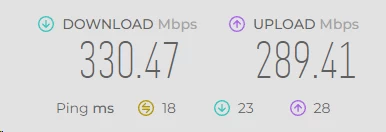
| Server Location | Download (Mbps) | Upload (Mbps) | Ping (ms) | Speed Loss |
|---|---|---|---|---|
| Los Angeles (local) | 330 | 289 | 18 | 34% |
| New York | 245 | 197 | 54 | 51% |
| London | 163 | 124 | 155 | 67% |
| Tokyo | 105 | 73 | 235 | 79% |
What do these numbers mean in practice? A 34% local drop turns a 100 Mbps home connection into about 66 Mbps – still comfortable for 4K streaming, which needs roughly 25 Mbps. The Tokyo figure is the worry: lose three-quarters of your speed and a modest connection starts buffering.
Worth flagging: these numbers are for the paid tier. The free version told a very different story in our testing, with speeds dropping much more dramatically – in some cases down into single-digit Mbps. Realistically, that makes the free tier fine for light stuff like checking email on public Wi-Fi, but not something you’d want to rely on for anything more bandwidth-hungry.
Real-World Performance
| Activity | Works Well? | Notes |
|---|---|---|
| 4K Streaming | 🟡 | Only on nearby servers, paid plan |
| HD Streaming | 🟢 | Fine on local/regional servers |
| Web Browsing | 🟢 | No noticeable friction nearby |
| Video Calls | 🟡 | OK locally; long-distance ping too high |
| Gaming | 🔴 | 120ms+ pings even on “good” servers |
| Torrenting | 🔴 | Painfully slow in tests; one 1.6GB file took 2+ hours |
| Large Downloads | 🟡 | Manageable nearby, frustrating long-distance |
Reliability was another area where TurboVPN gave me some headaches. A few times, a server dropped mid-session out of nowhere, and other times I just couldn’t get connected at all. That’s annoying under normal circumstances, but it’s a real problem when you’re working remotely and already on a client call – a VPN dropping out unannounced isn’t just a minor hiccup at that point. It doesn’t help that the kill switch isn’t turned on by default, either, so I wouldn’t lean on TurboVPN for anything important without going in and checking that setting first.
Security & Privacy: Is Turbo VPN Safe?
This is the section that decides the review. A VPN’s entire job is trust: you’re rerouting everything you do online through someone else’s computers. So, is Turbo VPN safe? For casual use, probably. For anything that actually requires privacy, we can’t recommend it – and here’s the evidence trail.
The No-Logs Claim: A Promise Without a Receipt
Turbo VPN’s website advertises a “strict no-logs policy” – a promise not to keep a diary of what you do online. Here’s the thing most VPN reviews won’t tell you: that phrase means absolutely nothing without an independent audit to back it up. It’s like a restaurant declaring itself spotless – you’d still want the health inspector’s report.
Turbo VPN has no report. In its entire existence, it has never commissioned an independent no-logs audit. Not once. The closest thing it has is a Google Play “Independent Security Review” badge from 2024 – a baseline app-security check that says nothing about logging. Meanwhile, NordVPN has passed six Deloitte no-logs examinations (most recently December 2025), Surfshark passed its latest Deloitte check in mid-2025, and ExpressVPN completed its third KPMG no-logs audit in 2025. At the same price point, “trust us” is competing against “here’s the auditor’s report.”
What the Privacy Policy Actually Says
Turbo VPN says it doesn’t record your browsing history, traffic content, or originating IP address. Good. But it does collect: which VPN server location you connect to, your country and internet provider, whether you connected on a given day, and the total amount of data you transferred.
That last one directly contradicts the website’s claim that it doesn’t track bandwidth. The policy also confirms sharing data with analytics partners and, for free users, with advertising networks including AdMob, Unity Ads, and Vungle.
The free Android app makes it concrete. A February 2026 analysis by Exodus Privacy – a nonprofit that scans apps for embedded trackers – found around 30 advertising and analytics trackers in the free Turbo VPN app, including Meta Ads, AppLovin, and Russia-based AppMetrica. Static scans don’t prove every tracker is active. But a privacy tool carrying 30 trackers is like a bodyguard who sells your schedule to paparazzi.
Jurisdiction and Ownership: The Deepest Problem

Jurisdiction means where a company is legally based – and which government can lean on it. On paper, Turbo VPN belongs to Innovative Connecting Pte. Ltd. in Singapore, which is not a member of the 5/9/14-Eyes intelligence-sharing alliances. So far, tolerable.
Dig into who’s actually behind Turbo VPN, and things get murkier. It’s been tied to a web of companies – Innovative Connecting, Lemon Clove, Autumn Breeze, and others – registered in places like the Cayman Islands and the British Virgin Islands. What makes this worth mentioning is that these same entities were previously connected to Qihoo 360, a Chinese cybersecurity firm the U.S. government labeled a “Chinese Military Company” and slapped with sanctions back in 2020. Qihoo says it sold off its VPN businesses that September, closing the book on that chapter – at least officially. Yet corporate filings from as recently as March 2025 still show the same director listed across all four entities, with paper trails that keep leading back to Qihoo.
We want to be precise here: none of this proves Turbo VPN hands data to anyone. Current beneficial ownership could not be independently verified at the time of writing, and that’s exactly the problem. For The Privacy-Conscious – a journalist, an activist, anyone in a restrictive country – “we can’t determine who ultimately controls this VPN” is disqualifying on its own. When asked directly, Turbo VPN’s support has denied Chinese ownership links. Without an audit or transparent ownership disclosure, you’re left weighing that denial against years of corporate paper trails.
Safety
| Trust Signal | Turbo VPN | NordVPN | Surfshark | ExpressVPN |
|---|---|---|---|---|
| Independent no-logs audit | ❌ Never | 🟢 6x Deloitte | 🟢 Deloitte 2025 | 🟢 KPMG 2025 |
| Jurisdiction | 🟡 Singapore, opaque ownership | 🟢 Panama | 🟢 Netherlands | 🟢 British Virgin Islands |
| Trackers in free app | 🔴 ~30 found | — (no ad-supported tier) | — | — |
| Known data breaches | 🟢 None reported | 🟡 2018 server incident, remediated | 🟢 None reported | 🟢 None reported |
For The Casual Browser hiding traffic from café Wi-Fi snoops, Turbo VPN’s encryption does that job. For anyone whose threat model includes governments, employers, or data brokers, the combination of no audit, an ad-funded data pipeline, and unresolvable ownership questions puts Turbo VPN in the “no” column.
What Would Change Our Mind
We’re not reflexively anti-free-VPN, and it’s worth spelling out what Turbo VPN could do to earn a different verdict – partly because it’s a useful checklist for judging any VPN.
A published no-logs audit from a major firm would be the biggest single step; it’s now table stakes even for budget providers, and the company clearly has the revenue to afford one. A transparent ownership disclosure – who ultimately controls Innovative Connecting today, with names and filings – would address the elephant in the room far better than a support agent’s denial. A privacy policy updated for the 2020s, with a shorter data-collection list and a published retention schedule, would show the promise is maintained rather than fossilized. And a transparency report disclosing government data requests, which ExpressVPN, Surfshark, and ProtonVPN all publish, would round it out.
None of this is exotic. It’s the standard playbook every credible VPN has run over the past five years. Turbo VPN has had eight years and hundreds of millions of users, and hasn’t taken step one. At some point, the absence of evidence starts looking like a choice.
Servers & Locations
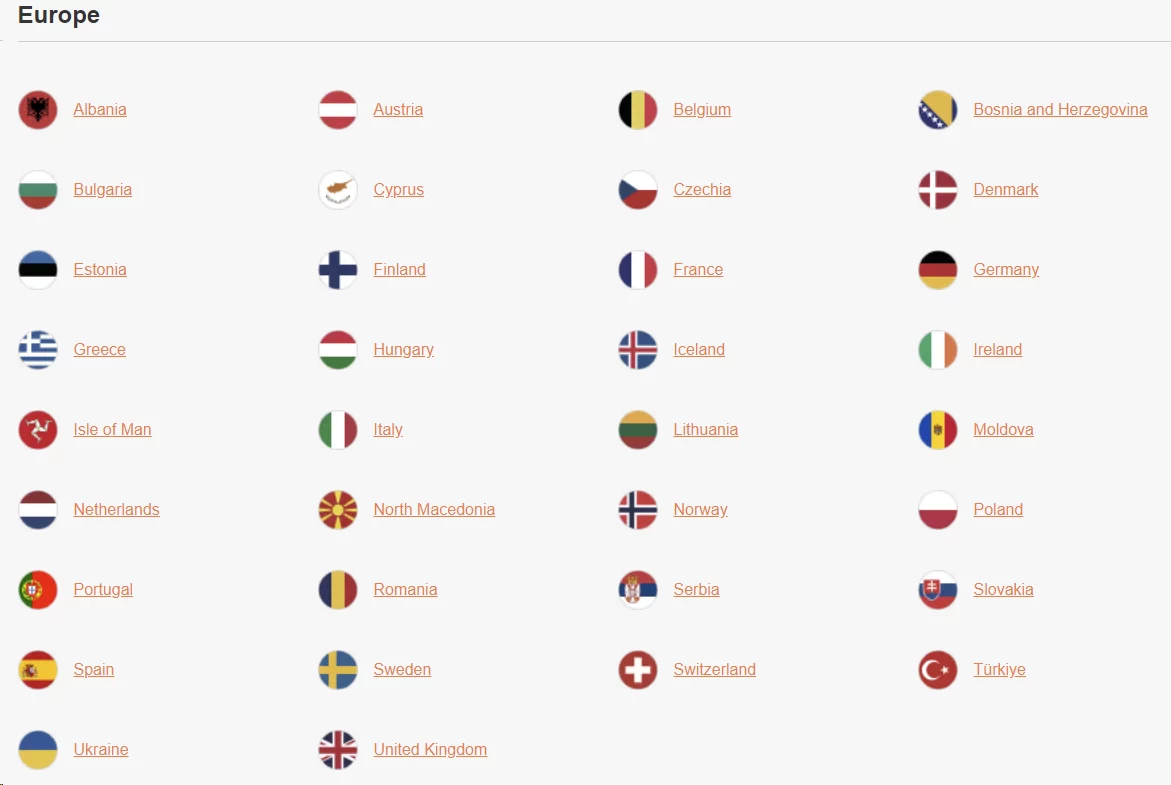
A server is a computer in another location that your internet traffic passes through – the more locations a VPN runs, the more places you can “appear” to be. Turbo VPN’s marketing here is bold.
Our Test Results
The official homepage claims “21,000+ servers in 111 locations.” A different page on the same official site says “24,000+ servers in over 45 countries.” When a company can’t agree with itself about its own network, independent counts matter more than usual.
| Source | Countries Found | When |
|---|---|---|
| Official homepage claim | “111 locations” | July 2026 |
| Official download page | “45+ countries” | July 2026 |
| Independent test (macOS app) | 46 | Sept 2025 |
| Independent test (Windows app) | 31 | 2023–2025 update cycle |
| Independent test (network overview) | 45 | June 2026 |
TurboVPN’s homepage advertises 111 locations, but that’s not what we found in practice. The app itself showed a noticeably smaller selection, and on top of that, several servers on the list simply wouldn’t connect when we tried them – New York, Los Angeles, Manchester, Milan, and Hong Kong all failed during testing. A big number on a homepage doesn’t count for much if a chunk of those servers turn out to be dead ends when you actually need them.
Where the Coverage Actually Is
The usable network concentrates in North America, Europe, and Asia-Pacific. That covers the mainstream use cases: US and UK servers for content, regional servers for speed. The gaps are everywhere else. One detailed count found only about four countries across the Middle East and Africa combined, and South America is essentially Brazil plus rounding error. If you need to appear in Lagos, Buenos Aires, or Riyadh, this isn’t your network. For comparison, NordVPN covers 165+ locations and Surfshark 100 countries, with published, independently reviewed server lists.
Turbo VPN also doesn’t publish which servers are physical machines versus virtual ones (servers that pretend to be in one country while physically sitting in another – which can affect both speed and legal exposure). The big three all disclose this. Turbo VPN’s silence means you can’t know where your traffic actually lands.
Free vs. Paid Locations
Free users get a pretty limited slice of the location map. In our testing, exactly how many free locations were on offer varied by platform, with most of the good stuff locked behind a paid plan. On iOS specifically, free users might not even get to pick a location at all – instead, you’re just routed to a generic “nearby server.”
If all you want is an encrypted connection for everyday browsing, that might be enough. But if you’re after a specific country – say, for streaming or getting around regional restrictions – you’ll almost certainly need to upgrade.
Server Quality Extras
Don’t expect much in the way of specialty options here. There’s no multi-hop, no obfuscated servers, and the torrenting setup is thin – just a handful of vaguely labeled entries that don’t tell you much about what you’re actually connecting to.
Android users do get “gaming-optimized” servers across several countries, but in our testing, latency often crept above 160 ms, which pretty much defeats the purpose if you’re trying to game seriously. There are streaming-labeled servers too, though their performance was hit-or-miss – more on that in the next section.
One thing we always pay attention to is how a network holds up under real-world load, and this is where TurboVPN got shaky. Performance swung noticeably from server to server and even session to session – some servers connected fine but crawled along at low speeds, while others simply weren’t available depending on when we tried. Even the same location could feel completely different from one test to the next.
That kind of inconsistency usually points to one thing: server load and capacity issues. Advertising a huge server count doesn’t mean much if too many users end up crammed onto the same infrastructure at once – you can have all the servers in the world, but if they’re overloaded, speed is speed, and it suffers.
Streaming & Unblocking: Does Turbo VPN Work with Netflix?
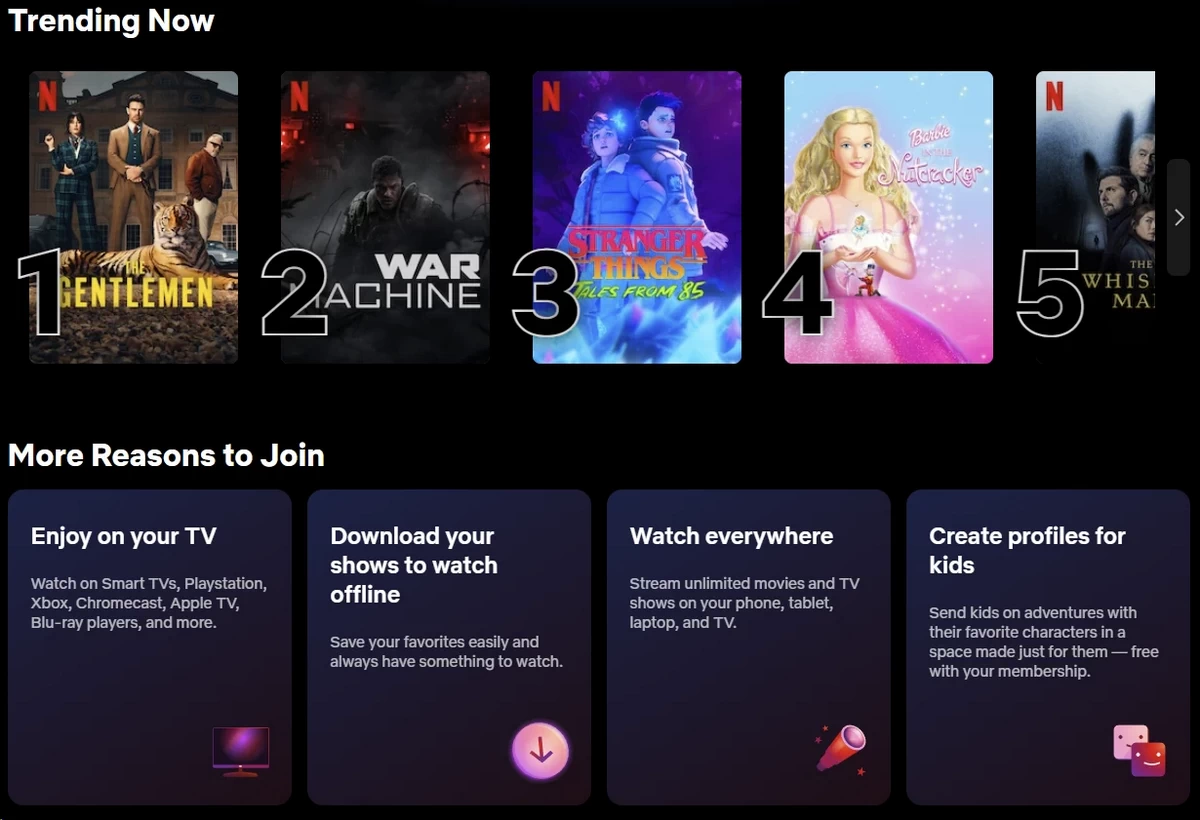
If you’re The Streamer, this section is your whole decision. So let’s not bury it: Turbo VPN’s unblocking is a coin flip, and recent independent tests contradict each other more than for any VPN we’ve covered.
Platform-by-Platform Results
These results come from testing across a range of configurations and conditions, not a single run-through. When performance varied between tests, we’ve reported that variation rather than cherry-picking one number to call “representative.” Honestly, that inconsistency is part of the story here – it tells you something useful in itself.
| Platform | Recent Results | Verdict |
|---|---|---|
| Netflix (US) | Worked in 2026 | 🟡 Hit-or-miss |
| Netflix (other libraries) | UK/CA/AU worked; Germany, Japan, Korea failed elsewhere | 🟡 Hit-or-miss |
| BBC iPlayer | Failed | 🔴 Unreliable |
| Disney+ | Failed in essentially every recent test | 🔴 |
| Hulu | Failed in every recent test; dedicated servers showed error screens | 🔴 |
| Max (HBO) | Failed in most tests; one partial, “grainy” success | 🔴 |
| Prime Video | Failed | 🔴 |
Why the Results Swing So Wildly
Streaming platforms and VPNs play a permanent cat-and-mouse game: platforms blacklist known VPN server addresses, and VPNs rotate in fresh ones. Premium providers pour money into that rotation. Turbo VPN evidently doesn’t – so a server that works in March is blacklisted by June, and whether you get in depends on the week.
The Free-Tier Streaming Fantasy
Short answer: not really, at least not for anything sustained. Depending on the platform and setup, you might run into a daily data cap or speeds throttled enough to make HD video a chore. The free tier is really built for casual browsing, not binge-watching.
Android users will also see TurboVPN advertising access to “40+ streaming services” through specialty servers labeled for the purpose. But a label on a server is just that – a label, not a promise. In our testing, some of these streaming-tagged servers either failed to connect outright or got flagged by the streaming platform itself, throwing up a VPN-detection error instead of your show. So if you see a server marked for Netflix or something similar, treat it as a hint about what it’s meant for, not a guarantee it’ll actually get you in.
What Streamers Should Use Instead
If streaming is the whole point for you, don’t get distracted by long feature lists – focus on whether a service reliably unblocks the specific platforms and countries you actually care about. Look for consistent access to the big names like Netflix, BBC iPlayer, and Disney+, clear labeling around streaming support, and ideally a money-back window so you can test it yourself before fully committing.
Worth remembering: streaming access isn’t set in stone. Platforms are constantly tweaking their VPN detection, so what works today might not work next month – real-world performance matters a lot more than a checklist of advertised features. That’s exactly why a refund period is so useful. It gives you a real chance to confirm your specific shows and services actually work before you’re locked into a longer subscription.
Torrenting
TurboVPN’s stance on torrenting isn’t exactly clear-cut. Their own support guidance suggests P2P file sharing might not be allowed, yet in our testing, torrenting actually worked fine on some paid servers. So which is it? Hard to say.
It also doesn’t help that the service is missing features torrenters typically look for, like port forwarding or a SOCKS5 proxy. And download speeds were all over the place – in one test, a 3 GB file took us more than two hours to pull down. If torrenting is a big part of why you’d use a VPN, that mix of murky P2P policy, missing features, and unpredictable speeds is worth thinking hard about before you commit.
User Reviews: What Real Users Say
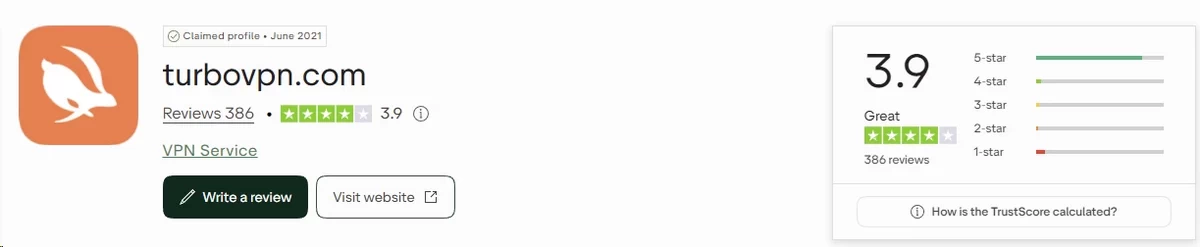
Expert tests are one lens. Half a billion downloads generate another. The user picture splits cleanly along one line: casual users are reasonably happy, and anyone who looks closer isn’t.
Trustpilot: A Rating with an Asterisk
As of July 2026, Turbo VPN holds approximately 4.2 out of 5 stars on Trustpilot from a few hundred reviews – a modest count for a product this size. Before you weigh that score, know this: Trustpilot itself has flagged Turbo VPN’s profile, stating it removed reviews believed to be purchased through fake-review networks. That’s not a competitor’s accusation; that’s the review platform’s own integrity notice. Treat the 4.2 accordingly.
Praise themes that appear organic: the app is easy to use, the free tier exists at all, and connections are quick to establish. Complaint themes, echoed on adjacent complaint platforms through June 2026: unauthorized charges and auto-renewals after cancellation, promised refunds that never arrived, connection failures, and slow support. We could not verify whether the company actively responds to negative Trustpilot reviews; on the third-party complaint sites we checked, responses were absent.
Reddit: Skeptical Bordering on Hostile
There’s no official Turbo VPN subreddit – remarkable for an app with 500 million installs – and community sentiment in privacy-focused subreddits is negative.
What Reddit users like: it’s free, it works for casual geo-tricks, and setup is instant. Representative sentiment: “Turbo VPN works fine for unblocking calls and videos here” – from users in Gulf-region subreddits using it for basic access.
What they criticize: relentless full-screen ads, speeds, battery drain, and above all, trust. Representative sentiment: “Millions of free VPN users have inadvertently sent their data toward a sanctioned Chinese firm – Turbo VPN is on that list” – a widely shared framing after the April 2025 Tech Transparency Project report. Another free-tier user reported connections “randomly dropping after ten minutes of browsing.”
One-sentence Reddit summary: Reddit treats Turbo VPN as a disposable tool for casual unblocking and actively warns privacy-minded users away from it.
App Store Ratings
| Platform | Rating | Approximate Review Count |
|---|---|---|
| Trustpilot | ⭐ 4.2/5 (flagged for purchased reviews) | hundreds of reviews |
| Google Play | ⭐ 4.6/5 | 10.1M ratings, 500M+ downloads |
| Apple App Store | ⭐ 4.7/5 | 204K ratings |
| Reddit Sentiment | 🔴 Negative (privacy communities) / 🟡 Mixed (casual users) | Community-driven |
Customer Support
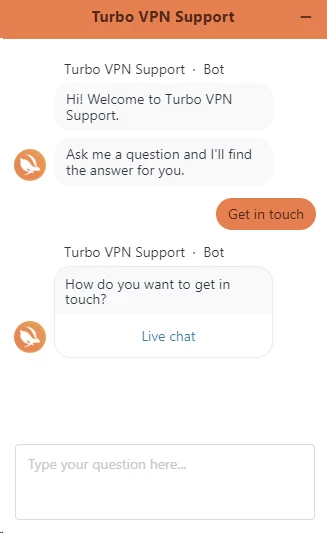
Turbo VPN advertises 24/7 live support for paid users, plus email, in-app tickets, and a self-help knowledge base. No phone support – standard for the industry. The channels exist; the experiences behind them are where opinions diverge sharply.
Our hands-on testing found customer support to be pretty inconsistent. Sometimes we got a response in a few minutes; other times we waited closer to 30 minutes. The live chat itself wasn’t always reliable either – it occasionally failed to load, depending on the browser. On top of that, some agents struggled to answer even basic VPN questions, and emails didn’t always get a real answer back.
Bottom line: support quality here really depends on the day and who you get. If you’re expecting consistently fast, knowledgeable help whenever you need it, TurboVPN’s support might leave you wanting more.
Refunds deserve their own warning. The 30-day money-back guarantee applies only to website purchases – app-store subscriptions are excluded, as covered in Pricing & Plans. Even eligible refunds took around 14 days to process in one tester’s experience and required submitting payment receipts. User complaint platforms show refund promises going unfulfilled as recently as June 2026.
The self-help side is similarly thin. The knowledge base covers installation basics and billing questions but little troubleshooting depth – nothing like the searchable, screenshot-heavy help centers the major providers maintain. When a Casual Browser hits a problem the FAQ doesn’t cover, the practical answer is usually “reinstall the app,” because that’s where the documented advice runs out.
FAQ
Turbo VPN is safe enough for casual browsing, but not for serious privacy. It uses bank-grade AES-256 encryption, and no data breach has ever been reported. However, it has never passed an independent no-logs audit, its free app contains roughly 30 ad trackers, and investigations have linked its owners to a sanctioned Chinese company.
Turbo VPN costs $11.99 for one month, about $5.00 per month on the annual plan, and $3.33 per month on the two-year Gold plan ($89.99 upfront, covering 27 months). A 20-device Platinum tier runs $4.58 per month. A 30-day money-back guarantee applies – but only to purchases made through the website.
Yes, Turbo VPN has a genuinely free tier – that’s how it reached 500 million downloads. Expect real limits, though: a handful of server locations, one device, and frequent full-screen ads. The free version is funded by advertising partners that receive some of your app data.
Turbo VPN claims a “no-logs policy,” but its own privacy policy admits collecting your server location choices, country, internet provider, and total data transferred. It doesn’t record browsing history or your originating IP address. Crucially, no independent auditor has ever verified any of these claims.
No. TurboVPN’s own support guidance says the service doesn’t reliably work in mainland China, and it doesn’t have a dedicated obfuscation mode to help disguise VPN traffic and slip past national blocking.

