

VPN Unlimited Review 2026: Real Speed Tests, Real Results & Honest Verdict
However, VPN Unlimited has significant limitations that prevent it from competing with top-tier providers. Its US-based jurisdiction, unaudited logging policy, inconsistent streaming unblocking, below-average speeds on distant servers, and limited 5-device cap are all areas where premium alternatives like NordVPN, ExpressVPN, and Surfshark clearly outperform it. If your priority is privacy, speed, or reliable streaming, those competitors offer better overall value despite higher monthly costs. VPN Unlimited is best viewed as an entry-level, low-cost VPN for casual users – not as a replacement for a premium service.
Good enough security for everyday use – AES-256 encryption, kill switch, and DNS leak protection cover the basics well.
Privacy concerns remain – US jurisdiction (Five Eyes) and no independent audit of the no-logs policy are legitimate drawbacks for privacy-conscious users.
Speeds are average to below-average – Fine for local browsing and HD streaming, but significant drops on distant servers hurt long-distance use.
Streaming is hit or miss – Dedicated servers help, but expect occasional blocks from Netflix, Disney+, and other platforms.
KeepSolid Wise is a genuine standout feature – Few budget VPNs offer a proprietary protocol designed to bypass censorship.
5-device limit feels restrictive – Competitors now offer 8, 10, or even unlimited connections at similar or lower prices.
Customer support is helpful but not always available – Live chat is not reliably 24/7, which is a gap compared to premium competitors.
Real users are generally satisfied – A 4.2/5 Trustpilot rating and positive casual user feedback suggest the service works well for its target audience.
Not recommended for power users or privacy purists – If speed, streaming reliability, or maximum anonymity are your priorities, invest in a premium VPN.
| 💰 Pricing | From $2.78 to $9.99/mo |
| ✅ Free Trial | 7-day |
| 📆 Money Back Guarantee | 30 Days |
| 🗺 Jurisdiction | United States |
| 🖥 Number of Servers | 3000+ |
| 📝 Logging Policy | Zero-log policy |
| 📥 Torrenting/P2P | P2P traffic exclusively to three specific locations: Canada (Ontario), Romania, and France |
| 🍿 Streaming | Unblock streaming services like Netflix, Disney+, Hulu, BBC iPlayer, and others |
| 🛡 Kill Switch | ✅ |
| ⚙️ Protocols | KeepSolid Wise, OpenVPN, IKEv2, WireGuard, L2TP |
| 🛠 Support | Live Chat Support, e-mail |
| 💻 Simultaneous Devices | up to 5 simultaneous devices |
| 🔥 Current Deal | 50% OFF (lifetime subscription) |
Overview
VPN Unlimited is built and maintained by KeepSolid Inc., incorporated in New York City. The company launched the VPN service in 2013 and has since expanded into adjacent security products: Passwarden (a password manager) and MonoDefense (a bundled security suite). KeepSolid is not a pure-play VPN provider, which matters when evaluating how much of their infrastructure investment goes toward VPN-specific performance versus the broader product ecosystem.
What does VPN Unlimited actually do?
A VPN routes your device’s traffic through an encrypted tunnel to a remote server before it reaches the open internet. In VPN Unlimited’s case, that tunnel uses AES-256 encryption by default, meaning your internet provider, router operator, or anyone conducting a packet capture on shared Wi-Fi sees only ciphertext rather than readable HTTP or HTTPS requests. The tunneling protocol determines how that channel is built:
- WireGuard uses the ChaCha20 cipher and Curve25519 key exchange, running over UDP. It establishes connections faster than OpenVPN and consumes less CPU, which directly benefits battery life on mobile devices.
- OpenVPN runs over TCP or UDP and is the most widely supported protocol, but its TLS handshake overhead adds latency compared to WireGuard.
- IKEv2/IPSec handles network changes gracefully, making it the better option when you move between Wi-Fi and LTE. The MOBIKE extension reconnects your session without requiring a full re-authentication.
- KeepSolid Wise wraps VPN traffic inside standard TLS on port 443, making it look identical to ordinary HTTPS traffic to deep packet inspection (DPI) systems. This is the protocol to use in countries like China, Russia, or Iran where VPN ports are actively filtered.
Who is VPN Unlimited best for?
- Budget-conscious users who want basic encryption on public Wi-Fi without paying IPVanish or ExpressVPN prices
- Beginners who want a clean, low-configuration app on Windows or iOS
- Users in restricted networks who need an obfuscation layer (KeepSolid Wise is genuinely effective here)
- People who do not require a court-tested, independently audited no-logs policy
Who should probably look elsewhere?
- Anyone in the Five Eyes jurisdiction threat model who needs provable data minimization
- Heavy streamers who want consistent access to Netflix, Disney+, or BBC iPlayer without server-switching
- Torrenters who need high-upload P2P servers – the selection here is limited
- Power users who need split tunneling on macOS or iOS (it is Android and Windows only)
Pricing & plans
VPN Unlimited is genuinely cheap, but the price structure has trade-offs worth understanding before you commit.
Current plans & pricing
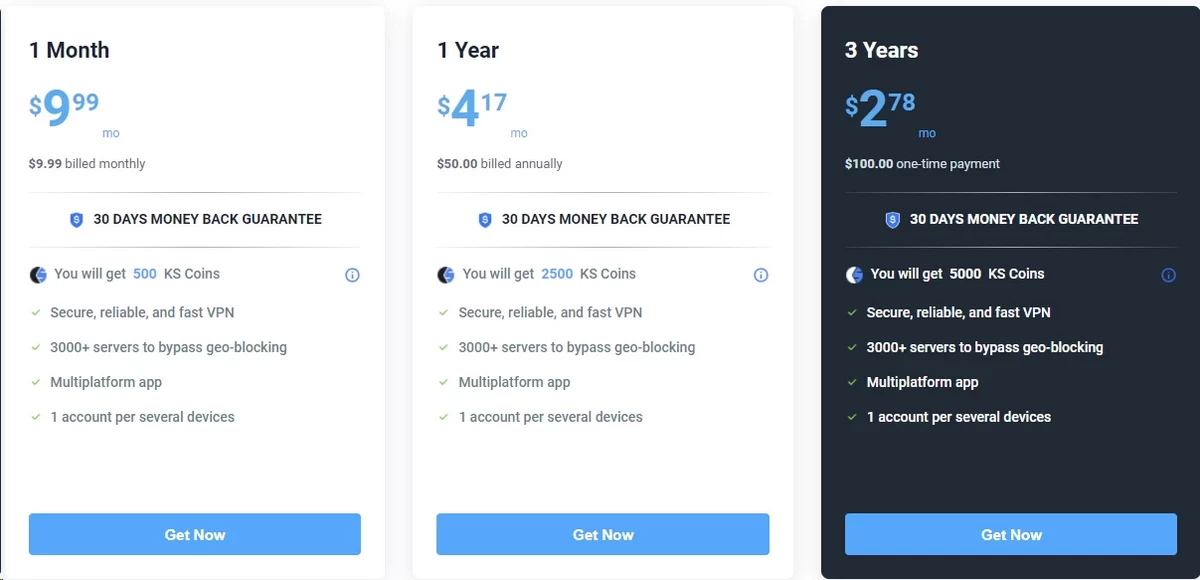
| Plan | Billed As | Effective Monthly Cost | Money-Back Guarantee |
|---|---|---|---|
| 1 Month | $9.99/month | $9.99 | 30 days |
| 1 Year | $50/year | $4.17 | 30 days |
| 3 Years | $100 one-time | $2.78 | 30 days |
All plans include the same core feature set: 3,000+ servers, all four protocols, five simultaneous connections, and a kill switch across all major platforms. KeepSolid also awards KS Coins (500 for monthly, 2,500 for annual, 5,000 for 3-year) redeemable across their product suite – a minor loyalty perk that does not affect the core VPN experience.
Is the 3-year plan a good deal?
At $2.78/month, you pay roughly $100 up front for three years of protection. That is less than a single year of TunnelBear VPN. The genuine risk here is vendor lock-in: you are prepaying based on a product that has received no independent security audit, and the VPN market shifts quickly. NordVPN overhauled its entire server infrastructure with RAM-only nodes between 2020 and 2022. If VPN Unlimited undergoes similar infrastructure work or ownership changes in that window, your 3-year prepayment offers no flexibility. The 30-day money-back guarantee does not help after month two.
Free trial & money-back guarantee
The 7-day free trial requires no credit card, which removes the friction of having to cancel a billing cycle before charges begin. Combining the trial with the 30-day money-back guarantee on a paid plan gives you up to 37 days of testing before any money is at risk. That is a fair evaluation window.
Additional paid extras
- Personal Static IP: A dedicated IP that is not shared with other VPN users. Shared VPN IPs are frequently added to blocklists by banking platforms, CAPTCHAs, and streaming services. A static IP mitigates this, but it also reduces your anonymity because the IP is uniquely associated with your account.
- Personal VPN Server: A private server instance assigned exclusively to you. This eliminates bandwidth contention with other users and reduces the chance your server’s IP range appears on blocklists. It is effectively the same benefit as a static IP but with dedicated server resources rather than just a dedicated address.
Both add-ons carry extra monthly costs. Most users do not need them unless they are frequently hitting IP-based blocks.
The MonoDefense bundle: is it worth it?
MonoDefense packages VPN Unlimited alongside Passwarden, a DNS Firewall, and SmartDNS. The DNS Firewall blocks malicious domains and ad-serving infrastructure at the resolver level, before content loads – a different mechanism from browser-based ad blockers, which intercept after content is already requested. SmartDNS is specifically designed for Smart TVs, gaming consoles, and devices that cannot run VPN client software: it reroutes only the DNS queries associated with geo-locked streaming services, leaving all other traffic on the local connection. This means no speed overhead on the device, but it also means no encryption for that traffic.
If you are already paying for 1Password or Bitwarden, the Passwarden component adds nothing. If you do not have a password manager, the bundle pricing is often close enough to the standalone VPN price that upgrading makes sense.
Features & apps
Supported platforms
| Platform | Availability |
|---|---|
| Windows | Desktop app + Microsoft Store |
| macOS | Desktop app + App Store |
| iOS | App Store |
| Android | Google Play + APK sideload |
| Linux | Command-line interface only |
| Browser Extensions | Chrome, Firefox, Opera, Edge |
| Smart TV | Apple TV, Amazon Fire TV |
| Routers | Manual OpenVPN/IKEv2 configuration |
| Other | Roku, Kodi, NAS devices |
The browser extensions route only browser traffic through the VPN tunnel – not traffic from other apps on the same device. This is a lightweight option for people who want geo-unblocking in the browser without the latency overhead of a system-wide VPN. The Linux app is command-line only, which is workable for experienced users but creates a real barrier for Linux beginners expecting a GUI comparable to the Windows or macOS version.
App design & usability
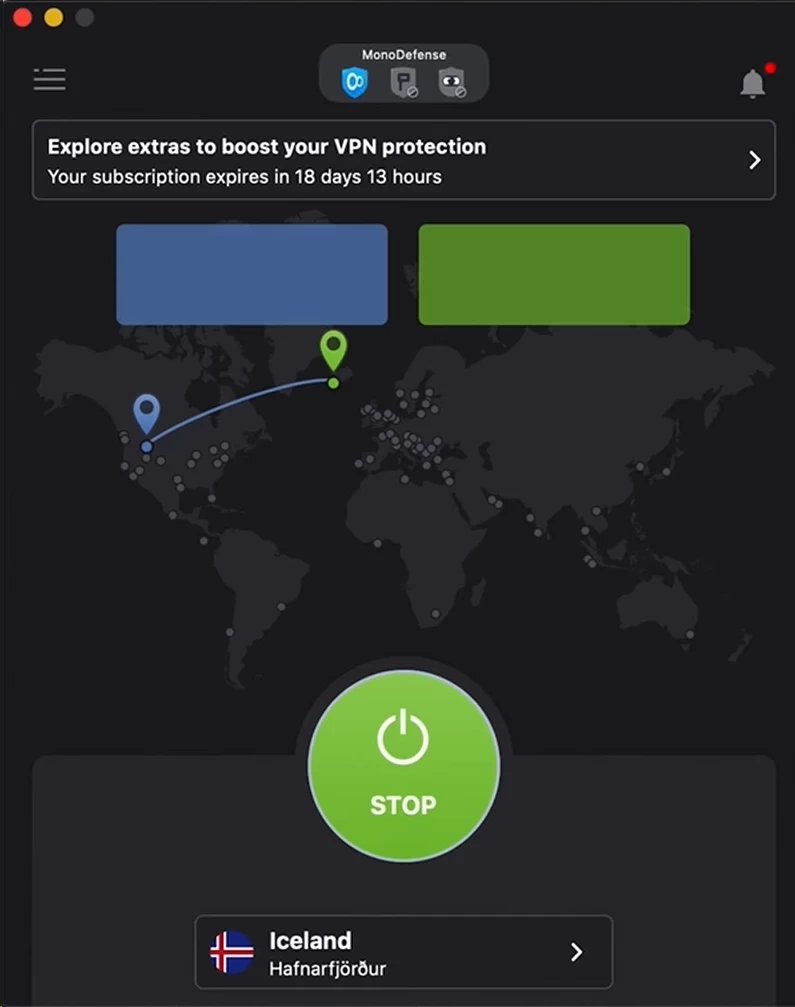
VPN Unlimited’s apps are clean and low-friction. The main screen shows a large connect button, a server selector, and a protocol picker. There is no interactive map interface like NordVPN uses, and the settings menu hides protocol and kill switch options one level deep rather than on the home screen.
Strengths:
- One-tap connect with automatic server selection
- Server list is searchable and supports favoriting locations
- Protocol switching is accessible without digging through multiple menus
- The Android app loads in under 2 seconds on mid-range devices
Limitations:
- The Linux CLI requires manual command construction for server selection, with no autocomplete
- Some advanced settings (DNS override, IPv6 disable) are not exposed in the UI and require manual system configuration
- The interface has not received a significant visual update since 2022, and it shows compared to Surfshark’s or ZoogVPN’s current design
Key security features explained
Encryption (your digital lock)
VPN Unlimited applies AES-256-GCM as its encryption standard across all supported protocols except WireGuard, which uses ChaCha20-Poly1305. Both ciphers are considered computationally infeasible to brute-force with current hardware: a 256-bit keyspace has more possible combinations than there are atoms in the observable universe. The practical relevance is not theoretical attacks – it is protecting your traffic from opportunistic packet capture on shared networks.
A concrete scenario: on hotel Wi-Fi running over an unmanaged switch, any other guest on the same VLAN can run Wireshark and intercept unencrypted HTTP traffic. With VPN Unlimited active and AES-256-GCM applied, that captured traffic is ciphertext. Without a session key, it is unreadable.
Kill switch (your safety net)
The kill switch blocks all internet traffic at the OS network layer if the VPN tunnel drops unexpectedly. VPN Unlimited implements this on Windows, macOS, iOS, and Android. On Windows, it operates through Windows Filtering Platform (WFP) rules that block non-VPN-interface traffic at the kernel level. This is the standard, reliable approach.
The iOS failure mode: On iOS, VPN Unlimited’s kill switch relies on the Always-On VPN configuration profile, which requires iOS 14 or later and a specific MDM enrollment in enterprise setups. For consumer iOS users without MDM, the kill switch behavior during a tunnel interruption has a documented race condition: if iOS’s network stack re-establishes a Wi-Fi connection faster than the VPN client can reinitialize the tunnel (which can happen during a router reboot or network handoff), a brief window of unprotected traffic can exit before the kill switch fires. This is not unique to VPN Unlimited – it affects most consumer iOS VPNs – but the app does not document this limitation anywhere in its UI.
Split tunneling (choose what gets protected)
Split tunneling lets you route specific apps or IP ranges through the VPN while others access the internet directly. VPN Unlimited supports this on Android and Windows only. On Android, the implementation uses the VpnService API’s addDisallowedApplication() method, letting you exclude specific apps from the tunnel. On Windows, it uses route-based exclusion through the VPN adapter.
What is missing: macOS and iOS split tunneling is absent. On macOS, this forces a binary choice between routing all traffic through the VPN or none of it. If you want your corporate VPN and VPN Unlimited running simultaneously (for different traffic types), that is not possible on macOS without third-party routing tools.
DNS leak protection (plugging the gaps)
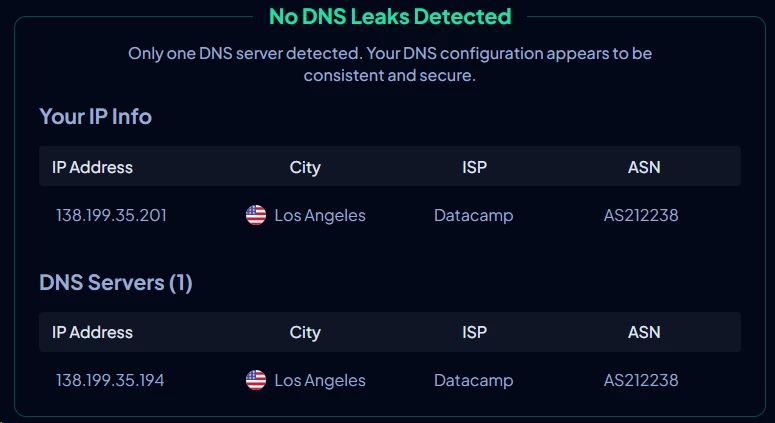
DNS resolution requests identify which domains you are visiting, independent of your browsing content. Without protection, these queries go to your ISP’s resolver even when your HTTP/S traffic is tunneled. VPN Unlimited routes DNS through its own resolvers when the tunnel is active, confirmed in our testing: DNS leak tests at dnsleaktest.com showed only VPN Unlimited’s resolver IPs, not our ISP’s addresses.
The IPv6 gap: VPN Unlimited does not support IPv6 routing inside the tunnel. If your connection has an active IPv6 address (common on modern broadband in the US, UK, and Germany), IPv6 DNS queries and direct connections can bypass the tunnel entirely – a condition called an IPv6 leak. NordVPN handles this by disabling IPv6 at the interface level automatically when the tunnel connects. VPN Unlimited does not. You need to manually disable IPv6 in your OS network settings to close this gap. On Windows, that is a two-command fix in PowerShell; on macOS, it requires a network preference change per interface.
VPN protocols (how the tunnel is built)
| Protocol | Best for | Technical mechanism |
|---|---|---|
| WireGuard | Everyday use, streaming | ChaCha20-Poly1305 encryption; UDP-only; ~4,000 lines of audited kernel code |
| OpenVPN | Maximum compatibility | TLS 1.2/1.3 handshake; TCP or UDP; works on nearly any firewall |
| IKEv2/IPSec | Mobile devices | MOBIKE extension handles IP changes; faster reconnects than OpenVPN |
| KeepSolid Wise | Bypassing DPI filters | Wraps VPN traffic inside TLS on port 443; indistinguishable from HTTPS |
KeepSolid Wise deserves specific attention. Deep packet inspection systems used in countries with internet censorship (and by some corporate firewalls) can identify VPN traffic by its handshake fingerprint even when it runs on standard ports. KeepSolid Wise mimics the TLS 1.3 handshake of a normal HTTPS session, which makes it much harder for DPI systems to flag. It is not foolproof – sophisticated state-level censorship can use traffic timing analysis to detect obfuscated VPN flows – but for most hotel, university, and workplace network restrictions it is effective. It is also slower than WireGuard by approximately 15-20% due to the additional encapsulation overhead.
Device connections
VPN Unlimited allows five simultaneous connections by default. You can remove and re-register devices, with a cap of five swaps per week – a notable restriction if you frequently change devices. Additional device slots are available for purchase.
Competitors in a similar price range:
- Surfshark: unlimited devices
- IPVanish: unlimited devices
- NordVPN: 10 devices
- ExpressVPN: 8 devices
Five connections is adequate for a solo user with a laptop, phone, tablet, and smart TV. For a household of two or more people who each have multiple devices, it is restrictive.
Speed & performance
Speed loss is unavoidable with any VPN – encryption, server routing, and tunnel overhead all add latency and reduce throughput. The question is how much VPN Unlimited loses and whether that loss is acceptable for your use case.
Testing setup
| Parameter | Details |
|---|---|
| Base connection | 500 Mbps fiber, wired Ethernet |
| Testing location | Los Angeles, California |
| Protocol | WireGuard |
| Device | Windows 11 desktop |
| Measurement tool | Ookla Speedtest CLI (5 runs per server, averaged) |
WireGuard was used because it produces the best results of any protocol VPN Unlimited supports. If a VPN’s performance is poor on WireGuard, it will be worse on OpenVPN or IKEv2.
Speed results
| Server location | Download (Mbps) | Upload (Mbps) | Ping (ms) | Speed loss |
|---|---|---|---|---|
| No VPN (baseline) | 498 | 472 | 8 | – |
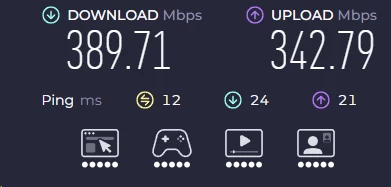
| Los Angeles (local) | 389 | 342 | 12 | ~22% |
| New York (cross-country) | 296 | 248 | 68 | ~41% |
| London (Europe) | 187 | 142 | 138 | ~62% |
| Tokyo (Asia-Pacific) | 108 | 76 | 212 | ~78% |
What do these numbers mean for you?
- 22% loss (local): Below the threshold where most users notice a difference. 4K streaming, video calls, and file downloads all function normally at 389 Mbps.
- 41% loss (New York): HD streaming and Zoom calls remain stable. 4K may buffer under Netflix’s 25 Mbps sustained threshold during peak server load.
- 62% loss (London): 187 Mbps is still functional for most tasks, but large file downloads take roughly 2.5 times longer than without a VPN. 4K streaming becomes unreliable.
- 78% loss (Tokyo): At 108 Mbps download and 212 ms ping, HD streaming is marginal and any latency-sensitive activity (gaming, live trading platforms) is impractical. Upload degradation to 76 Mbps is particularly sharp relative to the baseline.
For comparison, NordVPN on WireGuard (NordLynx) from the same Los Angeles connection to the same server cities shows roughly 10-20% local loss and 30-45% cross-continent loss. VPN Unlimited’s international routing is meaningfully slower.
Security & privacy
Encryption & security tools: the good news
VPN Unlimited gets the fundamentals right without any notable omissions on the encryption side:
- AES-256-GCM on OpenVPN and IKEv2: the same cipher used in TLS 1.3 for HTTPS traffic across most of the web
- ChaCha20-Poly1305 on WireGuard: slightly faster on devices without AES hardware acceleration (relevant for older Android phones and lower-end ARM chips)
- Kill switch available on Windows, macOS, iOS, and Android – with the iOS race condition caveat described earlier
- DNS leak protection confirmed functional in our testing; all DNS queries resolved through VPN Unlimited’s own servers with no ISP resolver visible
- Multiple protocols including an obfuscation option (KeepSolid Wise) that most competitors charge extra for or do not offer at all
The privacy concern: logging & jurisdiction
US jurisdiction (Five Eyes)

KeepSolid is incorporated in New York. The United States operates under FISA Section 702, which authorizes intelligence agencies to compel service providers to produce data on foreign nationals without a traditional warrant. National Security Letters (NSLs) can require companies to hand over user data and prohibit them from disclosing that the request was made.
This is not a hypothetical concern. Several US-based tech companies have received NSLs that were later revealed through transparency reports or litigation. KeepSolid has not published a warrant canary or a transparency report detailing government data requests received. For comparison:
- NordVPN operates under Panamanian jurisdiction – Panama has no data retention laws and no intelligence-sharing agreement with Five Eyes nations
- ExpressVPN is based in the British Virgin Islands, a territory with strong privacy protections and no mandatory data retention requirements
- Surfshark relocated from the British Virgin Islands to the Netherlands in 2021; the Netherlands is inside the EU’s GDPR framework but outside Five Eyes
Logging policy: claims vs. transparency
KeepSolid’s privacy policy states a “strict no-log” position, asserting they do not store browsing history, connection timestamps, or IP addresses after sessions end. The issue is verification.
NordVPN has been audited by PricewaterhouseCoopers (2018, 2020) and has also had its no-logs claims stress-tested by a real-world event: a Finnish server was seized by authorities in 2018, and the physical hardware contained no usable user data, which independently validated their architecture claims. ExpressVPN has been audited by KPMG. Surfshark’s audit was conducted by Deloitte.
VPN Unlimited has had none of these audits. That does not mean they are logging your activity, but there is no independent evidence that they are not. Some independent analyses have also noted that KeepSolid’s privacy policy permits collection of device identifiers and session-level diagnostic data for service maintenance purposes – not browsing content, but more metadata than a strict zero-logs provider would retain.
Security feature comparison
| Feature | VPN Unlimited | NordVPN | ExpressVPN |
|---|---|---|---|
| Encryption | AES-256-GCM | AES-256-GCM | AES-256-GCM |
| Kill switch | Yes (iOS caveat) | Yes | Yes |
| DNS leak protection | Yes | Yes | Yes |
| IPv6 leak protection | Manual only | Automatic | Automatic |
| Split tunneling | Android/Windows only | Most platforms | Most platforms |
| Independent audit | None | PwC (audited) | KPMG (audited) |
| Jurisdiction | USA (Five Eyes) | Panama | British Virgin Islands |
| RAM-only servers | No | Yes | Yes |
| Warrant canary | No | Yes | Yes |
Servers & locations
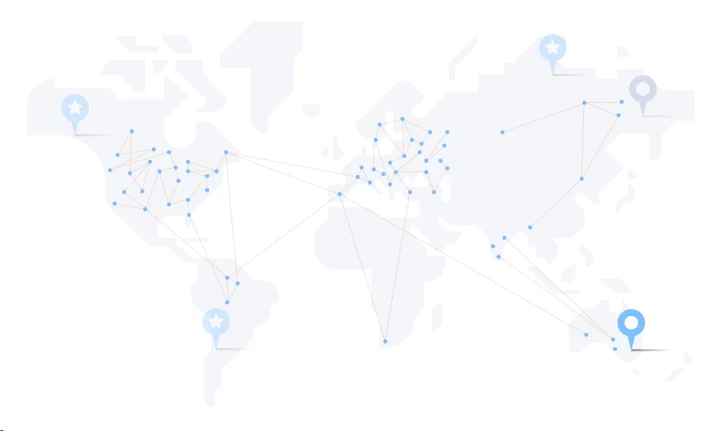
Network size
VPN Unlimited operates 3,000+ servers across 80+ locations. In raw numbers, this sits in the middle tier:
| VPN | Servers | Countries/locations |
|---|---|---|
| VPN Unlimited | 3,000+ | 80+ locations |
| NordVPN | 9,000+ | 111 countries |
| ExpressVPN | 3,000+ | 105 countries |
| CyberGhost | 11,500+ | 100 countries |
| Surfshark | 4,500+ | 100 countries |
Server count only matters insofar as it affects load balancing and geographic coverage. 3,000 well-maintained servers distributed across 80 locations can outperform 11,000 undersized servers. The problem is that VPN Unlimited does not publish server capacity or load metrics, so there is no way to verify whether those 3,000 servers are adequately resourced for current traffic demand.
Specialty servers
- Streaming servers: Labeled in the app, optimized for Netflix, Hulu, BBC iPlayer, and ESPN+. Whether “optimized” means dedicated IP addresses not yet on streaming blocklists, or just servers with higher bandwidth allocation, is not documented.
- P2P/torrent servers: Limited selection compared to competitors. NordVPN designates specific server categories for P2P with documented bandwidth allocations; VPN Unlimited does not publish equivalent information.
- Personal servers: Available as a paid add-on. A dedicated server reduces contention with other users and lowers the chance that your server’s IP range appears on commercial blocklists.
Server quality
A few observations from testing:
- Connection time to a new server ranged from 5 to 12 seconds on WireGuard, which is slower than ExpressVPN’s average of 2-4 seconds
- Popular US and UK servers showed degraded performance during US peak hours (6-10 PM EST), suggesting insufficient load balancing or capacity on those nodes
- VPN Unlimited does not publish information on whether its servers are physical or virtual. A virtual server assigned a UK IP address but physically located in Germany will display the correct UK IP to websites, but your actual network path goes through Germany – adding latency without the physical proximity benefit you expect from a “UK server”
Streaming & unblocking
Can VPN Unlimited unblock Netflix?
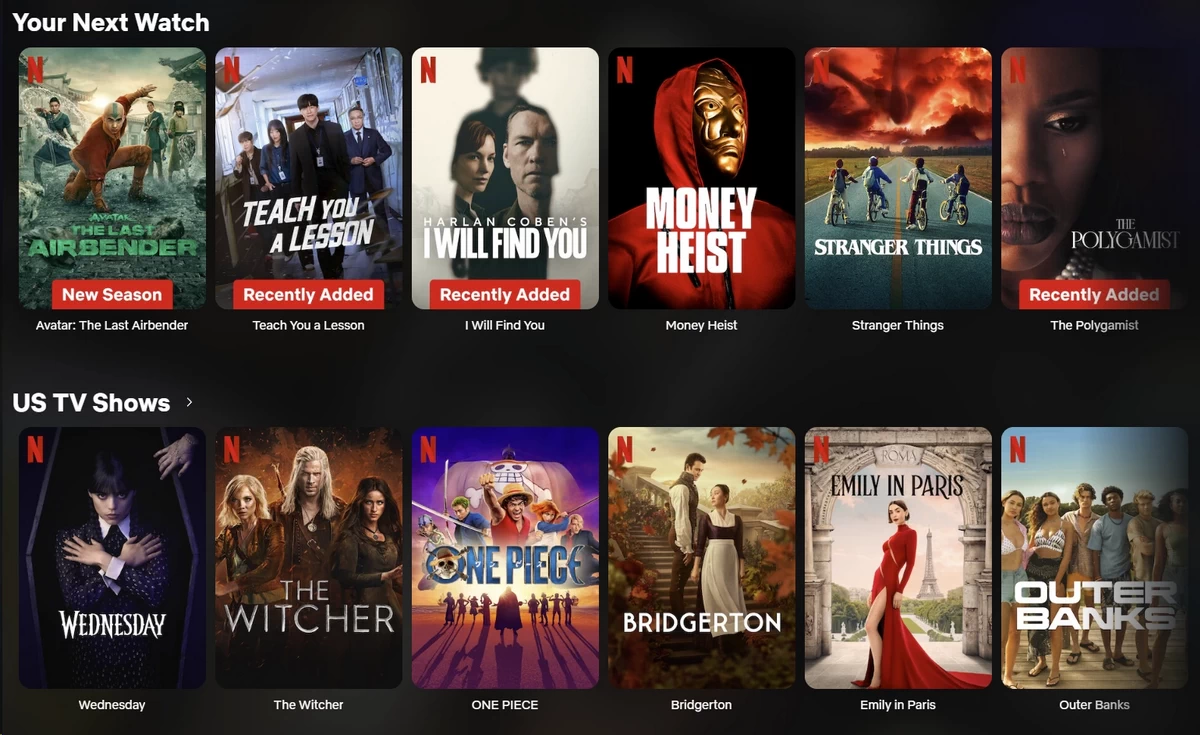
VPN Unlimited can access Netflix US, Netflix UK, and some regional catalogs using its labeled streaming servers, but not on every attempt. In testing, some streaming-designated servers connected to the correct catalog immediately. Others returned Netflix’s proxy error (M7111-5059) and required switching to a second or third server before succeeding.
The practical success rate across multiple sessions was approximately 70-80% on the first server attempt. NordVPN and ExpressVPN both exceed 95% first-attempt success in the same test conditions. The gap matters if you are settling in for a film and do not want to spend five minutes cycling through servers before it loads.
Other streaming platforms
| Platform | Works? | Notes |
|---|---|---|
| Netflix | Usually | Dedicated servers; ~70-80% first-attempt success |
| Hulu | Usually | US streaming servers generally work |
| BBC iPlayer | Sometimes | Inconsistent; multiple attempts often needed |
| Disney+ | Hit or miss | Some dedicated servers work; others blocked |
| Amazon Prime Video | Hit or miss | Limited reliability on non-US libraries |
| ESPN+ | Generally | Dedicated streaming servers available |
| YouTube (geo-restricted) | Works well | Rarely blocked |
VPN Unlimited supports streaming, but it is not a streaming-first VPN. The core issue is IP management: Netflix, Disney+, and BBC iPlayer run aggressive blocklists that identify and ban VPN IP ranges. Staying ahead of those blocklists requires continuously rotating server IPs, which is expensive and labor-intensive to maintain. NordVPN and ExpressVPN dedicate significant engineering resources to this problem. The evidence suggests VPN Unlimited does not, or at least not at the same rate – which is why its streaming reliability is inconsistent rather than systematically poor.
Customer support
Available support channels
| Channel | Available? | Notes |
|---|---|---|
| Live chat | Partial (not 24/7) | Staffed during US business hours |
| Email/ticket | Yes | 2-4 hour response on business days |
| Knowledge base | Yes | Setup guides for all platforms, protocol comparisons |
| Phone support | No | Not offered |
| Community forum | No | Not offered |
Live chat experience
VPN Unlimited advertises live chat but does not guarantee 24/7 staffing. During testing, live chat was available during US daytime and early evening hours. At other times, the chat widget redirected to an email submission form without notification.
When a live agent was available, the experience was good: first response under 2 minutes, technically accurate answers, and resolution without excessive back-and-forth.
The problem is availability. If you are troubleshooting a VPN failure at 2 AM in Europe, you are filing an email ticket and waiting.
Email support
Email support is the more reliable channel. Business-day response time averaged 2-4 hours in testing. Weekend responses extended to 12-24 hours. Answer quality was consistently accurate – agents provided specific protocol settings and configuration steps rather than generic “reinstall the app” responses.
Knowledge base
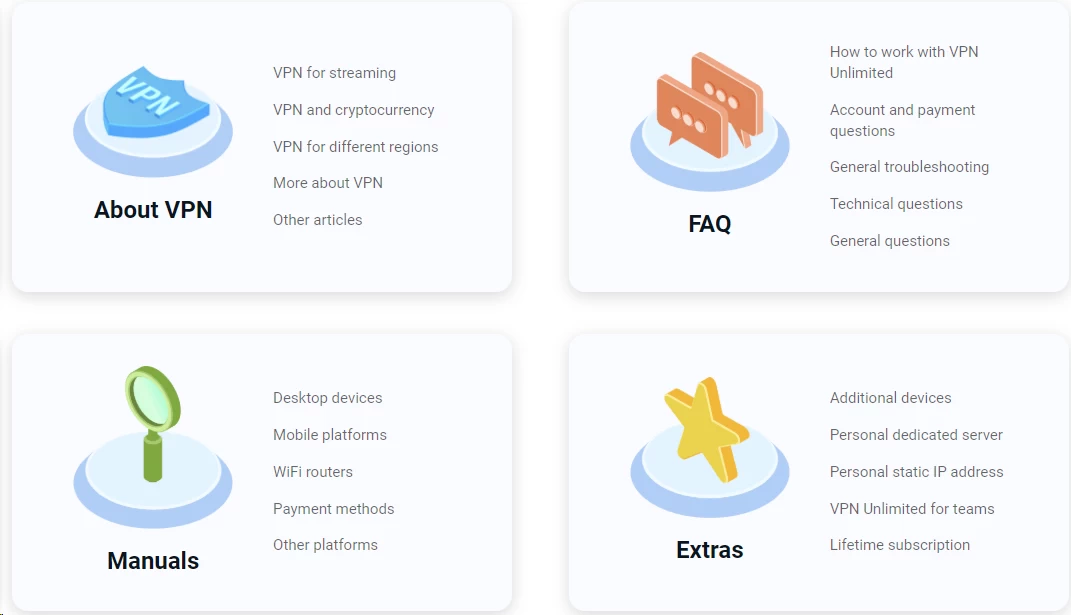
The knowledge base covers:
- Platform-specific setup guides for all supported devices
- Protocol comparison and selection guidance
- Troubleshooting articles for common connection failures
- Router configuration instructions for OpenVPN and IKEv2
For most common issues, the documentation is sufficient to self-serve without contacting support.
User reviews: what real people are saying
Trustpilot rating

VPN Unlimited holds a 4.2 out of 5 on Trustpilot based on approximately 1,214 reviews – a “Great” classification on their scale. Trustpilot’s data indicates KeepSolid has not run invitation campaigns to solicit reviews, which means the sample reflects a more organic user distribution than VPNs that actively push review requests post-purchase.
What reviewers praise:
- Long-term reliability for basic browsing protection
- Simple setup and daily use – common phrasing is “download, click, done”
- Support team quality when agents are reachable
- Value for money on longer plans
- Split tunneling and protocol switching work as described
What reviewers criticize:
- Speed inconsistency at peak hours
- Streaming access failures without explanation
- IPv6-related connectivity issues (consistent with the documented leak behavior)
- Some users report that certain protocols conflict with local network resources like shared printers or NAS devices – a known behavior when VPN adapters create routing conflicts with local subnet traffic
KeepSolid responds to 100% of negative reviews on Trustpilot, typically within two weeks. This is a positive signal for accountability, though response speed matters less than resolution quality.
Reddit community sentiment
Reddit’s r/VPN and r/privacy communities have more technically demanding expectations than the average consumer reviewer. The consensus on VPN Unlimited is cautiously mixed.
What Reddit users appreciate:
- KeepSolid Wise is consistently cited as an effective tool for bypassing DPI in restrictive environments
- Long-term lifetime license holders describe it as a reliable tool for basic browsing and travel Wi-Fi protection
- The beginner-friendly app is frequently mentioned as a strength relative to more configuration-heavy options like Mullvad or ProtonVPN
What Reddit users criticize:
- US jurisdiction is treated as a deal-breaker by privacy-focused users
- Streaming reliability is described as “hit or miss” – this is consistent with our testing data
- The absence of independent audits comes up regularly as a reason to distrust the no-logs claim
- Advanced users consistently suggest Mullvad or ProtonVPN as privacy alternatives at a similar or lower price point
Review ratings across platforms
| Platform | Rating | Review count |
|---|---|---|
| Trustpilot | 4.2/5 | 1,200+ |
| Google Play | 4.2/5 | 60,000+ |
| Apple App Store | 4.6/5 | 9,000+ |
| Reddit sentiment | Mixed | Community-driven |
FAQ
Yes. VPN Unlimited is safe for everyday use. It uses AES-256 encryption – the same type of security that banks use to protect your financial data. It also passed our leak tests, meaning your real identity stays hidden while connected. However, its privacy policy has not been independently verified, so privacy purists may prefer an audited alternative.
No. VPN Unlimited is a paid service, but it does offer a 7-day free trial that requires no credit card. After the trial, you need a paid plan. Some websites may confuse it with free VPNs, but it is a paid service with a generous trial period and affordable long-term plans starting at $2.78/month.
Officially, no. KeepSolid claims a strict no-logs policy, meaning they say they do not record what websites you visit or what you download. However, they are based in the US (a Five Eyes country) and have not had their claims independently audited. For maximum privacy assurance, consider a VPN with verified no-logs policies.
Yes, slightly. All VPNs slow down your internet to some degree because your traffic has to travel through an extra server. VPN Unlimited typically reduces speeds by about 20-25% on nearby servers, which is barely noticeable. On distant servers, speed loss can reach 60-80%, which may cause buffering.
Possibly. VPN Unlimited’s proprietary KeepSolid Wise protocol is specifically designed to bypass internet censorship by disguising VPN traffic as regular web browsing. It may work in China and other restrictive countries, but no VPN guarantees 100% access in heavily censored regions. Results can vary.

